
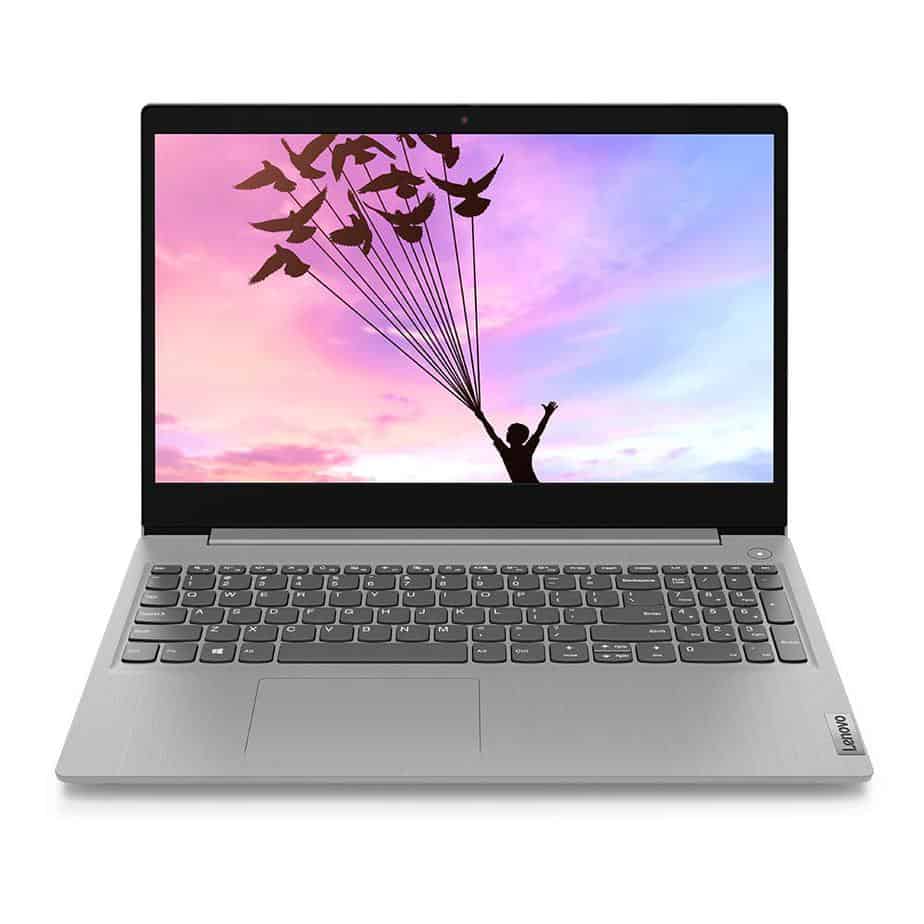
Nowadays, keyboard lights are very popular among gamers. If you are a new gamer, you may want to know how to on keyboard light in hp laptop. This article showcases every detail about back lit keyboards and of course how to on keyboard light in hp laptop.
How to turn on keyboard light on hp laptop?
The latest keyboard lighting feature on laptops has changed the gaming on PCs and has made an ample amount of space for people, who stay up at night, to power on in the darkness. When you have still got too much work to complete, you will surely want to get accustomed with the ways of turning on keyboard lighting to soldier on in the night.
A keyboard has from the very start been a somewhat tricky hardware for users in the case of laptops. The laptops from the HP company are not an exception to it. Being portable and thin, these laptops provide very little space in offering quality keyboards that has fancy features.
The company is doing justice to the community of keyboard by offering functional and reliable keyboards with the laptops. This includes the HP pavilion laptops as well as HP omen laptop. With the rising popularity of these types of keyboards among gamers and regular users, no wonder HP easily jumped on this trend.
You can follow a shortcut method on your keyboard if you want to turn on the light on your HP laptop. First you will need to tap on the back light key on the keyboard. It typically is in the row that has the F keys. On some models, you may need to press the Fn (Function) key first.
In a pavilion model, it is usually the F5 function key that needs to be pressed to turn on the light on the keyboard. In some cases, the light on your laptop’s keyboard may refuse to turn on if the device is low on battery. It should be charged past a specific point when it is off the charger. Just simply plug your device into the charger to solve this problem.
How to turn on back lit keyboard hp?
It may be a bit tricky to new users of HP to find the back lit key on the keyboard. The HP models are pretty good in this as they offer an icon of back lit light on the light key. You can easily find the key along the rows of function of the keyboard in most cases.
To make it more specific, that icon is generally printed along with F6 or F5 keys. The icon looks as if three lights are flashing out of same number of square boxes. You need to take a good look if you can’t find it right away.
Once you find out the key, it is now time to turn the keyboard back light on. For that, you need to locate the function key. Then you simply have to tap on the Fn key and back lit key simultaneously. It is done and you will see an incredible shining through all the keys on your keyboard.
Now that you know how to turn the light on, you should also be informed about how to turn it off. You may love the lights turned on always as it looks beautiful, but it is absolutely unwise to so. Specifically, if you have a HP laptop, the lights consume more power and the battery of your laptop may get drained very quickly.
So for better performance of your battery, you should completely keep it off during daytime and limit the usage during the night. In case you got a power source that is plugged to your laptop, you do not have to be rigid about the lights.
The process is very simple just like turning them on. You again need to press both the back lit key and the function key at once and the lights are going to be turned off. For many models, tapping only the back lit key is enough for illuminating the keyboard light or switching it off.
One of the beneficial and key features that are used in laptops is screen rotation, as it is the easiest way to flip the screen’s orientation quickly. Most of the applications work well in the landscape mode. But sometimes, the screen orientation might cause some difficulties in proceeding while performing some important tasks.
During those instances, rotating your laptop screen will be the best solution. If you are a beginner at accessing these features on your laptop, we will explain how to rotate laptop screen.
There are different types of laptops, and each has its unique working principle on how to rotate a laptop screen. It is very quick to access, and it’s time-saving for the users to perform any orientation of screen that they want. And if you want to know how this is done, then this article will be helpful to find out how to rotate laptop screen. So, keep on reading.
How To Rotate Laptop Screen On Windows 10
In Windows 10 laptops, you can use the shortcut keys to rotate your laptop screen. Press CTRL+ALT+Down Arrow or Right Arrow, and your desktop screen will rotate to portrait mode. If you want to return to landscape mode, simply hit the shortcut keys by pressing CTRL+ALT+Up Arrow.
If this method doesn’t work, you can try an alternate method to rotate your screen by simply right-clicking on the Desktop > Display settings > Display orientation> Landscape or Portrait and then clicking “Apply” or “OK.”
How To Rotate Laptop Screen On Dell Laptop
Like most laptops, Dell laptops also allow its users to flip the screen by using two methods. One of the easiest and fastest ways to rotate your screen is by using keyboard shortcuts. It is an efficient method in that you have to hold Ctrl, Alt, and Up arrows at the same time.
By doing so, you will rotate your screen to the default position as to how it was previously. Or, if you want to rotate to any other orientation, press Ctrl, Alt, and Up/Right/Left Arrow simultaneously according to your preference.
Also, you can see the same result by employing another method. You have to use the Display Setting Menu to rotate the screen. This is a common feature available in all Windows 10 laptops. And, if you want your screen to be horizontal, click on “Keep Changes.” By choosing to keep the changes, your screen remains horizontal until you decide to change it.
How To Rotate Laptop Screen On HP Laptop
In HP Laptops, you can flip the screens in three ways. You can rotate your screen easily by using keyboard shortcuts. It is the most feasible way to rotate your screen. You can also rotate the screen by using the display settings, which are available on all Windows 10 laptops.
Finally, you can rotate your screen by accessing the Action Centre feature. To enable this feature, you have to press Win Key + A simultaneously. Next, click on the “Rotation Lock” button to enable or disable the screen rotation feature. It is easy to toggle according to your preference for the display.
How To Rotate Laptop On Chromebook Screen
Rotating screens on Chromebook is a piece of cake. The easiest way to rotate the screen in Chromebook is using keyboard shortcuts. All you have to do is to press Ctrl + Alt + Refresh buttons at the same time. Each time you click the combination of these buttons, the screen will flip 90o clockwise. You can stop pressing these buttons once you get your preferred screen rotation.
You can also enable the screen rotation feature by using another method which is quite unpopular. You have to open the settings by clicking on the clock in the bottom-right corner of the screen and selecting the gear icon, followed by which the “Device” is selected in the left sidebar.
Next, choose “Displays” under the device tab, and choose the orientation you want from the “orientation” dropdown menu. This method is quite unpopular among Chromebook users but an efficient one.
Before proceeding to how to refresh laptop, we should learn why we refresh a computer? Technically, when you use an application on your laptop and close the program, there will still be some code or program that remains in the system’s memory, and this can slow down your computer a little. So, when we refresh our system, these unnecessary codes or parts of the program get entirely erased from the memory.
The more free memory, the greater the speed of the computer. To be precise, the system will run much smoother, but it will not give some extra speed to your system. It simply removes the unnecessary code from Ram and will grant that space of memory to other necessary applications to run.
But in today’s computers and laptops, there is no need for you to manually refresh the system because most the computers refresh and free up the memory automatically at a particular frequency. So, it is not necessary to refresh your computer to speed up the process.
You can use the refresh feature for other purposes other than trying to free up the space in the Ram. If you save a file or folder on your desktop and can’t view them on the desktop screen, you can use the refresh option, which will jog up the memory. Or, if you can’t access the desktop icons, refreshing your system might be the best choice to clear up the bug.
So, how to refresh laptop? We are going to see that in this article.
We are now going to discuss the most popular and easiest way to refresh your laptop. Navigate yourself to the desktop on your laptop. In there, move to the empty space away from the desktop icons and right-click on the empty space. Make sure you are not right-clicking on any of the desktop icons. If you are right-clicking on the desktop icons, you won’t find the refresh option in it.
When you right-click on the empty space, you will find the refresh option there. You can click this to refresh your laptop instantly. Refreshing your laptop once in a while is enough as it doesn’t have any benefit of doing them frequently, and neither is there any disadvantage to refreshing them frequently.
How To Refresh Laptop Using Keyboard?
If you don’t want to follow the instructions mentioned above to refresh your laptop, you can use the shortcut, which is the quickest way to refresh. You can refresh your laptop by pressing Ctrl+R at the same time. Or you can also press F5 to refresh your laptop.
But in some Operating Systems, you have to first refresh the laptop by right-clicking on the empty space on the desktop and pressing the refresh option first in order to use F5. In those laptops, if you haven’t refreshed the laptop manually and press F5, it won’t refresh the laptop.
How To Refresh Laptop Windows 10 Shortcut Key?
In Windows 10, you can refresh the system or any webpage using a variety of combinations of keys. For example, you can click Ctrl and F5 keys simultaneously, which will refresh the computer or webpage. You can also click Shift+F5 or Ctrl+Shift+R to refresh your system. And this is how to refresh the laptop screen in Windows 10.
You can refresh the web pages to get the latest version of the webpage. Because if you are surfing a live website, you can miss out on the latest information because of technical glitched or slow connection speed. Refreshing your webpage will help you keep up with the latest version of the webpage, and it also helps to free up memory in the Ram.
How To Refresh Apple Laptop?
To refresh an apple laptop or Macbook, you might want to press Cmd+R simultaneously. This will soft refresh your laptop screen or web page. If you want to hard refresh your Macbook, press Shift+Command+R or Command+Option+R on your keyboard. This will hard refresh your Macbook.
Unlike in Windows laptops, you can’t use the F5 key to refresh in Macbooks because it might reduce the keyboard’s light and not refresh your laptop.
Purchasing a new laptop might be a difficult task. There are numerous models to pick from, notably HP and Dell laptops. Each of these brands is an industry leader and creates high-quality items. Many of us spend several hours comparing two different computers, their features, and other information on the Internet. HP and Dell both have models that will fit your budget and requirements. So, here is a comparison, Hp vs Dell Laptop.
Hp vs Dell laptop comparison
We must compare several key aspects of both these manufacturers’ laptops prior to reaching a choice. Both companies produce products that are market leaders and attract the audience due to their unique features and advancements. And, thanks to their diverse product lines, everybody can discover a machine capable of completing the required tasks. HP and Dell offer something for everyone, whether you’re a writer, a learner, a computer programmer, or an expert gamer.
Hp vs Dell laptop battery life
On average, Dell laptops are pretty similar to those of most other high-end brands. A fully charged battery should give you roughly 7-8 hours on a single charge. HP laptops, on the whole, have good battery life. It’s difficult to say for sure, but any of their laptops will last about you at least 8 hours of being used. HP claims that its laptop batteries should last over 1,000 complete charges on average.
Hp or Dell laptop for gaming
In the past, Dell’s Alienware laptops were indeed a clear favorite. However, HP has narrowed the gap well with the launch of its Omen gaming laptop. Two very different laptop lines are built to last, with RGB keyboards, powerful GPUs, and other features to accommodate any game.
Hp vs Dell laptops reliability
When it comes to battery life, HP comes out on top because its prismatic batteries last 3-4 years, whilst Dell’s only last two. Both companies are equal in terms of build quality and sound. When it concerns customer service, HP and other companies may learn a thing or two from Dell. There have been concerns regarding HP’s excessive wait times and delayed solutions. This could be due to the fact that their customer service is outsourced.
Hp vs Dell laptop price
Dell laptops are much less costly than Apple laptops, specifically if you want advanced capabilities and a wide range of networking options. There are numerous reasons why Dell is capable of doing so. First and foremost, the impact of retailers is far too modest in this case. Dell always advises customers to buy from authorized stores or online, which is a terrific way for them to save money. Likewise, if we compare these two laptops with the same setup from HP and Dell, we can see that the Dell one is more reasonable. HP, on the other side, has a laptop to fit practically every wallet.
Lenovo vs Hp vs Dell business laptops
There is no one who can match the Spectre and Envy laptops in terms of appearance. They are flawlessly crafted and look fantastic from every angle. The computers are attractive from every angle and are also simple to use. They come in a variety of sizes, are simple to use, and are quite light in weight, which is a bonus.
In terms of price, all or most workplace laptops are pricey, and we believe that Dell is the clear winner. They provide excellent computers at a reasonable price. In this category, Dell XPS laptops are also reasonably priced. The Envy’s specifications are too low for the price they’re charging, but it has more to do with all the laptop’s design. In short, it is usually Hp vs Dell laptops for business usage.
Hp vs Dell laptop for students
Hp vs Dell laptops for school
HP’s Chromebook 14 is a wonderful alternative for high school students. Thanks to Chrome OS’s simplicity, it’s an extremely inexpensive, lightweight, and simple-to-use laptop. The HP Chromebook 14 is a good choice if your student doesn’t need any non-Chrome OS or non-Android applications to finish the assignment, attend classes online, or communicate with their classmates.
Hp vs Dell laptops for college
The Dell Inspiron 14 is our best laptop for college students. It’s a 2-in-1 laptop with a huge display and a slew of useful features at a price that’s reasonable for a college student’s budget.
FAQs
1. Are Hp and Dell laptop chargers the same?
Despite the fact that Dell and HP both seem to have laptop chargers with the same dimensions and function at similar voltages, the smart tip technology employed on both laptop chargers prevents them from being interchanged. The smart tip talks with the laptop to make sure the proper charger is plugged in.
Laptops usually are convenient to use since they are portable and lightweight, but they do require connection to a CPU for a variety of reasons. So, if you’re not sure how to connect CPU to laptop, keep reading to find out. Laptops were designed primarily to be portable. Here is where you can know how to connect cpu to laptop.
They run on batteries, making them portable and easy to use anywhere there is enough charge.
We will address some of the most often asked questions about How to Connect CPU to Laptop.
How To Connect Without Monitor Cpu To Laptop
With the Wi-Fi connection of the CPU to a laptop you access the CPU via a laptop and the laptop is a display screen for the CPU. The vast majority of the work will be completed on a laptop, with the CPU functioning as a virtual computer.
An Ethernet connection is required for this. This cable serves as a connector to a network that connects a machine, such as computer or laptop, to the web.
The following are the methods for connecting the CPU to a laptop without a monitor:
First of all, attach the Ethernet cable’s two ends to the Laptop and cpu ports.
Turn the laptop on and go to the control panel, where you’ll find the internet settings and network option.
Then, in it, pick the sharing and network option.
Then, on the page’s left side, click on Change Adaptor.
Then choose LAN/Ethernet and Wi-Fi choices by pressing and dragging the left button on mouse one and moving them to the other one until blue sheets show on both.
Then, under the network options, click the Plus symbol to view the name of the CPU or desktop computer, and you can use the laptop as monitor for your task at hand.
How To Connect Cpu To Laptop Using HDMI
To begin, ensure that both the CPU and the laptop has HDMI connectors. If your laptop lacks one, you should use adapter to connect the devices.
The procedures for connecting using an HDMI cable are shown below
Turn the laptop on and the CPU.
Connect one side of HDMI wire to every one of the laptop’s and CPU’s HDMI ports.
After your laptop has been linked to monitor system, you will be able to restart it.
This technique may also be used to project pictures, movies, and other media.
How To Connect Laptop To Cpu With Vga Cable
A VGA port functional CPU tower as well as a running laptop with a VGA connector is necessary. If a display is already connected to the CPU tower, then a VGA cable from the CPU to the laptop has to be connected.
This setup will not work otherwise. Two VGA ports on your CPU turret will be needed to connect both the display and the laptop in this situation.
Follow these guidelines to create a second CPU laptop monitor.
Connect the VGA port to the VGA cable at the rear of the computer tower.
Run into the port properly the VGA cable.
Connect the VGA cable’s other end with the laptop VGA port.
Switch the PC and laptop towers on.
Download the Custom Properties or Display option to anyplace in the desktop.
Select Display settings when choosing.
Selection and designating as Monitor 2 and 1 the current computer display.
Click OK and the Apply button for confirmation of changes.
At this point, your laptop screen should be successfully extended or mirrored. To ensure everything is set up correctly, return to step 7 and confirm that your computer recognizes both screens. If not, a simple trick is to reset the connections and try again. This process works smoothly even on some of the best laptops under 55000, ensuring you get the most out of your dual-screen setup.
FAQ
1. How to connect laptop screen to cpu using HDMI
Turn on the laptop and the CPU.
Connect one end of the HDMI cable to every one of the laptop’s and CPU’s HDMI ports.
After your laptop has been linked to the system monitor, you can restart it.
This technique may also be used to project pictures, movies, and other media.
2. How to connect laptop as monitor to cpu?
What exactly will the laptop be used as a monitor rely on? gaming? As an adapter for the display? Etc.
You may do it in many ways, depending on your needs. You may use your laptop software as a display or use cable including such Ethernet, HDMI, VGA, etc.
It is a full-size keyboard with 8 hotkeys.
It has a long battery life of 24 months.
It provides a wireless connection of up to 10m.
The design of the keys provides great comfort.
Zebronics ZEB-KM2100 Multimedia USB Keyboard
It is sturdy and lasts longer than the rest.
It has UV-printed Keys.
It has got 12 multimedia keys.
Quantum QHM7307 USB Wired Mini Keyboard
It is small in size yet durable.
It has got a noiseless design.
The keyboard is exclusively splash-resistant.
It also got a tangle-free wire.
Amkette Xcite Pro USB Keyboard
It is a full-size keyboard with soft-edged keys.
It has a fluid-resistant body with a noiseless and smooth keystroke.
Direct keys are available.
The keyboard keys are UV-coated.
Dell KB216 Wired Multimedia USB Keyboard
It has soft and Chiclet style keys that make typing comfortable and efficient.
It has a desk-centric design for work in the home and office.
HP 100 Wired USB Keyboard
It is a full-size keyboard with a sturdy body
It has 12 function keys and 3 hotkeys.
Natural contours and shape allow it to sit in a comfortable position for your wrist and hands
Laptop Keyboard is comparatively smaller in size and arranged a bit differently than desktop keyboard due to the presence of a narrower footprint. They are in demand because of the advantages they come up with. The keys can be concave or flat, but you should always go for the one which you are comfortable with. It can be of different types and come up with specific functions for your requirement.
Laptop Keyboards are of various types:
Traditional Style – It has only a millimeter space between the keys and has edges with slopes off. The keys are a bit taller as well.
Chiclet or Island Style – These are more prevalent nowadays. They have some extra space between the keys and a flat top.
Mechanical Switch – These keyboards have a mechanical switch underneath the keycaps, which makes the click sound.
Touch type – These keyboards are simply activated by touch, and the key being pressed sends a vibration as its response of being registered.
Factors to Look out for when buying Laptop Keyboard
Check out these features before buying any Laptop keyboard:
Portable – The keyboard should be compact and easy to move around from one place to another.
Weight – Always check out the weight, it shouldn’t be too heavy nor it should be too light. Just choose the most comfortable according to you.
Cost-efficient – You should buy things accordingly, the expensive ones are not always the best. The same goes for the keyboard too, always compare and buy.
Waterproof – It should be there as we frequently spill liquids here and there. It adds another layer of protection to your laptop keyboard.
Easy to use – Don’t select something you aren’t familiar with or else your typing speed might drastically fall. Always go for a simpler and easier one to operate.
Built-in laptop keyboards are not very efficient so we apply work-specific external laptop keyboards that are much simpler, better, and efficient. If you buy,
Feel less heat – Built-in keyboards give out heat, which we can feel while working for hours on the laptop.
Typical Errors are reduced – With proper spacing, we can type freely so, the prone to mistakes will be less. Moreover, built-in keyboards have a different arrangement
Flexible Screen positioning – We tend to stay behind the screen of the laptop more in a fixed position thus cramping some of our muscles, but with an external one we can extend and sit at our convenience for working
Overall, it is advantageous to have an external keyboard for its portability and flexibility.
The box contains a keyboard, mouse, and nano-receiver. It is a wireless full-size keyboard, therefore, no entanglement of wires. It’s easier to use because of the edges and presence of hotkeys. There is no delay in Bluetooth connectivity because of the advanced 2.4 GHz range. It gives the ultimate typing experience with low-profile, quiet keys, that’s why also called the best laptop keyboard for typing.
It’s a USB type keyboard with build to last quality You just have to plug in the keyboard to your laptop or computer and you are done assembling it. A total of 114 keys are present with 12 Multimedia keys. It consumes negligible power as well.
Distinctive Features:
It is sturdy and lasts longer than the rest.
It has UV-printed Keys so that the inscriptions don’t fade.
It has got 12 multimedia keys out of the 114 keys.
It is a durable keyboard with a sleek design and compact in size. It has noiseless keys that are durable and splash-resistant. The keys are compact and flat in shape. It has also got tangle-free wire and a total of 88 keys. This keyboard might have a lifespan of over 10 million keystrokes.
Distinctive Features:
It is small in size yet durable.
It has got a noiseless design with 78 chocolate keys.
The keyboard is exclusively splash-resistant.
It also got a tangle-free wire and no lagging in connectivity.
This keyboard is quite quirky with a lot of multimedia specified keys like play, pause, etc. buttons on either side of it. The keys are soft as well with an orangish taint on some of them. It also has the noiseless feature and fluid resistant which it makes it one of the best laptop keyboard.
Distinctive Features:
It is a full-size keyboard with soft-edged keys.
It has a fluid-resistant body with a noiseless and smooth keystroke.
Direct keys available for various multimedia purposes.
The keyboard keys are UV-coated to make sure that the letters on the keys don’t fade away.
This keyboard is a general multipurpose one with numerous hotkeys. The keys are soft and sturdy with a Chiclet style that helps in efficient and comfortable typing. This is the best keyboard for everyday home or office work. The build quality is excellent as well.
Distinctive Features:
It is a full-size keyboard with hotkeys like volume, mute, play/pause, backward and forward that helps in controlling multimedia pretty easily.
It has soft and Chiclet style keys that make typing comfortable and efficient.
It has a desk-centric design for work in the home and office.
Dell, Logitech, and HP are the best laptop keyboard brands but among these HP is the oldest and more renowned. This is a basic model of a wired USB keyboard which works smoothly and efficiently. It has a durable design with adjustable height.
Distinctive Features:
It is a full-size keyboard with a sturdy body
Its height can be adjusted.
It has a range of 109 keys with 12 function keys and 3 hotkeys.
Natural contours and shape allow it to sit in a comfortable position for your wrist and hands.
FAQs
Which is the best laptop keyboard for gaming?
The best laptop keyboard for gaming is Razer Cynosa V2 – Chroma RGB Membrane Wired Gaming Keyboard which has a backlit keyboard and is able to execute up to ten commands at the same time with a built-in key rollover for anti-ghosting. Also, Razer Hypershift lets all keypress and keys combinations, which execute complex compounds. The most attractive thing is that it syncs with all the popular games. It also supports nearly 16.8 million colors on backlit keys. It is the best laptop backlit keyboard.
Which is the best laptop keyboard for typists?
The best laptop keyboard for typists is Logitech Craft as it has backlit keys that let you write in any condition, the battery drainage is low as well and by touching the crown you can instantly access context-specific functions like Word, Excel, PowerPoint, Adobe software, and many more.
Which is the best laptop with a large keyboard?
The best laptop with a large keyboard is HP Pavilion Nontouch i7 17.3″ HD Display Laptop because it has a full-size island-style keyboard with a numeric keypad.
Windows 10 Home OS
14-inch screen
8 GB Computer Memory
256 GB Hard Disk Memory
CPU- 7th Gen Intel Core i5
Intel HD Graphics 615 Graphic Processor
AVITA Clarus
Windows 10 Home OS
14-inch screen
8 GB Computer Memory
256 GB Hard Disk Memory
Intel Core i5 CPU
Full HD 1920 x 1080 Display
AVITA Essential
Windows 10 Home OS
14-inch screen
4 GB Computer Memory
128 GB Hard Disk Memory
Full HD 1920 x 1080 Display
Base Processor Speed- 1.1 GHz
AVITA Liber V14
Windows 10 Home OS
14-inch screen
8 GB Computer Memory
512 GB Hard Disk Memory
6 MB Cache
Full HD 1920 x 1080 Display
AVITA Pura i3
Windows 10 Home OS
14-inch screen
4 GB Computer Memory
256 GB Hard Disk Memory
4 MB SmartCache Memory
CPU- 8th Gen Intel Core i3
Full HD 1920 x 1080 Display
AVITA Pura Ryzen 3
Windows 10 Home OS
14-inch screen
8 GB Computer Memory
256 GB Hard Disk Memory
Full HD 1920 x 1080 Display
Graphic Processor- AMD Radeon Vega 3
AVITA Liber V14 Ryzen 5
Windows 10 Home OS
14-inch screen
8 GB Computer Memory
512 GB Hard Disk Memory
Full HD 1920 x 1080 Display
Processor Speed- 2.1 GHz
If you are looking for an Avita laptop review in Hindi, you’re in the wrong place, but if English works for you, then maybe it isn’t a total waste of time. This article includes the factors you should look for while selecting a laptop, and also some Avita Laptop Review. This article pretty much has everything you would require to make your choice on which laptop to buy. So, let’s dive right into it.
Avita Laptop Reviews: Buying Guide
Factors to consider
Whatever gadget or appliance you are planning to buy, there are always factors that you should consider before making your choice. Laptops are no different. Here are a few factors you should look into before buying your laptop.
Size/Portability: You should always make sure that the dimensions and weight of the laptop agree with you. It is very inconvenient to buy a laptop and realize it doesn’t fit in your bag or is too heavy to lug around with you everywhere.
RAM: The size of your RAM is quite important because that decides how much workload your laptop can process and deal with before succumbing and crashing.
CPU: The processor of your laptop should be up to par and it is always good to make sure that you are buying a laptop with a branded CPU model and to look into the specs of the processor.
Storage: Depending on what you intend to use your laptop for, your storage space could be a crucial factor. It is also good to see if your hard disk can be extended in the future if required.
Battery: You should always make sure that the battery life of your laptop is satisfactory and efficient. There are chances that the battery life deteriorates with time, so it is good to check out reviews online.
Keyboard: You should make sure that the laptop you intend on buying has a good quality keyboard. If you work at night it is also useful if your keyboard has a backlight.
This model of the AVITA laptop is a sleek and stylish model, with great processing speed and good battery life. The acclaimed LIBER series includes AVITA COSMOS.
COSMOS is powered by a 7th Generation Intel Core processor
Allows you to complete even the most difficult tasks without breaking a sweat.
Anything happens in the blink of an eye thanks to the lightning-fast SSD.
The Avita Clarus has specs that are a level above the competition and are completely capable, designed to help tackle today’s technological challenges while preparing tomorrow’s adventures.
It has a powerful Intel Core i5 processor.
It provides high amounts of power with a maximum turbo boost frequency of 3.2GHz.
The SSD has a storage capacity of 128GB, which is sufficient for all of your essential documents and media.
The AVITA Essential 14 series of laptops is making waves with its amazingly slim and sleek design. It is one of the best of the few lightweight laptops, called Notebook laptops.
It has more than 6 hours of battery life, so the possibilities are endless, as low power can no longer hinder your enjoyable experience.
Achieve the most complicated tasks without breaking a sweat, thanks to the Intel Celeron N4000 processor
It has a great 4 GB LPDDR4 RAM and also boasts a storage space of 128GB SSD.
The AVITA Liber V14 series of laptops is another series from AVITA that is making waves with its amazingly slim and sleek design. It is another one of the best of the few lightweight laptops, called Notebook laptops.
With 10 hours of battery life, the possibilities are endless
Low power will no longer hinder your immersive experience.
The Intel Core i5-10210U processor and 8 GB DDR4 RAM are included.
It has a 512 GB SSD in-built in order to provide ultra-high performance and a smooth working experience.
AVITA Liber V14 with Ryzen 5 Quad-core Processor, is one of the most popular models from the AVITA in India. Ryzen processors have been found to be much faster and efficient at processing than Intel processors in most models of laptops. This change makes an already great model from AVITA, even better.
It has thin bezels that allow you to see the entire screen of the laptop expansively.
In the minimalistic clean-cut AVITA PURA, AVITA removes all the clutter from the equation. It is a contender for the best laptop with its inspired simplicity and strength and aplomb. This is an ultra-portable model.
It measures just 5 mm at its thinnest point and weighs only 1.34 kg.
Battery life of up to 8 hours.
It has lightning speeds available with its 8th Gen Intel Core i3-8145U processor at the touch of a button.
Work efficiently with a 256 GB SSD that is both fast and energy-efficient.
AVITA Pura has a simple and sleek design. As simple as it looks, the power this model wields is huge. It has a very high-speed processor and is built to be easily portable. Avita Pura Ryzen 5 is also a great option.
It measures just 5 mm at its thinnest point and the weight is only 1.34 kg.
It has a battery life of up to 8 hours guarantees that the immersive user experience is uninterrupted.
This computer is equipped with an AMD R3-3200U processor.
Works smoothly with a 256GB SSD that is both fast and energy-efficient.
Frequently Asked Questions
Is Avita’s laptop good?
Avita Laptops are a great choice. They have sturdily built bodies and sleek designs. They are also cost-effective and utilize the best processors in the market. They have great reviews and are considered one of the up-and-coming brands of laptops. Also, every Avita laptop review has been positive.
Is Avita a Chinese company?
AVITA is a technology company that is based in the United States. They function out of Hong Kong, which technically makes it a non-Chinese company.
Who owns Avita?
Avita is owned by a company called ‘Nexstgo’, which is based in Hong Kong.
If your budget is slightly high then we will recommend you to have a look at The Best Laptop Under 90000 and make your purchasing decision
Also, if you are looking for good laptop keyboards then do check out The best Laptop Keyboard that can help you in your buying decision.
Laptops are great to work with as they are lightweight and easy to carry but sometimes, they need to be connected to the CPU for various purposes. So, if you are clueless on how to connect CPU to laptop read further to know the solutions.
Laptops were made mainly to be easily portable. They don’t necessarily require any external devices to carry around for basic functions like typing, cruising, etc.
They come with a screen pad and keyboard attached to a foldable screen which makes them very convenient for use. They work on batteries which makes them convenient to work around anywhere with sufficient charging.
CPU is a Central Processing Unit is also known as the brain of the computer. It helps with the functioning of hardware and software instructions from the computer.
If you want to connect the CPU to your laptop then there are various ways to do it. Given below are instructions for how to connect CPU to Laptop?
We will answer some of the most common questions regarding How to Connect CPU to Laptop.
How to connect CPU to laptop without the monitor?
There are many reasons one may need to connect CPU to laptop like for sharing files, downloading files, for presentations to have multiple screens, etc.
How to connect CPU to laptop with Wi-Fi without monitor:
Using Wi-Fi to connect the CPU to a laptop allows you to access the CPU through the laptop, with the laptop serving as a monitor screen of the CPU. You will be able to do most of the work through a laptop with the CPU serving as a virtual computer.
You will need an Ethernet cable for this. This cable is used for connecting a device like a computer or a laptop to a network to have access to the internet. It is similar to manual wired Wi-Fi instead of a wireless one.
It is also said to be faster than wireless internet and is convenient and easy to use.
Given below are the steps for how to connect the CPU to a laptop without a monitor:
First, connect the two ends of the Ethernet cable to the CPU and laptop Ethernet ports respectively.
Then switch on the laptop and select the network and internet settings option in the control panel.
Then select the network and sharing option in it.
Then click on change adaptor on the left side of the page.
Then choose both Wi-Fi and LAN/Ethernet options by pressing the left mouse button on one option and dragging it to the other until a blue sheet appears on both of them.
Then select bridge connections options by right-clicking.
Then in the network option select the + sign to see the CPU’s or desktop computer’s name and use your laptop as a monitor for the required purpose.
Given below are the steps for the alternative to how to connect CPU to laptop without a computer.
You will first have to plug the VGA into the VGA port of the CPU.
Then take the other end of the VGA cable and plug it in the laptop VGA port.
Switch on the CPU and laptop.
Right-click on the mouse and select personalization or display settings.
Then click on the computer’s monitor and assign the laptop as a monitor.
Click on apply then confirm and at last ok to save it.
How to connect CPU to a laptop using HDMI cable?
First, make sure that the laptop and CPU have HDMI ports. If the laptop does not have one then you can use an adaptor that will allow you to connect both devices.
Given below are the steps to connect using an HDMI cable.
Switch on the laptop and CPU.
Connect each end of the HDMI cable to the laptop and CPU’s HDMI port.
Then you can again turn on your laptop after it has been connected to the system monitor.
You can also project images, videos, etc. through this method.
How to connect the CPU to the laptop as a monitor?
This will depend on what exactly is the purpose of using the laptop as a monitor, is it for display? gaming? as a second monitor? Etc.
There are many ways you can do so according to your need. You can use a cable like an ethernet, HDMI, VGA, etc., or you can use a software program to use your laptop as a monitor.
How to connect pc to a laptop as a monitor?
Wanting to use the laptop as a monitor can be for many reasons. Whether to use it as a second monitor, extend the screen display or to share files, etc.
For the windows 10 laptop, you will need to go to settings first.
Then to the ‘system’ option.
Then select the ‘projecting to this PC option.
Then go to ‘available everywhere on secure networks’ options and select it.
Then on the desktop pc go to the ‘action center’ option and connect and you are good to go.
How to connect pc to a laptop screen?
You can connect pc to laptop by following and selecting the given steps and sequence:
First, go to the laptop system in settings.
Then choose to project to this pc.
Then select available everywhere on secure networks.
Then action center.
Select connect.
And you are done.
How to connect a CPU to a laptop?
You can connect the CPU to a laptop using HDMI cables, ethernet cables, or Wi-Fi.
How to connect an external CPU to a laptop?
There is no such thing as an external CPU for a laptop as a laptop already has a built-in CPU and can only support one CPU.
FAQs
How to connect pc to a laptop for file sharing?
There are many ways through which you can transfer files from pc to laptop. You can do wireless connection between these two devices through software, through an available network link, etc.
You can share files from Windows devices using their inbuilt software and tools. You can connect the pc and laptop through Ethernet cables.
How to connect pc to the laptop for the internet?
One of the best ways to connect laptop and pc for internet is through Ethernet cables. They work faster than regular internet. They are very easy and convenient to use.
You will need a desktop/pc and laptop on both devices to have Ethernet ports, as without it would be more difficult.
How to connect a laptop to pc for streaming?
you can connect the laptop to pc for streaming to get a better experience. You can use software for this as they are the easiest to use among all other options and also provide good quality. You can also connect them through the CPU.
If you are looking for great non-Chinese laptops, we highly recommend you to check out 7 Avita Laptop Review, these laptops are so good they are giving a run for their money to even the big players in the industry.
13.3 inches FHD display.
8Gb DDR4 RAM
512 Gb SSD
AMD Ryzen 5 processor
Windows 10 home operating system
ASUS TUF Gaming F15 Laptop
15.6 inches LED backlit display
16Gb DDR4 RAM and NVMe 3.0 SSD
Dedicated NVIDIA GEFORCE GTX 1660 Ti graphics
10th generation Intel core processor
Windows 10 operating system
Dell Inspiron 5409 laptop
14 inches LED-backlit full HD display
8Gb RAM DDR4 memory
512 Gb SSD
Windows 10 home plus operating system
Intel core i5 11th generation processor
Asus ZenBook Duo UX481FL-BM5811T Laptop
14 inches LED-backlit full HD anti glare display
Pre loaded windows 10 home operating system
8Gb RAM memory
512Gb SSD storage
10th generation Intel core i5 processor
Apple MacBook Air
13.3 retina display with IPS technology
10th generation Intel core i3 processor
8Gb RAM and 256Gb SSD
iOS operating system
11hours of battery backup
HP OMEN Gaming Laptop
15.6 Full HD Anti glare Ips display
Pre loaded windows 10 home operating system
8Gb DDR4-3200 SD-RAM
512Gb PCle NVMe M.2 SSD
1year warranty
Lenovo ThinkPad T450 Business Ultrabook
14 inches LED-backlit display
Windows 10 operating system
4Gb DDR 3L RAM
128Gb micro SSD
Intel core i5-5300 U processor
Acer Aspire 5 Laptop
15.6 inches LCD screen
11th generation Intel core i5 processor
8Gb RAM expandable up to 20Gb
512Gb Solid state drive
Finger print sensor
Microsoft Surface Go 2 STQ-00013
10.5 inches pixel sense display
Windows 10 operating system
Intel Pentium Gold Processor
128Gb Solid State Drive
10 hours of battery backup
Lenovo Yoga Slim 7
14inches full HD IPS display
AMD Ryzen 7 processor
Integrated AMD Radeon graphics
Windows 10 operating system
8Gb RAM and 512Gb SSD
These days everyone from each age group needs a laptop for their work. Laptops are preferred over traditional computers because of their durability, features, and portability. Any kind of work whether it is programming, coding, video editing, blogging, studies, or gaming. Anything can be done easily on a laptop. The only thing you need to do is choose the best laptop for your budget and requirements. In this article, I will provide every important piece of information related to choosing and buying the best laptop under 90000.
Earlier laptops were only popular among business officials and people working in IT companies or corporate sectors. It was not easy to carry a whole PC from one place to another. So people switched from desktops to laptops. There are a lot of options available both offline and online. The first and foremost thing you must keep in mind is the choice of a laptop according to your work.
For example, if you are a college or school student you can choose a laptop that is best for preparing assignments, watching video lectures, attending online classes, etc. You don’t need to buy a laptop with a graphics card or additional features as these all features would be useless for you. So, before investing in laptops make sure you are thorough with the functions and prices.
The second thing does not extend your budget like if you are sure that you can buy a laptop under 90000 go for it. Do not just rush into buying anything. As everything is not useful for everyone right.
These days laptops are coming with different amazing features like eye comfort, fingerprint sensor, backlight keyboard, touch screen, and certain convertible features too. If you are looking for the best laptop under 90000 then this article is for you. I’m damn sure you will choose one after reading the whole information provided in the article.
Now the question is how to know which laptop is best for which type of work? See if you are a programmer you will need a laptop with a good battery backup and all programming features for this purpose you can look for the best laptop under 90000 for programming.
If you need a laptop especially for gaming purposes you must find one with a good graphics card and strong processor. For this, you can look for the best laptop under 90000 for gaming.
Let me clear one thing if you have a doubt related to the price and features. I assure you that you can get the best laptop with all the desirable features under 90000. So you need not worry about the features and functioning of the products mentioned in this article. Coming to the point, if you are someone who does Photoshop and video editing on your laptop, you must look for a laptop with good graphics and color tone.
For this purpose, you must look for the best video editing laptop under 90000 or the best laptop under 90000 for video editing. Information related to all these products is listed further in the article so you need not worry and search here and there on the web.
Everyone who buys a laptop has thought about getting the laptop from the best brands. And this is something very important. There are a lot of laptop brands but the best ones are Apple, ASUS, Dell, Lenovo, Acer, and HP. I have provided the best laptop under 90000 from all these brands below in the article.
ASUS is popularly known for its gaming features so you can look for the best Asus gaming laptop under 90000 or look at its various other categories you can go for the best laptop under 90000. Apple, this brand needs no description everyone is familiar with its best service and features. Apple MacBook is the best option to invest in. So you can go for the best laptop under 90000.
For business-related works like preparing PPT and documents, you can look for a laptop with access to MS word for this, you can go for the best business laptop under 90000. To the people who love exploring new features and need a laptop for multitasking, you all can look for the best convertible laptop under 90000.
Best laptop under 90000 – Buying Guide
Factors To Look For While Buying A Laptop
Before investing in laptops you need to look for certain factors to buy the best laptop which fulfills all your requirements and satisfies your needs. When you keep certain things in mind before buying anything the chances of getting the best product increase. So let’s have a look at some of these factors you have to consider while choosing the best laptop under 90000.
Screen Size: the size of the screen matters while buying a laptop. The screen size starts from 11.1 inches to 17 inches. People who have portability as their priority must choose a lightweight and small laptop. A screen of 14 inches is good for work and can be carried from one place to another. On the other hand, people who need a laptop for watching videos and editing can go for a bigger screen size. Students can choose a 15.4 inches screen laptop for their study-related stuff and college students can prefer it according to their needs. In short, people who only work from home can get a laptop of any size but the company officials must choose accordingly. You can also go for convertibles if you want to remove the keyboard and use your laptop as a tablet. For this purpose, you can look for the best convertible laptop under 90000.
CPU: when it comes to the best laptop CPU you can not look for another option from intel core CPU. The Ryzen CPU is a little bit cheaper than that of intel core. But, the best one is intel. Now it comes with different slots namely intel core i3, Intel Core i4, and so on. What do this i3,i4,i7 represent? These are the performance parameters of the intel core CPU. If you want a multitasking laptop you must choose at least an i3 CPU. The functioning increases as we move in ascending order. Laptops with Intel Core i7 CPU give the best services.
Storage: Earlier all the laptops came with a hard drive as a storage input. But these days solid-state drive (SSD) is preferred over hard drives. Mostly in thin and slim laptops these hard drives work slower and can produce heat and bulky noises. So it’s better to choose a laptop with SSD. You will experience better speed and noiseless work on your laptop. Also, SSD doesn’t require a lot of space and fits in small spaces. They don’t generate heat and could be a better storage option than traditional hard drives. Also, if you are investing 90000 in a laptop you must buy one with a good speed so prefer SSD laptops.
RAM: Earlier you hardly needed 4GB RAM for your system. But, in present times as multitasking increased you must, look for a laptop with at least 8GB of RAM. This is for normal purposes. If you are buying a laptop then you have to choose even more than 8GB of RAM for a better gaming experience. RAM allows you to get access to different functions at the same time so choose wisely. Also, some laptops give their RAM description as 8Gb DDR4 this DDR stands for Double Data Rate and the number behind it represents the generation of the laptop. The latest generation of the laptop is the 10th generation.
Battery Backup: your laptop must have a good battery life if you are buying it for an official purpose. The laptops which are used for video editing and gaming purposes tend to use more battery than normal laptops. The battery life also depends on the operating system like if you are using a Chrome OS this will provide more battery backup than the windows 10 operating system. Also, the screen brightness, playing many things at the same time drains the battery. So if you can charge your laptop easily that’s ok but if you need a laptop with a good battery backup. Do consider this factor while buying one.
Operating System: before buying a laptop you must choose the operating system according to your work. For example, if you are a business official and need a laptop with Microsoft Office access you must go for a laptop with windows 10 operating systems. This operating system is very popular and allows multitasking on your laptop. Whereas, if you are buying a laptop for only study purposes then you can go for the Chrome operating system. This works exactly like your mobile phone’s google Chrome.
Wi-Fi and Connectivity: laptops come up with different internet connection features. If you choose a laptop with an LTE network you can have access to the internet through a data plan just like your mobile phone. If you go for a Wi-Fi the laptop you can connect it to a Wi-Fi source anywhere. Also, you can connect your laptop to your phone’s Wi-Fi and can get access to the Internet easily. LTE network can take the data from your mobile internet service provider too. So you need not set up a wireless connection at home. You can use the internet anywhere while traveling or at home. So choose accordingly. If opting for a Wi-Fi laptop you can select the Wi-Fi speed according to your needs. I recommend you to go for at least Wi-Fi 5 for a better browsing experience and internet speed.
Budget-Friendly: the laptop you choose must be according to your budget. You need not spend more money searching for good features. You can search on the web and get all the desired features within your fixed budget too. So do not spend an excess of money. This article is all about the best laptop under 90000. I assure you that you can find the best one for you in this budget so do not panic and choose wisely.
Material: you don’t know where you will take your laptop in the coming years. Like for outdoor use, you need a metallic body, waterproof texture, and good color. It is preferred to choose a laptop with a metallic body this is so because they are more durable than the one with a plastic body. So if you want a laptop for longer use you have to consider the material too.
Keyboard Pattern: if you do a lot of typing work on your laptop, you must look for the keyboard pattern too. Your keyboard must have proper spaces between the keys, the keys must be elevated for a better typing experience. Most 15.6 inches laptops come up with a numeric keyboard too so for calculation-related work you can choose one. Secondly, choose a laptop with a backlight keyboard. This will make you type better in low lights too. Also, if you are typing in dark you will know what you have written as keys will glow with light. So choose accordingly.
This is the best convertible laptop under 90000. This laptop can be rotated 360 degrees and can be converted into a tablet easily. This is a touch screen laptop that comes up with a pen too. This laptop comes up with a LED display and with an in-built Microsoft Office access for students and workers. This laptop provides an average battery life of 16 hours. The laptop is light in weight and comes up in amazing Nightfall black color.
The screen size of the laptop is 13.3 inches with a full HD display.
Comes up with a high storage capacity of 512Gb SSD and memory of 8Gb DDR 4 RAM.
This laptop comes up with an AMD 3rd generation Ryzen 5 processor for a better browsing experience.
This is the best Asus gaming laptop under 90000. This amazing gaming laptop from Asus provides access to over 100 high-quality PC games. The laptop comes up with a 1-year global warranty. It has a high battery backup and a free one-month subscription to the Xbox game pass with the purchase of the product. The design and screen quality of the laptop is just amazing. It comes up with a backlighting keyboard, Intel Wi-Fi 6, and Bluetooth 5.1. Also has good speakers and microphone access. The laptop is perfect for gaming lovers.
The laptop comes up with a 15.6 inches LED-backlit full HD display.
Comes up with 16Gb DDR4 RAM and a storage of 1TB hard drive and NVMe 3.0 Solid State Drive for a better gaming experience.
Amazing gaming graphics of dedicated NVIDIA GeForce GTX 1660 Ti.
Comes up with an in-built Windows 10 Home operating system with lifetime validity.
It is the best laptop under 90000 for video editing. It is an amazing laptop for video editing purposes with good screen features and a 6hour battery backup. It comes up with an in-built Microsoft office access. This laptop comes with certain integrated graphics. It comes up with a 4-cell battery and 2×2 Wi-Fi support. This amazing laptop from dell also has a fingerprint sensor.
This laptop comes up with a 14 inches LED-backlit full HD display.
The laptop has an 8Gb RAM DDR4 memory and storage of a 512Gb solid-state drive.
Comes up with a Windows 10 home plus the operating system.
Has access to Microsoft office home and student 2019.
Comes up with an Intel Core i5 11th generation processor.
This is the best Asus laptop under 90000. This laptop comes up with an amazing display, good memory and storage, a high-quality processor, and the best keyboard features. This laptop has a lithium battery with an average battery life of 6 hours. This laptop comes up in amazing celestial blue color with good looks. This laptop has built-in speakers and microphones. It offers a connection as Wi-Fi 6 and Bluetooth 5.1 dual-band. In short, it is the best laptop under 90000 with all desired features.
This laptop comes up with a 10th generation Intel core i5 processor.
The laptop has 8Gb RAM and 512 Gb SSD which is upgradable up to 1Tb of capacity.
Comes up with an amazing pre-loaded windows 10 home processor with lifetime validity.
The best feature is the display type and size. This laptop comes up with a 14 inches LED-backlit full HD anti-glare display with a screen-to-body have 90% ratio.
This is the best apple laptop under 90000. People who use MacBook are familiar with its amazing features. This is so because apple is a well-known and expensive brand with excellent service. This amazing MacBook is available in three different colors namely silver, space grey, and gold.
The MacBook offers excellent features like a retina display with true tone technology, a backlit magic keyboard, good storage and battery, and many more. This laptop is made up of 100 % recycled aluminum. This MacBook comes with 11 hours of battery life. You must give it a try once if you are fond of using MacBook.
This MacBook comes with an amazing 13.3 inches retina display with IPS technology.
It has a 10th generation intel core i3 processor.
The MacBook has 8Gb RAM and a storage of 256Gb Solid State Drive.
This amazing MacBook works on the iOS operating system.
Comes up with 11 hours of battery backup and in-built intel plus iris graphics.
This is the best laptop under 90000 for gaming. It comes up with amazing features like a big display, good memory, and storage, amazing graphics, etc. It provides both Bluetooth and Wi-Fi connections. Comes up with headphone and microphone support for a better gaming experience. This amazing gaming laptop from HP provides 6 hours of battery life. You can go for it for gaming purposes for sure.
This laptop comes up with a preloaded Windows 10 Home operating system with a validity of a lifetime.
It has 15.6 inches full HD anti-glare IPS display.
Comes up with a memory of 8 Gb DDR4-3200 SD-RAM.
The laptop provides storage of 512 Gb PCle NVMe M.2 SSD.
This the best business laptop under 90000. This Lenovo Ultrabook comes up with 2 lithium-ion batteries and a battery life of long hours. This laptop is fit for business-related works and has a certain feature to improve your working experience. You must give it a try once.
This Ultrabook comes up with a 14.0 inches LED-backlit HD display.
It offers a memory of 4Gb DDR 3L RAM.
This laptop offers storage of 128 Gb Micro Solid State Drive.
This Ultrabook has Windows 10 professional 64-English operating system.
This is the best laptop under 90000 for programming. This amazing laptop from Acer comes up with excellent features like a good display, excellent memory, and storage, good battery backup, and many more. This laptop is fit for programming because of its extraordinary features and graphics. This laptop also comes up with fast communication through Wi-Fi connectivity.
The laptop comes up with 15.6 inches LCD screen.
It has an 11th generation intel core i5 processor.
It comes up with 8Gb RAM which is upgradable up to 20Gb.
Provides good storage of 512 Gb Solid State Drive.
It is the best video editing laptop under 90000. This laptop comes up with a touch screen with pen support. Has good graphics, storage, memory, and battery life. The laptop is perfect for video editing purposes.
This is one of the best laptops under 90000. The laptop comes with various amazing features and of course, the laptop is from a trusted brand. You can go for it if you need a good laptop under 90000. This laptop will satisfy you with all the desired functions and amazing in-built technology.
Comes up with a 14inches full HD thin IPS display.
Works on AMD Ryzen 7 processor.
Good memory with 8Gb RAM and 512 Gb Solid State Drive storage.
It has an integrated AMD Radeon Graphics.
Works on Windows 10 operating system and supports MS Office.
FAQ’s
1. Which is the best laptop under 90000?
90000 is a good range for purchasing laptops. As you can get all desired features within this budget and even lower rates. If you are looking for a beat laptop in this budget you can go to the certain product descriptions mentioned above in the article.
2. Which brand of laptop is best in quality?
If you are looking for a good brand laptop you can surely go for the MacBook Air range from Apple. This laptop range is a little bit expensive and if you need an alternative brand you can go for HP, Lenovo, Dell, Asus, and Acer laptops too. They too offer great features and functions.
15.6-inch Screen size
1 Tb hard disk
Operating system- Windows 10 Home
Intel Pentium processor
Weight- 1.74 Kg
Intel Pentium processor
Dell Inspiron 3505
15.6-inch Screen size
256 GB hard disk
Operating System- Windows 10
AMD Ryzen-3 processor
Weight- 1.96 Kg
AMD Ryzen-3 processor
Best laptop under 35000
HP 15 1069AU
15.6-inch Screen size
1 Tb hard disk
Operating system- Windows 10 Home
AMD Ryzen-3 2200U processor
Weight- 2.04 Kg
AMD Ryzen-3 2200U processor
Lenovo Idea pad Slim 3
15.6-inch Screen size
1 Tb hard disk
Operating system- Windows 10
Intel Core i3 processor
Weight- 1.85 Kg
Intel Core i3 processor
ASUS VivoBook 15
14-inch Screen size
1 Tb hard disk
Operating system- Windows 10 home
Intel Core i3 processor
Weight- 1.6 Kg
Intel Core i3 processor
AVITA PURA NS14A6INU442
14-inch Screen size
1 Tb hard disk
Operating system- Windows 10 home
AMD Ryzen 3-3200 processor
Weight- 1.34 Kg
AMD Ryzen 3-3200 processor
Schools and universities are closed throughout the world as a result of the ongoing pandemic. While there are no specific plans for when schools and colleges will reopen, the only way to obtain a degree is by online courses. In today’s world, you can’t go to school or college without the best laptop under 35000.
Many people believe that what you need for online classes is a computer with an internet connection. But there’s more to it than that. Attending online classes, giving online exams, writing academic papers, and finishing assignments all necessitate the use of a decent laptop for students.
Since there are so many decent laptops in this budget range, finding the best laptop under 35000 is a tough job. Desktop computers are less costly than laptops. However, you cannot bring a laptop to work or college. Purchasing a new laptop would pay for itself and you won’t have to give up compatibility or convenience of use.
The days of a good laptop costing an arm and a leg are long gone, and companies are now inventing new ways to outperform one another. One of these methods is to reduce the price. You can get a full-size or compact laptop with a powerful processor that can work for you while you’re at school, home, or the office for an incredibly low price.
A person has a unique requirement for a laptop. There is no such thing as a formula that suits all. You must determine which of them best meets your needs and requirements. So, go over this guide and consider which one is best for you.
Best Laptop Under 35000 – Buying Guide
A laptop has all of the benefits of a desktop computer, allowing you to complete all programming activities from anywhere. So, what would you expect from a laptop priced at 35000? The hardware inside these laptops is adequate for light to medium-level daily tasks such as surfing the internet, watching films, playing simple games, using MS Office software, and other applications often used by college students or working professionals.
These laptops come with 4GB or 8GB of RAM and 1TB of the hard disk drive. If you do a lot of multitasking, an 8GB RAM laptop would be a good option. Even if you purchase a laptop with 4GB of RAM, you can still expand the RAM by using the extra slot offered.
The processors used in these laptops are 7th generation Intel Core i3 or i5 processors. Laptops with i3 processors cost between $25,000 and $30,000. Laptops with i5 processors cost between $35,000 and $45,000. If you want to do a lot of work, a Core i5 laptop is a way to go. Any of the laptops mentioned also include a 2GB Nvidia or AMD graphics card.
Many people prefer laptops over cellular devices because of their larger screens, attached keyboards, and greater versatility. If you are one of these people but don’t want to spend a fortune on your next buy, these laptops have the strength of this system and use less than Rs 35000 to get a completely new laptop.
Factors to consider while buying yourself the best laptop under 35000
Operating System:
The operating system should be the first priority. Although Apple’s macOS and Microsoft’s Windows have primarily dominated the debate, Google’s Chrome OS is now a very useful solution, typically available on even more economical laptops.
Size does matter:
Depending on what you intend to do with your new laptop, you’ll want to make sure you’ve got the size for you. Size, unlike RAM or ROM on a laptop, cannot be upgraded later. You’re committed to the form factor you chose at the moment, so choose carefully.
The most critical factor to remember when searching for the right laptop to purchase is what you would really use the laptop to do. Many people want something more lightweight and compact. Other people need distinct graphics for tasks such as video editing or playing high-end games.
Don’t forget the CPU
When it comes to multitasking and interactive functions, many users believe that an Intel Core Processor has the greatest result. Select vendors are now selling laptops and notebooks powered by AMD’s Ryzen Mobile CPUs. If you like gaming, this can be a highly appealing choice to explore. There are a few limitations there, and since laptops operated by AMD’s Ryzen Mobile chips are typically marginally less expensive than their Intel equivalents, they can represent greater benefits.
RAM is more essential nowadays:
Earlier, you hardly ever wanted more than 4GB of RAM to get the most out of your setup.
These days, you should generally consider 8GB as a baseline. If you’re a heavy computer user, 16GB is the way to go. Meanwhile, gamers should consider increasing their storage capacity to 32GB (or higher) if they want the maximum benefit.
Upgrade your Storage:
The efficiency of your hard drive is perhaps more essential than the speed of your CPU. If you don’t need a lot of storage, you can opt for a laptop with an SSD (solid-state drive) instead of a hard drive. This will enable you to experience a much faster laptop if you can afford it.
Battery Life should not be compromised:
Manufacturer-specified battery life is often not the real truth of using a laptop.
Basically, there are so many factors that influence battery performance. There’s the screen brightness, screen resolution, the number of programs active in the background, and whether or not you’re directly connected to Wi-Fi networks or Bluetooth gadgets. You will require at least 7 hours of battery life if you are planning to use it at your house or office.
Biometric Security:
It’s exciting to see new laptops continuing to lift the bar on this front, even though the extent to which it matters is mainly a matter of personal choice. A simple fingerprint sensor can have more than enough sense of security for most users.
Best Laptop Under 35000 Reviews
The below-discussed laptops are amongst the top ten Best Laptop Under 35000. These laptops have decent features, are well-priced, and come from reputable brands like Dell, HP, ASUS, and Lenovo. The list below contains a wide range of the most popular laptops that will not burn a hole in your pocket.
The list includes laptops from well-known manufacturers such as HP, Dell, Lenovo, and others. While these aren’t the cheapest laptops around, they’re still great options for anyone on a tight budget. Let’s take a peek at these laptops.
Lenovo’s IdeaPad series is an excellent option for first-time laptop buyers, as these gadgets have excellent hardware, software, and performance characteristics.
It comes with Operating System Windows 10 with lifetime validity along with Microsoft home.
AVITA is a new company recently introduced in the Indian market. This company is famous for its reasonable price.
It comes with Operating System Windows 10 Home.
It has 1 Tb hard disk along with 4 GB RAM.
Screen size- 14-inch.
The laptop weighs 1.34 Kg.
AMD Ryzen 3-3200
Average battery life of up to 8 hours.
FAQs
Which is the best Dell laptop under 35000?
There are a lot of efficient laptops under 35000 manufactured by different companies. You will find Dell Inspiron 3505 under 35000 which is among the Best Laptop Under 35000.
Can a laptop last for more than 10 years?
Today’s technology is advancing at a quick rate with new products and parts being added to the field at a nearly regular rate When these modules become obsolete, the computers that depend on them become obsolete or unusable for specialized tasks. The way you handle your laptop has a big impact on how long it lasts. A modern machine will survive longer if it is cared for properly. If you don’t care about and use your laptop properly, it won’t last enough.
Is HP a better company than Dell?
Dell and HP are two of the most well-known and reliable brands that most consumers choose when buying a computer or laptop. In general, Dell computers are among the best available and are regarded as superior to HP. Though HP has some excellent devices, there are many in their lineup that cannot compete with other manufacturers. Dell, on the other hand, has a pretty good selection of laptops around the board.
Should I buy an AVITA laptop?
AVITA is one of the new companies introduced to the Indian market recently. This company offers great value and will make think about its gadgets twice. Just like other big brands, not all models manufactured by AVITA are worth buying. But if you pick the right model, AVITA laptops are definitely good.
What are the top ten laptops under 35000?
The top ten laptops under the price range of 35000 are as follows:
HP 15 Intel Pentium Gold 6405U
Dell Inspiron 3505
HP 15 1069AU
Lenovo Idea pad Slim 3
ASUS VivoBook 15
AVITA PURA NS14A6INU442
Dell Vostro 15 3558
LENOVO G50-80.
HP 15 BS545TU.
If you’re trying to purchase the Best Laptop Under 35000, this list should help you make a decision quicker. Let’s take a peek at these notebook computers.
Ants are social insects who decide their habitat. But what if suddenly they decide to establish a colony on your laptop? The thought of how to remove ants from laptop gives you a headache. Disinfestation is a process that tests your patience. Presumptuous ideas are available overboard starting, from unconventional DIYs to technical assistance.
Infestation: trespassing your laptop
Let us check the reason why an ant colony decided to own your laptop before going into the steps of getting rid of the infestation and methods on how to remove ants from laptop,
As mentioned, ants are social insects that decide their habitat. They choose a place for habitation depending upon the reachability and availability of their basic needs-food and shelter.
People tend to eat while playing or watching movies on their laptops. The chance of food leftovers falling on the keyboard or around while doing so is relatively high that can invite the attention of ants. The sense of smell that an ant possesses is remarkable. They can sense the food from a distance. Once spotted, they establish their colony inside the laptop that meets their basic needs. Abstain from placing laptops on filthy surfaces.
So, the best possible way to keep ant away is to keep food away from your laptop.
Disinfestation: decolonization and clearing
Just imagine ants playing hide and seek on your keyboard while you are on something important. It can be a nuisance if they want to cohabit in your laptop. Dealing with the disinfestation is like dealing with a tenant who refuses to leave despite many warnings. You need to invest your patience and time in this.
Colonization Indicators
Preoccupancy in and around the laptop
If you see ants toying around, it’s a sign of infestation and needs special attention.
Disrupted performance
The recent hindrance in the performance can be a sign of infestation and needs urgent attention. Ants can cause a short circuit resulting in the complete system breakdown.
Disinfestation: methods involved
Shaking the laptop
The first and foremost step is shaking the laptop carefully. The shaking can scare the ants and disrupt their habitat up to an extent. It is the simplest way that doesn’t need any technical skill. As simple as it may sounds, it doesn’t assure you with a 100 % outcome. Shaking can scare some, but not all of them. To make sure your laptop is free of ants and its egg, you should follow other steps too.
Vacuuming: Inside out
Vacuuming can help get rid of the ants to a certain extent. The best way to get rid of entire ants is to open up and vacuum. Vacuuming an open laptop has to be done carefully and gently as the inner components are fragile and sensitive.
If you are not too sure about opening the system, opt for cleaning only the vents and get technical assistance for the rest.
Cleaning: Total disinfestation
An ideal choice in clearing off ants and dirt is cleaning the laptop thoroughly. Make it a habit to do it once a year. It is better to reach out to an expert for opening and cleaning the system as the inner components are intricate and need special attention.
Ant Bait: Alluring them out
An insecticide and borax bait, drizzled with a few drops of honey for sweetness, is kept near the laptop. The ant in search of food will sense it and will come out to grab it. Nevertheless, this isn’t a completely effective solution. As mentioned, opening and cleaning are the only way out of infestation.
Trench it out
It is an unconventional method to get rid of ants overnight. It is a bait-free and chemical-free method. All you need to do is to fill a rectangular tray with enough water and keep something sturdy in the center. The laptop should be placed on the sturdy object carefully without the risk of being submerged in the water. Make a bridge with a spoon or fork. Once the ants spot this isolation, they start to move out of the system to escape from the potential starvation and isolation. This process is time-consuming. So it is better to be done at night as ants tend to be more active during the night.
Even after this moat method, Reach out to an expert and get it opened and cleaned.
Professional Assistance
A tension-free method, where you can relax while the expert takes over your headache. A professional expert will clean it and check for any performance issues.
Try Changing Places
If the situation permits, try changing your workstation after cleaning. Shifting to a new place will help you feel fresh and anew.
Colonization: Damaging the system
Be quick in action if you see ants in and around your system. Inhabitation of your laptop can cause potential damage to the system. The inhabitation causes the temperature to build up inside the system which, may disrupt the normal functioning. Ants can destroy the fragile inner components, and the destruction caused may be irreversible or may be very expensive.
How to remove ants from laptop screen?
Ants crawling all over the screen can be a sort of nightmare. These leave trails of pheromones inviting more of them. Taking out the ant without damaging the screen is a big task. The best and only way is to open up the display and clean it properly to not leaving any trails that can invite more ants in the future. Please be noted that this step includes potential risk so do it only with technical assistance.
How to remove ants from laptop without opening?
The best way to remove ants from the laptop is by opening it and cleaning it. However, in cases where technical assistance is not accessible, other methods which don’t involve technical assistance to open a laptop can be used. Let’s find out how.
Shaking the laptop
It is one of the easiest and simplest methods. Shake the laptop carefully yet frantically to scare off the ant colony inside. Shaking can help in the eviction to a certain extent.
Vacuum
It involves vacuuming the vents and the keyboard carefully. This method is comparatively effective in removing most of the ants.
Ant bait technique
Placing a lethal mix of insecticide and borax bait near the laptop can allure the ants outside the system and killing them.
Water Trench
It is one of the most effective ways to remove ants from the system without the hassle of opening it. Place a sturdy and flat-surfaced object in a tray filled up with water. Carefully place the laptop on the flat surface of the sturdy object without falling in the water. It creates a mini-island with a spoon as the only way in and out. The isolation on the water scares the ants, resulting in the evacuation of their newfound habitat-laptop.
How to remove ants from your laptop?
Several methods are available for the eviction of ants. These includes;
Shaking-easiest method
Vacuuming-vacuuming inside out
Cleaning-the most effective way of elimination
Water moat-Isolating the laptop to let the ants evacuate themselves.
Ant-bait-alluring the ants outside the laptop with a lethal bait
How to remove small ants from laptop?
The presence of ants in the laptop can be a nuisance. The faster we get rid of them better our system will be. Many techniques are available overboard to evict ants from the laptops. Other than the nuisance, ants can also cause potential damage to the system.
The methods are listed below;
Shaking
This method will scare the colonization. This method isn’t that effective.
Vacuuming
One of the effective methods
Cleaning and Servicing
This method is considered the best and effective.
Water moat
A temporary island to scare the ant of starvation and isolation
Ant Bait
A mix of insecticide and borax is kept near the laptop to attract the ants out of the laptops.
How to remove dead ants from the laptop screen?
To remove dead ants from the laptop screen needs technical assistance. Open the screen carefully under the supervision of the expert or the expert himself. Clean the screen and around thoroughly to not leave a trail for future recurrence.
FAQs
Can ants harm laptops?
Of course, they can. The inside of the laptop is fragile and intricate. The infestation can cause a reduced performance to even a short circuit that can cause a complete disaster.
What will make ants go away?
Once colonized, it is rather difficult to scare away the ants from laptops.
Various methods are available online to get rid of ants. The faster you clear them off, the longer your system lasts.
Can ants live inside a laptop?
Yes, they can. The warmth inside the laptop makes a cozy room for colonization. Until and Unless the vents are closed they live comfortably inside the laptop.
How do I keep ants out of my electronics?
To keep ants away, you should keep food away and maintain personal hygiene. Keep the area surrounding the devices neat and clutter-free.
How do I get rid of ants in my laptop?
There are many ways for disinfestation. These include shaking, vacuuming, cleaning water moat, and reaching for technical service
Processor: Intel Celeron N4000 processor
1.1GHz base processor speed
Display: 15.6-inch HD (1366x768) display
Memory & Storage: 4GB LPDDR4 RAM with Intel UHD 600 Graphics | Storage: 500GB HDD
Lenovo Ideapad 330
Processor: 7th Generation Core Intel I3-7020U processor
2.3 Ghz base speed, 2 cores, 3Mb smart Cache
Display: 15.6-inch screen with (1366x768) HD display | Anti Glare technology
Memory and Storage: 4 GB RAM | Storage 1 TB HDD
DURABLE DESIGN
Lenovo V145-AMD-A4 Thin and Light Laptop
AMD A4-9125 processor, 2.3GHz base processor speed
This is DOS based Lenovo AMD desktop
Display: 15.6-inch HD 1366 x 768) display
4 GB DDR4 RAM | 1TB HDD @ 5400 RPM
Acer Aspire 3
Processor AMD A9 9420e has processor speed is 1.8 ghz
4GB DDR4 RAM
51TB 5400rpm hard drive
15.6-inch screen, AMD Radeon R5 Graphics
HP Chromebook Intel Core N3350 Processor Thin and Light Laptop
All the power you need to stay productive
Intel N3350, 1.1GHz base processor speed
Touchscreen 14-inch diagonal HD SVA micro-edge WLED-backlit
4 GB DDR4-2400 SDRAM
Previously, buying a laptop was an expensive affair. Even the most basic model would cost you about half a fortune. But with the advancement in technology, the prices of laptops have dropped significantly. Today, you can get budget laptops under 20000 to 30000.
If you are looking for the best laptop under 20000, you are in the right place. We have put together some of the best models from the top brands in the market. These laptops are not only affordable but also provide smooth performance. So without wasting any more time, let’s get into the details.
List of Best Laptops Under 20000
You will find plenty of decent laptops under this budget. We have picked five of them for you. Go through the details of each of the laptops and choose the one that is best suited for you.
Asus is one of the best computer brands in the market. They are known for their quality and high-performance products. If you want the best laptop under 20000 with 4GB ram for daily work, this could be the right option for you. This is a simple-looking laptop with all the basic features you need. It features a slim design with a glossy finish for a more appealing look.
Due to its lightweight, it can be carried easily to places. But mind you, it doesn’t have a long battery life like other high-end laptops. On a full charge, it can last up to 4 hours or so. The good thing is it comes with pre-installed Windows 10 so that you don’t have to buy it separately. Before you think of investing in this model, take a look at the features below.
Features
It is powered by an Intel Celeron N4000 processor with a 1.1GHz base processor, which is decent enough and gives you a smooth performance.
It comes with a preloaded Windows 10 Home with lifetime validity. This spares you from buying it separately.
It has a 15.6-inch HD display for a better viewing experience. For a laptop of this range, it has a bigger screen.
It comes with 4GB LPDDR4 RAM that enables the device to run smoothly and handle the software you use.
It is loaded with Intel UHD 600 Graphics and 500GB HDD storage, which is enough space to store all your important files.
You can keep your laptop safe with the password protection feature and 256-bit AES hardware encryption. It also comes with Western Digital Discovery software for Western Digital backup, drive management, and password protection.
Lenovo Ideapad is a highly successful series from Lenovo. It is one of the best budget laptops you can find on the market. This laptop is suitable for both students and working people. If you want the best laptop under 20000 for coding, we would suggest you go for this one. It comes with all the features you need and more.
With an attractive design and plastic build, it can easily impress you at the first glance. The display can be folded back to 180 degrees. For this budget, you are getting a great deal. The only issue is that there are very few USB ports on the laptop. If you feel the need to connect multiple devices with your laptop at the same time, you will have to use an extended USB connector.
Features
This is a 7th Generation laptop powered by a Core Intel I3-7020U processor with a 2.3 GHz base speed.
This is a DOS-based laptop, which means you have to buy the operating system separately.
It features a stunning 15.6-inch screen with a high-quality display. It also has Anti-Glare technology to protect your eyes from hurting.
For smooth performance, it is provided with 4 GB RAM. It comes with 1TB HDD storage to store all your files in one place.
It features a durable, water-repellent, and streamlined design with a padded interior for protection.
You are provided with a comfortable backpack so that you can carry your laptop with ease.
We have yet another Lenovo laptop on the list and this one is equally good as the previous one. Powered by an AMD processor, this is one of the best laptops under 20000 for gaming. You can easily play basic games on this device. But for high-end games, you will have to get a more expensive laptop.
It is a basic laptop that is designed to meet your needs. It is suitable for both office people and students. If you want the best laptop under 20000 for students, then you can consider buying this one. It has all the features you need to accomplish your task. But before that take a look at its features.
Features
It is equipped with an AMD A4-9125 processor with a 2.3GHz base processor speed. This is to give you a powerful performance within budget.
It is a DOS-based Lenovo AMD desktop, which means it doesn’t have a pre-loaded operating system.
It comes with a big display screen of 15.6-inch to give you a high-quality viewing experience.
With 4 GB DDR4 RAM, you don’t have to worry about your device slowing down.
It has 1TB HDD storage space, which is a lot of space to store your files and documents.
This is a lightweight laptop that can be carried to places. To make your purchase risk-free, it is provided with a 1-year warranty.
It comes with a decent battery life of up to 5 hours.
Acer is yet another brand that is preferred by users. Coming from a leading brand like Acer, you can expect to get a powerful performance from this laptop. This laptop is suitable for a variety of work including video editing, office work, etc. So if you want the best laptop under 20000 for video editing, this could be the right option for you. It can handle many of the video editing software with ease.
It features a beautiful design and is also lightweight. Under this budget, this is one of the best laptops you can get. The LED-backlit screen with ComfyView allows you to enjoy your videos and movies without hurting your eyes. Check out the features before you decide to bring them home.
Features
It comes with an AMD A9 9420e processor with 1.8 GHz speed. This is to give you a powerful performance.
It has 4GB DDR4 RAM and 1TB 5400rpm hard drive that allows the device to run fast, without slowing down.
It features a 15.6-inch screen that gives you high-quality pictures and details.
With AMD Radeon R5 Graphics, this makes the best laptop under 20000 with the graphics card.
It comes with a pre-loaded Windows 10 Home 64 Bit operating system, so you don’t have to buy it separately.
It gives you 5.5 hours of decent battery life.
It has a lot of ports for all occasions. This allows you to connect your laptop with other devices.
To make your purchase risk-free, it comes with a 1-year warranty.
Lastly, we have HP Chromebook which is a highly successful laptop series out there. It costs slightly more than 20000. But if you want quality and performance, then the price is worth it. This laptop is the perfect combination of good looks and high performance.
If you want a touchscreen laptop on a budget, this is the right one for you. With this device, you are ready to work and play all day. Check out the features and decide whether we are right or not.
Features
With 12 hours of battery life, you don’t have to worry about charging it often.
It comes with dual speakers and Audio by B&O PLAY to give you a great sound quality.
It is powered by Chrome OS with automatic software updates so you will always have the latest virus protection.
It is powered by Intel N3350 with1.1GHz base processor speed for a smooth performance.
It comes with a 14-inch touchscreen HD screen with WLED-backlit technology.
It has 4 GB DDR4 RAM that keeps running the device at full speed.
For storage, it has 64 GB eMMC, which is expandable up to 256 GB.
So these are some of the best laptop models under 20000. All the laptops mentioned are great for daily use and can handle all types of basic tasks with ease. If you are planning to buy a new laptop, you can select from any of these models.
FAQs
Is it worth buying a laptop under 20000?
If you need a laptop for basic work, then a budget laptop will do just fine for you.
Who should buy a laptop under 20000?
If you are a student or need a laptop for daily entertainment, then a budget laptop under 20000 is fine for you.
What are the important features of a laptop?
When buying a laptop, you should look into display quality, graphics card, processor, battery life, RAM, and storage of the device.
What is the best budget laptop by HP?
If you want a budget laptop from HP, then you should go for HP Chromebook.
What is RAM?
RAM is short for Random Access Memory. It allows the device to run smoothly and prevents it from slowing down.
If you are looking for Massage chairs, check out our detailed reviews on The 5 Best Massage Chairs, before making your purchasing decisions.
It comes with a 15.6 inch full HD screen
1TB 5400 RPM storage
It is powered by an Intel i3 1003G1 processor
4GB RAM
HP Ryzen 3
It is powered by a Ryzen 3 3200 processor
10th generation laptop with 4GB upgradable RAM
It comes with 1TB HDD storage
15.6 inch HD SVA WLED display
13 hours of battery backup
Asus VivoBook 14
AMD Athlon Silver 3050U processor with a 2.3 GHz base speed
4GB DDR4 RAM
It has a 1TB HDD 2.5-inch SATA 5400RPM
14-inch LED-Backlit full HD display
Acer Aspire 3
AMD Ryzen 3-3200U dual-core processor
4GB RAM
1 TB HDD storage
15.6 inch HD screen with a high-brightness
HP Chromebook x360
It is powered by Intel Celeron N4020 with a 1.1 GHz
12-inch high-quality IPS WLED-backlit display screen
4GB DDR4 RAM and 64 GB eMMC storage space
The HP TrueVision HD camera
With the advancement of technology, the prices of laptops have dropped significantly. Previously, you wouldn’t find a quality laptop under 30000. But things have changed now.
Standing in 2021, you don’t have to spend a lot of money to get a good laptop. Whether you are looking for a gaming laptop or a laptop for editing, you can easily get it under an affordable price tag of 30000.
Best Laptops under 30000 are not only efficient but also comes with loads of features that enable you to complete your task with ease. If you are planning to buy a new laptop, you are in luck. In this post, we are going to review some of the best laptops under 30000. If you are interested, you should read the article till the end.
Best Laptops Under 30000 – Buying Guide
When buying a buying laptop, you need to pay extra attention to all the features you are getting with the device. We have reviewed each of the laptops in detail to give you a good idea.
Best Laptops Under 30000 Reviews
Now here are some of the best laptops under 30000 in India to get you started!
Our top pick is Lenovo Idea pad S145. This is a decent budget laptop suitable for casual users. It features a beautiful design with a solid build. Unlike previous Lenovo models, this one is slim and compact. If you want a laptop to carry with you, this could be a good option for you.
Due to its lightweight, this laptop makes a great choice for travelers and business people. With narrow bezels and a premium glossy finish, this is the best laptops under 30000 with a metal body. It allows you to enjoy every little detail of videos and pictures with its amazing display quality.
Features
It comes with a 15.6 inch full HD screen with more than millions of pixels.
With 1TB 5400 RPM storage, you can keep all your media files and documents safe.
It is powered by an Intel i3 1003G1 processor to enjoy speeds up to 3.4 GHz.
It is backed by 4GB RAM that provides enough power for multitasking.
With 1.5W dual speakers and Dolby audio, you can enjoy crystal-clear sound at all times.
It also comes with 4.2 Bluetooth and Wi-Fi connectivity for a seamless wireless experience.
We simply cannot complete this list without HP. It is one of the best computer brands out there. They offer efficient laptops at affordable prices. Whether you want the best laptops under 30000 for coding or any other purpose, you can get it from HP.
This is a newly launched notebook that is best for professional work. However, it can also be used for academic purposes by students. Given the features, it makes one of the best laptops under 30000 for engineering students. It can also be used by learners from other fields. It features a beautiful build quality and stunning display.
Features
It is powered by a Ryzen 3 3200 processor, which is one of the most powerful CPUs on the market.
This is a 10th generation laptop with 4GB upgradable RAM. If needed, you can upgrade it to 16GB for more power.
It comes with 1TB HDD storage along with an SSD slot for a faster experience. This makes it one of the best laptops under 30000 with SSD.
It has a 15.6 inch HD SVA WLED display for a better viewing experience.
With 13 hours of battery life, this makes a great choice for the best laptop under 30000 with good battery backup. It has both Wi-Fi and 4.2 Bluetooth facilities, so you can hook your laptop with other devices.
Asus is yet another top computer brand out there. If you are looking for the best laptops under 30000 with backlit keyboard, this could be an ideal option for you. It comes with a new bezel-free design with a reduced footprint. It has all the features that you want on your laptop.
For a budget device, Vivo Book 14 has plenty of features. It is suitable for both work and academic purposes. Considering the features, you can also treat it as the best laptops under 30000 for editing.
Features
It comes with AMD Athlon Silver 3050U processor with a 2.3 GHz base speed for increased performance.
With this laptop, you can enjoy 4GB DDR4 RAM which is upgradeable up to 12GB.
For storage, it has a 1TB HDD 2.5-inch SATA 5400RPM. You can also install an SSD card for storage expansion.
It features a 14-inch LED-Backlit full HD display with a Nano Edge bezel design. It also has Anti-Glare technology for comfortable viewing.
It has an integrated AMD Radeon Vega 2 graphics for better visuals.
Other useful features include a fingerprint reader, VGA web camera, and built-in speakers and microphones. Along with that, you get a 4.2 Bluetooth and Wi-Fi combo.
You are also provided with a 1-year warranty for a risk-free purchase.
If you want a laptop for gaming within the given budget, then Acer Aspire 3 is the best bet for you. It may not be the best laptops under 30000 with the dedicated graphics card, but it has Radeon Vega 8 graphics to deliver great visuals.
Besides gaming, it can also support software like AutoCAD. So if you want the best laptop under 30000 for AutoCAD, you can consider getting this model. It features a good built and comes with a large display screen of 15.6 inches.
Features
This laptop is backed by AMD Ryzen 3-3200U dual-core processor with Max Turbo up to 3.5Ghz for an excellent performance.
It has 4GB RAM which can be upgraded up to 16GB for smooth performance without slowing down the device.
You also get 1 TB HDD storage which is enough space to store all your media files and documents.
It comes with a 15.6 inch HD screen with a high-brightness Acer Comfy View LED-backlit screen. This is to give you a better viewing experience.
It has both Wi-Fi and Bluetooth connectivity, so you can hook the laptop with other compatible devices.
It comes with a pre-installed Windows 10 operating system, so you don’t have to get it separately.
If you are looking for a convertible laptop to carry with you at work, HP Chromebook X360 is the option for you. This is a stunning-looking device with all the right features you want. It is lightweight and features a slim design. The laptop is highly portable. You can carry it with you wherever you want.
The best feature is that you can fold it into a tablet for a better user experience. It is suitable for people who are fed up with Windows laptops. The fresh new Chrome OS enables you to work efficiently. It has a touch-screen display that makes it one of the best laptops under 30000 for engineering students. Using the touchscreen feature, they can design or work efficiently on the device.
Features
It is powered by Intel Celeron N4020 with a 1.1 GHz base frequency for smooth operation.
Instead of Windows OS, the laptop comes with a Chrome OS.
It has a 12-inch high-quality IPS WLED-backlit display screen with a multi-touch facility.
For memory and storage, you get 4GB DDR4 RAM and 64 GB eMMC storage space.
With Intel UHD Graphics 600 you get to enjoy stunning visuals while watching movies and other videos.
It is equipped with the HP True Vision HD camera with an integrated dual array digital microphone.
It is provided with a 1-year warranty covering manufacturing defects.
Laptops under 30000 are both efficient and rich in features. If you buy the right model, you can make the most of it. You can choose from the laptop models mentioned in the post. These are the best available options under the given budget.
Frequently Asked Questions
Which is the best laptop under 30000 core i5?
To get the best core i5 laptop, you need to extend your budget to 40000. Under 30000, you can get good core i3 laptops like Lenovo Idea pad S145. But if you can expand your budget a little, you can go for Acer Aspire 3 with a core i5 processor, HP Elite, and others.
What is the best laptop under 30000 with cd drive?
Almost all laptops come with CD and DVD drives. You can easily get plenty of laptops with CD drives under 30000. Some of the best ones are HP 15s, Acer Aspire 3, and Lenovo IdeaPad Slim.
What are the important things to check when buying a laptop?
The most important things to check while buying a laptop are the RAM, storage, display quality, battery backup, and graphics card.
Can you play games on a laptop without a dedicated graphics card?
A laptop without a dedicated graphics card may not be able to drive heavy games, but you can play some of the lighter games. The integrated graphics card in some laptops can drive excellent visuals.
What is the average battery life of laptops?
Most laptops come with 8 to 10 hours of battery life. But it will vary based on the price of the device. To get the most out of your laptop, you should not get anything lower than 8 hours.
If your budget is under 70000 for a decent laptop, we will suggest you have a look at our detailed review of The 5 Best Laptop Under 70000 and make your purchasing decision.
It is powered by an Intel Core i5-10300H processor
It comes with 8GB DDR4 RAM
In terms of storage, it has 1TB HDD and 256GB of SSD memory
The RGB lighting system
Lenovo Legion Y540
Core Intel i-5 9300H
A 15.6-inch screen
8GB RAM
1TB HDD and 256GB SSD
4GB Nvidia GTX 1650 graphics
Dell Inspiron 15 550
It is powered by an Intel Core i5 10th generation processor
It is packed with 8GB RAM of DDR4
It has lid-open sensors
It has 512GB SSD
Asus TUF gaming FX505DT
AMD Ryzen 5-3550H processor
8GB DDR4 RAM
512GB PCIe SSD storage system
It has RGB lighting
HP Pavilion 10th gen core i5
14 inch full HD display
An Intel Core i5-1033G1 processor
8GB DDR4 RAM
1TB HDD and 256GB SSD storage
Finding the best laptop under 70000 could be a difficult task. With so many options available on the market, it often gets confusing which one to choose.
When it comes to buying a new laptop, you must determine your needs. A laptop can be used for various purposes. But to find a suitable fit, you need to determine what you need it for? Or what will you use the laptop for?
If you are looking for the best laptop under 70000 in India, you are in the right place. We have put together a list of laptops that perfectly suits your budget. So without wasting much time, let’s walk you through the list.
List of Laptops Under 70000
You can easily get a high-end best laptop for under 70000. Since you are spending such a huge amount, you need to be cautious with your purchase. Here are some of the best and top-rated laptops you can buy within your budget.
If you are looking for the best laptop under 70000 for gaming, you have Acer Nitro 5 to invest in. This is one of the finest laptops from Acer. It features a quality build and is loaded with features to deliver amazing performance. You can use it for both gaming and work purposes.
This is an Intel Core i5 model that is designed to support high-end software and games with ease. Unlike other laptops, it doesn’t slow down and is perfect for multi-tasking. It also comes with huge storage space, so you can make the most out of your laptop.
Features
It is powered by an Intel Core i5-10300H processor with a turbo up to 4.5 GHz for an amazing performance. This should be enough to run all games and high-end software.
It comes with 8GB DDR4 RAM which can be upgraded up to a solid 32GB when needed.
In terms of storage, it has 1TB HDD and 256GB of SSD memory. A hybrid storage facility ensures a fast experience.
For excellent visuals, the device has Nvidia GTX 1650 graphics, which is 4 times faster than GTX 1050 graphics.
With DTS X audio system, you can enjoy amazing quality sound and boosted bass.
Dual fans help cool down the processor easily.
The RGB lighting system makes the device look more appealing.
Many of you already know that Lenovo Legion is a highly successful series. So when you have the budget for it, why not get it? This is the best laptop under 70000 with an i5 processor from Lenovo. It comes with all the amazing features that you would want on your laptop.
The premium looks and beautiful design of the laptop is the first thing you will notice. It is packed with high-end features which are sufficient enough to handle any game or software. This laptop is not just for gaming, but you can also use it for work such as programming. For those who wanted the best laptop under 70000 for programming, this is the one for you.
Features
It is a 9th generation model backed by Core Intel i-5 9300H for smooth performance.
It comes with a 15.6-inch screen with a full HD display to give you an enhanced viewing experience.
It has 8GB RAM that prevents the device from slowing down even when you are multi-tasking.
It comes with a hybrid storage facility including 1TB HDD and 256GB SSD. This is enough space for you to store your files safely.
It is equipped with 4GB Nvidia GTX 1650 graphics for stunning visuals.
For cooling the system, it has dual fans that deliver enough cool air to prevent overheating.
The next best option we have is from Dell. This is yet another top computer brand in the market. Dell Inspiron 15 550 is a newly launched model. It is perfect for handling all types of tasks. But if you want the best editing laptop under 70000, this could be the right option for you.
This laptop comes with some amazing features that are hard to resist. Besides great performance, it also looks stunning. It features a slim and lightweight design that makes it portable enough to travel with. It has an i5 core processor which is the basic minimum requirement of laptops today. This laptop can also be used by students. If you want the best laptop under 70000, you can consider this one.
Features
It is powered by an Intel Core i5 10th generation processor that enables the device to perform smoothly.
It is packed with 8GB RAM of DDR4 category for the best performance. You can upgrade it to 16GB to support more high-end software.
It has lid-open sensors which allow you to switch on your laptop when you open the lid. The device will switch on even if it was switched off.
It comes with an in-built fingerprint reader that helps you to login easily.
For storage, it has 512GB SSD type memory for high-speed data transfer.
It features a 15 inch HD screen for enhanced viewing experience while working or entertainment.
This is yet another best budget gaming laptop under 70000. Asus has always managed to impress us with their amazing laptops and this one is no exception. Asus TUF gaming laptop is a highly successful series from the company. For a laptop within this range, it has more features and also delivers high performance.
With dedicated Nvidia GeForce GTX 1650, this makes the best laptop under 70000 with the graphics card. This laptop is not just great for gaming, but also for other purposes. You can use it for work, editing, and other stuff. It can easily handle any software you want to run.
Features
It is powered by an AMD Ryzen 5-3550H processor, which is powerful enough to give you a high-class performance.
It comes with 8GB DDR4 RAM which is upgradeable up to 32GB. To get the most of the laptop, you should at least upgrade it up to 12GB RAM.
It is provided with a 512GB PCIe SSD storage system which is crucial for any gaming laptop. It makes it fast and better in performance than other laptops.
When you buy this laptop, you are provided with a free Logitech gaming mouse. The mouse is wireless for easy use.
Just like most other gaming laptops, it has RGB lighting that makes the device look more appealing.
The dual fan system is efficient in cooling the device. It prevents the system from overheating after long hours of use.
To give you stunning visuals it has an Nvidia GeForce GTX 1650 graphics card.
We all know HP Pavilion is a successful laptop series from HP. Best laptop Under 70000, this is one of the best laptops you will find. With a full HD display and Intel Core i5 processor, it gives you the high performance that you are looking for. Even the design and build of the device are on-point. With this laptop, you will get value for your money.
HP Pavilion 10th Gen Core I5 is one of the latest models by HP. It is suitable for both workers and students. If you are looking for a quality mid-budget laptop, then you can go for this one. It comes with pre-installed Windows 10, so you don’t have to spend extra money to get it.
Features
It features a 14 inch full HD display with anti-glare technology. This will prevent your eyes from hurting.
It is powered by an Intel Core i5-1033G1 processor for high performance.
It has 8GB DDR4 RAM upgradeable up to 16GB to improve performance.
It comes with hybrid storage including a 1TB HDD and 256GB SSD storage system. This is enough space to store all your media files and documents safely.
With the HD videos calling feature, you can enjoy high-quality calls.
It comes with amazing features such as fast charging, Bluetooth, and dual-channel Wi-Fi 5.
To make your purchase risk-free, it is provided with a 1-year warranty.
So these are some of the best laptops you can buy for under 70000. Each of these models has received an above 4 stars rating on Amazon which shows that they are trusted by customers. These are mid-budget laptops suitable for handling all types of tasks.
FAQs
What is the best dell laptop under 70000 with an i7 processor?
Dell is known for its high-performance laptops. Under 70000, you can go for Dell Inspiron 5370. It comes with an Intel Core i7 processor for powerful performance.
Why does graphics card matter in gaming laptops?
When buying a gaming laptop, you should check the graphics card it has. A dedicated graphics card is needed to run high-quality visuals.
What is the best convertible laptop under 70000?
The best convertible laptop under 70000 would be the HP Pavilion x360. It has a sleek and slim design to impress.
What is a convertible laptop?
A convertible laptop can be folded into a tablet whenever required. This type of laptop has touch-screen displays.
Is a backlit keyboard an important feature?
The backlight keyboard in laptops helps you to type in darkness. If you often work at night, then you should get a laptop with a backlit keyboard.
If you are looking for a budget laptop under 30000, then do check out our detailed review on The 5 best Laptop under 30000, to make your purchasing decision.
Integrated graphics means that the graphic card is embedded in the RAM
This laptop has an anti-glare display
It has a full HD display but not suitable for 4K videos
It has a 10th generation Intel i3 processor
It is the best laptop under 45000 with SSD.
Acer Aspire 3 A315-23 laptop
It has an AMD Ryzen 5-3500U processor
The LCD screen has a high resolution of 1080p and high brightness
It has a RAM of 8 GB, which is upgradable up to 12 GB
It is the best laptop under 45000
It looks stylish and the booting speed is very fast due to the SSD storage of 512 GB
HP Elitebook laptop
This is the best laptop under 45000 with i5 processor
It has an Intel Core i5 processor, which is very fast
It has an 8 GB RAM and 128 GB SSD storage
It has stereo speakers and a stereo microphone with premium sound quality
This refurbished product is of high quality and you get all the high-end features at very low prices
Dell Latitude E6440 laptop
It has a high-end i7 processor with 16 GB RAM
This is the best laptop under 45000 with i7 processor
It has a 16 GB RAM and a 512 GB SSD storage
It has a 14-inch screen with a full HD display and anti-glare technology
It has Wi-Fi, LAN, Bluetooth, and USB 3.0 support. It is a business-class laptop
Lenovo Ideapad slim laptop
This is the best laptop under 45000 in India
It runs on an AMD Ryzen 3 processor
It is backed by a 1-year warranty by the seller
The processor is AMD Ryzen 2nd generation with a Vega 3 GPU
It has a 15.6 inch with a high resolution
Nowadays, laptops are needed for almost everything. And it is a luxury that is affordable by everyone. We have customized a list of eight best laptop under 45000 so that you can enjoy their benefits in a budget-friendly way. They are very versatile and have many exciting things to offer. It has become an important tool in almost all industries because of its features. You must have seen people typing away on their laptops in cafes, libraries, offices, etc. It is because everything you want to do can be done by using a laptop.
You can paint, write, produce music, design websites, make presentations, access your social media accounts, stream movies and series, maintain your budget, and do many other things. The list is endless! A whole other world opens up for you when you go online. And everything is much easier to access on the best laptop under 45000 in India. A phone may lag because of less storage and the ample of apps that already come in-built. However, with the best laptop under 45000, you get a higher RAM and the system shows much faster results.
Everyone is working from home right now because of the global pandemic. So naturally, you must be attending meetings and doing work all day long. Using a laptop to do your work is the most efficient way because you get a bigger screen and a faster processor. Everyone from kids to adults needs a laptop and if you buy the best laptop under 45000 then it will be price efficient and beneficial for you.
Best Laptop Under 45000 – Buying Guide
The decision to buy a laptop is not enough. There are factors that you need to be aware of before you choose a laptop. Every person has a different set of needs that they expect their laptop to meet. You might want a laptop with good graphics or you might not. You may want to buy a laptop based only on its style or you may want a laptop that runs faster. There is a product for everyone that fulfills all of their needs. Let’s go through all the things you need to consider before buying the best laptop under 45k.
Factors to look for
Size- The size of the laptop you are buying matters very much. It depends on how you are going to use it. If you travel frequently and want an easily portable laptop, then a small-sized laptop is the way to go. Small laptops are sleek and lighter in weight but they don’t have graphic cards or fast processors.
On the other hand, gaming laptops are bulkier and have excellent graphics. They have many other features and can be used for office work as well. Some best laptop under 45000 like notebooks and convertibles have both, portability and performance.
Screen- If your work requires you to stare at the laptop screen for hours then you need a screen that is comfortable to look at and doesn’t irritate your eyes. There are various models with a touchscreen that makes some things easier. Another thing to consider is the resolution of the screen. Most of the best laptop under 45000 offers full HD or 4K screens. If you are a content creator or a photographer then you should get a laptop with an HD display. Also, make sure that the screen is not susceptible to glares because that can be a bothersome issue for some people.
Keyboard- If you use your laptop excessively then, after some time, its keys might stop functioning or fall off. But this will not happen if your keyboard quality is good and durable. The layout of the keys should be spacious and open. All the keys should not be squished into one other. It should be comfortable and familiar. The keys should give an instant response when you press them. Some keyboards light up. You must be thinking that it is just for style but it has its uses. It will help you type in dark without putting a strain on your eyes.
CPU- Even if you are not a technical junkie, you must have heard about the Intel core processors. This processor is the best in the business. It is made for all the multi-taskers out there. Intel offers the best performance when it comes to multimedia tasks. Intel Core i5 is used majorly by most brands. Some laptops run on AMD’s Ryzen mobile CPU. This processor tends to be a little cheaper than Intel. They also offer better graphics which is preferred by gamers and content creators.
Storage- Nobody used to ask for storage before but it is all the rage. If the laptop has more RAM then you will see the difference in its performance. It will work faster and won’t lag. 4 or 8 GB is the minimum limit and every laptop must have this. All gaming laptops require at least 8 GB of RAM because games are quite hefty in size and that can affect the performance of a laptop with low RAM. Hard drives were considered quite useful but now, they seem bulky and heat quickly. That is not a good look for sleek laptops. The solid-state drive (SSD), on the other hand, provides more speed, runs silently, and is not bulky. Due to these factors, most laptops come with SSD installed.
Battery life- The battery life stated by the manufacturer is never correct. Many factors drain your battery like brightness, number of applications running, and whether or not you are connected to the internet. If you stream online and watch videos and movies a lot then it is bound to lower the battery life. The operating of a laptop is also an important factor in defining the battery life. That is why Chrome OS is preferred by many notebooks and convertible and that is why they have long-lasting battery life.
Now that we have covered all the factors to consider when looking for a laptop, let’s move on and review the best laptop under 45000.
This laptop by HP has a 10th generation Intel i3 processor. Core i3 is generally found in entry-level systems and it is quite good for multitasking. It has a processing speed of 1.2 GHz. The laptop has a RAM of 4 GB and has a solid-state drive. The SSD storage is 512 GB. The maximum memory supported is 16 GB. It can connect with Wi-Fi and Bluetooth. It is one of the best laptop under 45000.
It has a windows 10 home operating system which gives fast performance and boots quickly. The Microsoft office 2019 is already installed on the laptop, both home, and office editions. It has an integrated Intel UHD graphics card that can be used to play games but keep in mind the RAM of the laptop.
The screen display is 15.6 inches. The laptop has a sleek and slender design. The weight of the laptop is 1.77 kg which is less for a laptop. It is lightweight and increases the performance rate. The average battery life is 5.5 hours which can decrease depending on the total usage. It is the best laptop under 45000. It requires one lithium-ion battery to run which is included with the laptop. The lithium battery has an energy rating of 41 watts per hour.
The laptop runs smoothly without any lagging issue.
Integrated graphics means that the graphic card is embedded in the motherboard and shares the main memory, i.e., RAM.
This product comes with a 64-bit operating system.
You can use this for video editing and coding
This laptop has an anti-glare display.
It has a full HD display but not suitable for 4K videos.
This is a notebook laptop. It has an AMD Ryzen 5-3500U processor with a processing speed of 2.1 GHz. It has a RAM of 8 GB which is a must for gaming. The system memory is upgradeable up to 12 GB. The hard drive type is SSD and it has storage of 512 GB. This laptop will not lag or slow the functioning rate because of the high RAM and storage.
It has an AMD quad-core processor with a maximum turbo of up to 3.7 GHz. It uses the windows 10 home operating system with 64-bit speed. The 15.6-inch screen has a full HD display. The LCD screen has a high resolution of 1080p and high brightness. It also comes with the AMD Radeon Vega 8 Mobile Graphics. It weighs 1.9 kg and can be used while traveling. It is a small laptop with a thin body.
It has two built-in speakers with stereo sound. It supports Wi-Fi, infrared, and Bluetooth connectivity. The average battery life is 11 hours. It requires one lithium-ion battery which is included. The energy rating of the battery is 36 watts per hour. It is the best laptop under 45000. The high storage, graphics, battery life, and many other features, are worth every penny spent.
It has one USB 2.0 port, two USB 3.0 ports, and one HDMI port.
The whole package includes a laptop, battery, adapter, user guide, and manuals.
You can play GTA 5 in this, which is the most trending game right now!
You can use it for Photoshop, video editing, and coding.
There is an extra slot for SSD storage expansion.
It looks stylish and the booting speed is very fast due to the SSD.
This is a refurbished laptop and is backed by a 6-month guarantee by the seller. Refurbished laptops have the same quality and performance as a new one at a cheaper price. It is professionally tested to be fully functional. It has an Intel Core i5 processor which is very fast. I5 core can be found in the majority of mainstream computers. Having a laptop with i5 core at this price is amazing! This is the best laptop under 45000.
It has 8 GB RAM and 128 GB SSD storage. This is a notebook computer and it weighs about 3.5 kg. It has a high resolution of 1366 x 768 with HD pixels. It has a windows 10 pro operating system. The graphics coprocessor is also Intel. The graphics card RAM size is 128 GB. The screen is 14.1 inches wide. It has LCD backlight technology.
The LED screen has HD resolution and it is anti-glare. It has a webcam with a 720p HD display. It has a dual-core with a maximum turbo speed of 3.3 GHz. The RAM is upgradable up to 16 GB. It has stereo speakers and a stereo microphone with premium sound quality. It runs on a lithium-ion battery.
It has a USB 2.0 port and two USB 3.0 ports. It also has a LAN and modem port.
There are ports available for microphone input and headphones output.
It has a memory card reader for SD card, multi-media card, SDXC, and SDHC cards.
It has enhanced pre-boot security.
This refurbished product is of high quality and you get all the high-end features at very low prices.
Dell is the number one brand in India. This brand does not disappoint and provides a very satisfying performance. It has 16 GB RAM and 512 GB SSD storage which has proven to be 10 times faster than hard drives and provides fast performance. The rubber hard drive isolation prevents any vibrations and shocks and protects the data efficiently. It has a 14-inch screen with a full HD display and anti-glare technology. The display has a high resolution of 1080p. It is small and weighs only 1.8 kg.
The battery rating is 54 watt per hour which is more than enough to last for hours. You can easily use it while traveling and you will have enough battery backup. Dell latitude comes with high-quality speakers and noise-reducing microphones so that there is no outer disturbance. It has an HD webcam that can be used for video conferencing and meetings.
This laptop has an Intel Core i7 processor which is the fastest and the best processor out there and this is the best laptop under 45000 with an i7 processor. It will increase the performance of your laptop ten-fold. This is the best laptop under 45000. It has a windows 10 pro operating system with an in-built Microsoft office pro 2019. It has Intel integrated HD graphics. It is battery powered and requires one lithium-ion battery.
The lithium battery is included and only weighs 100 grams.
It has Wi-Fi, LAN, Bluetooth, and USB 3.0 support. It’s a business-class laptop.
It has a high-end i7 processor with 16 GB RAM.
It is very useful for gamers and content creators, especially at this price!
It is a refurbished model and is backed by a 6-month warranty by the seller.
It has ample connectivity options like a SIM card connecter, memory card reader, 1 full and 2 half WWAN card slots, and audio and speaker ports.
As the name suggests, this is a very slim and stylish looking laptop. It is 19.9 mm thin and ultra-sleek. It is very lightweight and weighs 1.85 kg. It runs on an AMD Ryzen 3 processor. The base processing speed is 2.6 GHz and a max turbo speed of 3.5 GHz. It has an in-built windows 10 home operating system installed with lifetime validity. It also comes with a pre-installed Microsoft office home, student edition. It has 4 GB RAM which is upgradable up to 16 GB and whopping hard drive storage of 1 TB!
It has a 15.6 inch, full HD display with anti-glare technology and a high screen resolution of 1080p. It is edged with 2-sided narrow bezels, which provides a broader picture frame. It has a battery life of five hours and it charges very fast. The battery energy content is 35 watts per hour. This laptop can charge up to 80% in just one hour. This laptop has a webcam with a privacy shutter feature.
It has HD audio and video quality. It also has two in-built stereo speakers. It requires one lithium polymer battery, which is already included. This is the best laptop under 45000. The high storage provides lag-free performance and the amazing battery backup lets you stream online for hours.
It has a mechanical hard drive with a rotational speed of 5400 rotations per minute (RPM).
It has one USB 2.0 port, two USB 3.0 ports, and one HDMI port.
You can add extra SSD and RAM through the slots provided.
The processor is AMD Ryzen 2nd generation with a Vega 3 GPU (graphic card).
It is backed by a 1-year warranty by the seller.
It also has a voice assistant and voice recognition and hotspot as well as Wi-Fi. It also has sensors and it powers on when you open the flap of the laptop.
This laptop has an AMD Ryzen 5 3500u processor with a processing speed of 2.1 GHz. The maximum boost in processing speed is 3.7 GHz. This is a quad-core processor. A multi-core processor is designed to improve the performance of certain software products. It also has an AMD Radeon graphics graphic card. It is the best laptop under 45000.
It is an extremely powerful processor with 8 GB RAM and expandable to 16 GB. The HDD storage is 1 TB. The speakers are loud and clear enough. It has a Windows 10 Home operating system.
The keyboard is near and sturdy to work. The screen produces colors extremely well. You will not face any heating issues even after hours of usage. The 15.6-inch screen is has a full HD display with micro edges and anti-glare technology.
It has one USB 2.0 type A, two USB 3.0 ports, two super-speed USB type A, one HDMI, 1 AC smart pin, and one headphone and microphone combo.
It comes with a 1-year warranty and an HP essentials bag.
It has a mechanical hard drive with a rotational speed of 5400 rotations per minute (RPM).
It is powered by a lithium-ion battery which is included with the laptop.
This is a modern notebook laptop that is very lightweight. It weighs only 1.5 Kg and is very thin and sleek. Its compact design and easy portability make it perfect for traveling. The screen is 14 inches with a Full HD display and thin bezels. It has a high resolution of 1080p with anti-glare technology. This laptop runs on a 10th generation Intel core i5 processor. It is one of the best laptop under 45000 with i5 processor.
It has a base speed of 1.6 GHz and the maximum speed is 4.2 GHz. It has a windows 10 home operating system. The 8 GB DDR4-2666 MHz RAM with the Intel UHD graphics gives you a lag-free gaming experience. It is a modern PC with 256 GB of SSD storage in which you can store your movies without worrying about slowing down the laptop.
You can multitask and open multiple tabs without worry. The battery energy content is 46 watts per hour and the charger is 65 watts. It has a battery life of up to 10 hours. The keys are neatly arranged with sufficient space that provides a seamless typing experience.
The keyboard also has a dust protection layer. The best part about this laptop is the plug and play webcam. It is a portable webcam and you can plug it in when you need it. The webcam has a high-resolution 720p and you can use it for meetings, classes, video conferencing, etc. It can easily slide on the edge and move around.
This laptop comes with a 1-year manufacturer warranty.
It has 2 USB 3.1 ports, one USB 2.0 port, one HDMI port, and a 3.5 mm jack.
It has stereo speakers and the sound quality is impeccable.
The laptop can be unlocked by the MI smart band and you can share any content in an instant with MI smart share.
The cooling fan has a large diameter and the laptop doesn’t overheat.
It can boot in 10 seconds and it gets fully charged in 2 hours with the fast charger.
Frequently asked questions
Can I use a laptop while it is charging?
Absolutely, you can use the laptop while charging because it is somewhat necessary. Most laptops will slow down the processor, lower the brightness, and cut power usage to elongate the battery life. This will slow down the laptop and your laptop may lag. But if you want the laptop to function properly without slowing then you will have to use it while charging.
Although, if you keep your laptop charged fully at all times then the battery capacity drops over time and affects the battery life of the laptop. If the laptop is left to charge for a long time then the battery may heat up and heat is the main cause of deteriorating battery health. So you need to make sure that your battery remains cool and if the battery is removable then it is recommended to remove the battery and store it in a cool place after it is charged.
Is it okay to use laptops every day?
Yes, you can use your laptop every day. Most laptops are designed to work 24*7 but it will slowly decrease the performance of the laptop. If you want to work on the laptop for a long time then you need to keep it charged and if you charge it all the time then the battery capacity will get damaged over time.
It changes from person to person. If you need to need to use the laptop all day then go right ahead. Anyways, it does not matter if you use your laptop or not, a battery will die on the day because it has a limited number of recharge cycles. If you do not let the battery heat too much and let it breathe then the battery will last longer but it will still die at some point.
Is a laptop cooling pad worth it?
A cooling pad is a laptop accessory that you might have spotted at some shops. This is useful for people whose laptops can get really hot after a couple of hours of booting. They have in-built fans that decrease the internal and external temperatures of the laptop. This increases the performance of a laptop significantly.
If your laptop sometimes shuts off due to overheating then you should think about getting a cooling pad. Even the best laptop under 45000 gets damaged over a period of time. It will prevent your laptop from heating and your laptop will function smoother than before. Some cooling pads come with adjustable speed levels and they don’t make any noise while operating. Some even come with USB ports.
Is it okay to charge a laptop overnight?
There are many myths about batteries out there and one of them is that you should not leave the laptop to charge overnight. There is no way you can overcharge a battery. When the battery gets 100% charged, the charger would stop charging it, even if you leave the laptop plugged in. and after the battery is discharged to a specific level then the charger kicks in again. Nevertheless, the more charge cycles you use, the more the battery will wear down.
Intel Core i7 9th Gen CPU with Hexa-Core processors.
2.6 GHz clock speed with Turbo Boost up to 4.5 GHz.
8 GB DDR4 RAM that can be expanded up to 32 GB.
1 TB hard disk with 128 GB SSD.
4 GB Nvidia graphics card.
15.6” screen.
Has a backlit keyboard.
Asus Gaming TUF A15 FA506II-AL117T
AMD Ryzen 5 4th Gen CPU with Hexa-Core processors.
3.0 GHz clock speed with Turbo Boost up to 4.0 GHz.
8 GB DDR4 RAM that can be expanded up to 32 GB.
1 TB hard disk with 256 GB SSD.
4 GB Nvidia graphics card.
15.6” screen.
Has an anti-glare screen, backlit keyboard.
Asus FX505GE-BQ025T
Intel Core i5 8th Gen CPU with Quad-Core processors.
2.3 GHz clock speed with Turbo Boost up to 4.0 GHz.
8 GB DDR4 RAM.
1 TB hard disk with 256 GB SSD.
4 GB Nvidia graphics card.
15.6” screen.
Has a backlit keyboard.
Lenovo Legion Y530
Intel Core i5 8th Gen CPU with Quad-Core processors.
2.3 GHz clock speed with Turbo Boost up to 4.0 GHz.
8 GB DDR4 RAM.
1 TB hard disk with 128 GB SSD.
4 GB Nvidia graphics card.
15.6” screen.
Has an anti-glare screen, fast hard drive.
Dell Inspiron 5584
Intel Core i5 8th Gen CPU with Quad-Core processors.
1.6 GHz clock speed with Turbo Boost up to 3.9 GHz.
8 GB DDR4 RAM.
1 TB hard disk with 512 GB SSD.
2 GB Nvidia graphics card.
15.6” screen.
Has an anti-glare screen, backlit keyboard, fingerprint sensor.
In today’s time, everybody needs a laptop. It is helpful in multiple tasks. Whether you are an office goer, a student, or a gamer, you need a good laptop. Many people think that only high-end laptops are good laptops. Here we will tell you how to choose the best laptop under 85000. You can find a laptop under 85000 for all of your needs. We will also provide you with a list of the top 10 options for the best laptop under 85000 in India. You will also get to know about how to choose a perfect laptop for your specific needs.
Best Laptop Under 85000 – Buying Guide
A laptop’s usefulness is determined by various features. Different features are useful for different needs. You can distinguish between a good laptop and a basic laptop by taking a look at its specifications. You should check that the best laptop under 85000 should have all these features. Given below is a list of those specifications. You will also get to know why these features are important, and when these features will be useful for you, and when you can neglect some of those. After going through these points you will be able to rank the laptops and find the perfect one that suits all your specific needs.
Factors To Look For While Buying The Best Laptop Under 85000
CPU/Processor: A CPU is the most important part of the computer. It carries out most of the tasks. A better CPU will be able to process the data faster. And when it comes to CPU, newer is always better. Avoid buying old generation CPUs. Most CPUs today are from AMD or Intel. While buying Intel try to buy 8th Gen or above. If you are a gamer try to get a laptop that runs on AMD Ryzen CPU. They are often paired with AMD’s Vega graphics which make them a nice option for gaming.
Graphics: A graphic card is responsible for everything that is displayed on the screen. You will need a better graphics card if you are a gamer or do professional graphic design. It is also a very important factor for those who do extensive video editing. Nvidia and AMD are the primary manufacturers of graphics cards for laptops. Try to get at least 2 GB of dedicated graphics cards for these purposes. The bigger the memory dedicated to graphics processing the better it will perform. You will get a seamless gaming and editing experience. If you do not do any of these tasks you do not need a dedicated graphics card. An integrated graphics chip will be enough for you.
RAM: RAM is the memory available to the CPU for instant access. Bigger RAM directly translates to better performance on a laptop. An 8 GB RAM is a must nowadays. Any less than that and you will not be able to get the best out of your laptop. It will slow down significantly while multitasking. The best gaming laptop under 85000 will have at least 8 GB of RAM. If you can get a larger RAM in your budget, go for it. Some laptops also have the option of expandable RAM. It means you can increase the size of RAM up to a certain extent. These laptops give you the flexibility to adjust the RAM size according to your needs. If you think the provided RAM is working fine for your laptop, that’s good. If not then you can go for adding extra RAM.
Storage: The storage of a laptop defines how much data in total you can store on it. Most of the laptops nowadays provide 1 TB hard disk. You can easily find the best laptop under 85000that has 1 TB storage or above. This much amount is enough for all standard uses. If you are going to store a lot of big files on your laptop, like high definition videos, choose a larger hard disk. These days many hard disks come with complementary SSDs. These SSDs are almost 30% faster than traditional hard disks. It will make accessing data a lot faster. So if you can get a larger SSD in your budget, going for it will be a wise decision.
Size: You should first decide how will you use your laptop most of the time. It will affect the laptop size that will be perfect for you. If your laptop is going to stay on the desk most of the time, you can easily go for a 17-18″ screen. It will provide you with nice display quality. If you do need to carry around the laptop a little bit but still want a big screen, go for a 15-16″ laptop. 13-14″ laptops are portable and provide good usability. If you move a lot and need to carry around your laptop with you most of the time, an 11-12″ screen size will be perfect for you. It will be lighter and compact, making it easier to carry around without feeling like a burden. While the screen will still be big enough to do all the tasks. Remember that the screen of the laptop is generally measured diagonally. A bigger screen will consume more power than a smaller screen. So a bigger screen is better for stationary uses. For convenient mobility, choose a smaller screen size to save your battery life.
Keyboard and touchpad: A laptop needs to have an ergonomic design to its keyboard and touchpad. It will make it easier to use. The most amazing specs will mean nothing if your laptop is not comfortable to use. The keyboard should offer solid tactile feedback. Mechanical keyboards are generally considered better. It should have plenty of key travel distance as well as enough space between the keys. The touchpad should be accurate and precise. It should support multi-touch gestures. It should be big enough and feel smooth under the fingers. Also, ensure that your laptop has a backlit keyboard. That will make it much easier to use in dim light conditions.
Screen quality: You should choose a screen that is comfortable to look at. You should also decide if you want a touchscreen laptop or not. They will make a lot of tasks easier, like designing and taking notes. Keep in mind that a touchscreen can largely decrease the battery life of your laptop. It will also translate to a glossier screen which can be painful to the eyes. If you have to type or play games for a long time, it is better to avoid touchscreen laptops. Go for an anti-glare screen if it is available. They decrease the strain on your eyes and will result in a pleasant viewing experience. The best laptop under 85000 will come with either a 1920 x 1080 pixel resolution or above. You can also find 4K resolution screens. If you are a gamer you would want a laptop with less than 5 ms response time and a refresh rate greater than 144 Hz.
Operating system: You should choose a laptop that comes with the OS of your choice. The macOS is only available for Apple devices. Other options are Windows and Chrome OS. While Chrome OS is good for lighter tasks, for any heavier task you should go for the latest Windows OS. It will also come with MS Office. If you are tech-savvy you can buy a laptop with DOS operating system and later install the OS of your choice. You can either go for Windows or a Linux based OS.
Battery life: If you will always be near a power outlet while using a laptop, battery life should not be a problem for you. But if you travel a lot and need to bring your laptop with you, you should prioritize the battery life of the laptop. The battery life of 8+ hours should be ideal in most cases.
Ports: The more types of ports your laptop has the better it is for you. It will enable you to connect different types of devices. Make sure your laptop has USB-A and USB-C type ports along with an HDMI port and multiple USB 3.0 ports. It will be better if your laptop also has a multi-card reader.
Weight: The perfect weight for your laptop will depend on how much mobility you want from it. A heavier laptop can feel burdensome to carry everywhere. So traveling people should choose a lightweight and compact. However, if you are buying a gaming laptop it will be heavier than an average laptop. You will have to sacrifice mobility for better performance in this case.
Brand: Prefer a well-known brand over others. They are more reliable. They will also have a greater range of products. They will have more numbers of repair centers so you won’t have any problem in case you need your laptop fixed. Dell, HP, Lenovo, Asus, MSI, and Acer are some of the brands that manufacture the best laptop under 85000.
There are so many good laptops available in the market in an affordable price range. We compared all of them and came up with the best of best. We compared keeping in mind the features and the price of the laptop.
This laptop has a 2 GB GPU that allows for a smooth gaming experience. It also has a touch screen and comes with a stylus. Using the stylus you can do professional graphic design work easily. It has an SSD which is almost 30%faster than HDD. It has an anti-glare screen that makes the viewing experience more pleasant and reduces eyestrain. It has a fingerprint sensor that can be used for secure log in to the device.
It also comes with an on-site warranty, which means that you will not have to go to the service center for repair within the warranty period. It also comes with a port lock. It allows the laptop to be tied to some heavy object to prevent theft. The primary features of the laptop are as follows:
The CPU is Intel Core i5 8th Gen.
It has a Quad-Core CPU with a 1.6 GHz clock speed with a turbo boost of up to 3.9 GHz.
It has 8 GB DDR4 RAM.
It has a hard disk of 1 TB.
It comes with 256 GB SSD.
It has a 2 GB Nvidia graphics card.
The screen has a diagonal size of 14 inches.
The pixels per inch count of the screen is 157.
It has a touch screen feature.
It has a fingerprint sensor feature.
It comes with Windows 10 (64 bit) OS.
The weight of the laptop is 1.59 Kg.
The dimensions of the laptop are 32.4 cm x 22.4 cm x 2 cm.
The second model on our list is an excellent choice for the best gaming laptop under 85000 in India. It has a 6 GB Nvidia graphics card that gives you a smooth gaming experience. It has a Hexa-core CPU which allows better parallelism. It means more tasks can be processed in parallel without slowing down the device. The 16 BG RAM is the highest that you can get in this price range. It will make your laptop run very fast and smooth. It has an anti-glare screen and a backlit keyboard that make it easy to use in harsh light as well as in dark conditions. Other features of the laptop are listed below:
The CPU is Intel Core i7 8th Gen.
It has a Hexa-core CPU with a clock speed of 2.2 GHz with a turbo boost up to 4.1 GHz.
It has 16 GB DDR4 RAM.
It has a hard disk with 1 TB memory.
It has a 128 GB SSD.
It has a 6 GB Nvidia graphics card.
It has a backlit keyboard feature.
The screen measures 15.6 inches diagonally.
The resolution of the screen is 1920 x 1080 pixels.
The pixels per inch count of the screen is 141.
It comes with the latest Windows 10 (64 bit) OS.
It weighs 2.2 kg.
The dimensions of the laptop are 49.6 cm x 34.2 cm x 9.4 cm
This laptop is very nice for gaming purposes too. It gives you extreme performance. With 4 GB graphics cards, you can have an amazing gaming experience. It has an anti-glare screen that reduces the strain on the eyes. It also has a backlit keyboard with red lights. This will enable you to use the laptop in the dark with ease. It has an HDMI port, many USB ports, and a card reader. It also has stereo speakers. The touchpad is enabled with multi-touch gestures. The features of the laptop are listed below:
The CPU is Intel Core i7 9th Gen with Hexa-core processors.
The clock speed is 2.6 GHz with Turbo Boost up to 4.5 GHz.
It has 8 GB DDR4 RAM which can be expanded up to 32 GB.
It has a hard disk of 1 TB.
It has a 128 GB SSD.
It comes with a 4 GB Nvidia graphics card.
It has a backlit keyboard.
It has a screen size of 15.6 inches when measured diagonally.
The screen has a high-res of 1920 x 1080 pixels.
The pixels per inch count of the screen is 141.
It comes with Windows 10 (64 bit) OS.
The weight of the laptop is 2.2 Kg.
The dimensions of the laptop are 38.3 cm x 26 cm x 3 cm.
This laptop has a fingerprint sensor feature that you can use to log in to your computer. It makes the device more secure. You can also lock some files or folders that will open only with your fingerprint. It has strong speakers and a multi-gesture touchpad. It also has an on-site warranty. Which means the repairmen will come to your location to fix the device. It has suitable USB ports, an HDMI port, and a card reader. It comes with pre-installed software such as HP JumpStart, MS Office Home, and other very useful software. The notable features of this laptop are listed below:
It has an Intel Core i5 8th Gen CPU.
The CPU is quad-core.
The clock speed is 1.6 GHz that can be Turbo Boosted up to 3.9 GHz.
It has 8 GB DDR4 RAM.
It has a hard disk with 1 TB memory.
It has a 256 GB SSD.
It has a 2 GB Nvidia graphics card.
It has a fingerprint sensor.
The screen measures 14 inches diagonally.
The screen resolution is 1920 x 1080 pixels.
The pixels per inch count of the screen is 157.
It comes with a Windows 10 (64 bit) OS.
The weight of the model is 1.59 Kg.
The dimensions of the model are 22.6 cm x 32.7 cm x 1.8 cm.
This laptop is from the TUF Gaming a15 series of Asus. The 4 GB graphics card will help you play games without any lag. It has a built-in array microphone. It has dual speakers with deep bass. The touchpad is enabled with multi-touch gestures. It has both Wi-Fi and Bluetooth connectivity. The average battery life of the laptop after full charging is 6 hours. The anti-glare screen makes viewing more pleasant and lessens the strain on the eyes. It also has a long-lasting cooling technology. The important features of this laptop are given below as a list:
It has an AMD Ryzen 5 4th Gen CPU.
The CPU is Hexa-core.
The clock speed is 3 GHz with Turbo Boost up to 4.0 GHz.
It has 8 GB DDR4 RAM that can be expanded up to 32 GB.
It has a hard disk of capacity 1 TB.
It has a 256 GB SSD.
It has an Nvidia graphics card of 4 GB.
It features a backlit keyboard.
It has an anti-glare screen.
The screen measures 15.6 inches diagonally.
The pixels per inch count of the screen is 141.
It comes with the latest Windows 10 (64 bit) OS.
The dimensions of the laptop are 25.6 cm x 35.9 cm x 2.5 cm
This laptop by Asus is perfect for gaming. It has a very industrial design and looks. It has an RGB illuminated chiclet keyboard that is preferred by the gamers. It comes with an anti-dust cooling design with powerful cooling fans. It boasts military-grade toughness which means it can handle heavy-duty tasks anywhere. It has impressive hardware and a compact chassis. This laptop is very efficient for multitasking. It can support gaming, recording, and live-streaming simultaneously. It has a security lock port to prevent theft. The graphics card provides you with a vivid display and super-smooth gameplay. It also comes with a year of on-site warranty. Other features of this laptop can be found below:
The CPU used is Intel Core i5 8th gen.
It has a Quad-core processor.
The clock speed is 2.3 GHz that can be Turbo Boosted up to 4 GHz.
It has DDR4 RAM with 8 GB of memory.
It has a hard disk of size 1 TB.
It has a 256 GB SSD.
It has a 4 GB Nvidia graphics card.
It has an RGB backlit keyboard.
The screen measures 15.6 inches diagonally.
The pixel per inch count of the screen is 141.
It comes with the latest Windows 10 (64 bit) OS.
The dimensions of this laptop are 26.2 cm x 36 cm x 2.5 cm.
This laptop is by Lenovo is very performance-focused. It has a very fast hard drive that makes data lookup fast and efficient. The average battery life of the laptop after a full charge is 8 hours. It comes with a 4-in-1 Card Reader (SD, SDHC, SDXC, MMC) which allows you to read data from multiple sources. It has built-in array microphones and built-in dual speakers. It has an on-site warranty which means you will not have to go to the store for repair during the warranty period. The technician will directly come to your home for all the repair works. It comes with useful software like Lenovo App Explorer and Lenovo Companion. The notable features of the laptop are given below:
It has an Intel Core i5 processor.
It has Quad-core processors.
The clock speed is 2.3 GHz that can be Turbo Boosted up to 4.0 GHz.
It has 8 GB DDR4 RAM.
It has a 1 TB hard disk.
It has a 128 GB SSD.
It comes with a 4 GB Nvidia graphics card.
It has an anti-glare screen.
The screen size is 15.6 inches diagonally.
The screen resolution is 1920 x 1080 pixels.
The pixel per inch count of the screen is 141.
It comes with the latest Windows 10 (64 bit) OS.
The dimensions of this laptop are 36 cm x 26.7 cm x 2.5 cm.
This laptop by Acer is the most economical choice for the best gaming laptop under 85000 in India. It is a very affordable option. You can enjoy all the perks of a gaming laptop without breaking your bank. It has a very smart look and a backlit keyboard. It has a mechanical hard drive with a rotational speed of 5400 RPM. The touchpad of this laptop has multi-touch gesture support. It has dual digital microphones and stereo speakers. It has a lot of ports which means you can connect a lot of devices simultaneously. It has a battery life of up to 8.5 hours after full charging. It also has a port lock to prevent theft. Other features of this laptop are listed below:
The CPU is an Intel Core i7 7th gen.
It has Quad-core processors.
The clock speed of the CPU is 2.8 GHz that can be Turbo Boosted up to 3.8 GHz.
It has 8 GB DDR4 RAM.
It has a hard disk of size 1 TB.
It comes with 128 GB SSD.
It has a 4 GB Nvidia graphics card.
It has a backlit keyboard.
The screen size is 15.6 inches diagonally.
The pixels per inch count of the screen is 141.
It comes with the latest Windows 10 (64 bit) OS.
The dimensions of this laptop are 26.6 cm x 39 cm x 2.7 cm.
This laptop by Lenovo is one of the amazing laptops in the Ideapad series. It is ultra-thin and lightweight. It has a touch screen feature that enables you to write on the laptop screen directly. It offers a more interactive experience with the laptop. This feature is very useful for graphic designers and students. It also has a multi-card reader and a fingerprint sensor. The fingerprint sensor adds an extra layer of security to your laptop. It also has a multi-gesture touchpad. It has a webcam shutter for extra privacy. This laptop offers a long battery backup of 10 hours after a full charge. It also has one year of on-site warranty. The features of this laptop are listed below:
It has Quad-core processors.
It has a clock speed of 1.6 GHz that can be Turbo Boosted up to 3.9 GHz.
It has 8 GB DDR4 RAM.
It has a 1 TB SSD.
It has a 2 GB Nvidia graphics card.
It has a fingerprint sensor.
It has a touch screen feature.
The screen measures 14 inches diagonally.
The pixels per inch count of the laptop screen is 157.
It comes with the latest Windows 10 (64 bit) OS.
The dimensions of the laptop are 32.8 cm x 22.9 cm x 1.8 cm.
This laptop by Dell is easily the best laptop under 85000 in India. It has Waves MaxxAudio Pro boosts volume that provides cinema-quality audio. It provides a battery backup of up to 8 hours after a full charge. It has a 3-in-1 Card Reader (SD, SDHC, SDXC). It comes with Windows 10 and MS Office. It is most suitable for working professionals and students. It comes with a backlit keyboard for easy night time use. It also comes with a fingerprint reader for easy login into the device. This laptop has a lock port to prevent theft. Other features of this laptop are listed below:
It has a clock speed of 1.6 GHz that can be Turbo Boosted up to 3.9 GHz.
It has 8 GB DDR4 RAM.
It has a 1 TB hard disk.
It has 512 GB of SSD.
It comes with a 2 GB Nvidia graphics card.
It has an anti-glare screen.
It has a backlit keyboard.
It features a fingerprint reader.
The screen measures 15.6 inches diagonally.
The pixels per inch count of the screen is 144.
It comes with the latest Windows 10 (64 bit) OS.
The dimensions of the laptop are 24.9 cm x 36.5 cm x 2.3 cm.
It has a warranty period of 1 year.
Frequently Asked Questions
Which laptop should I buy under 85000?
There are many good laptops available under 85000. You can find a perfect laptop for gaming, working, or studying. You should check the features and specifications of a laptop before buying it.
Given below is a list ofcandidates for the best laptop under 85000:
HP Pavilion x360 14-dh0043TX
MSI GV62 8RE-050IN
Asus TUF Gaming A15 FA506II-AL117T
Acer Nitro 5 AN515-51
Lenovo Ideapad C340 81N400J7IN
Dell Inspiron 5584
All of these are good laptops with impressive specifications. They all come with the latest Windows 10 OS and MS Office.
What should I check before buying a laptop?
There are a lot of things you should check before buying a laptop. First of all, you should know your needs and buy a laptop according to that. Next, you should check the CPU specifications. The higher specification will give you faster and smoother performance. If you want a laptop for gaming, you should go for a laptop with higher GPU specifications. After that, you can choose a laptop that satisfies other needs like a backlit keyboard or an anti-glare screen. If you are a graphic designer or a student that takes a lot of notes on your laptop, you can go for a touchscreen laptop too.
What is the most important thing in buying a laptop?
The CPU is the most important feature of a laptop. You should go for a laptop that has higher CPU specifications. The newer the CPU, the better suited it will be for contemporary software. Currently, Intel Core i7 and higher are the best CPUs in the market. You should also check the number of processors. Muli-core processors mean more parallelism. It will help you run more programs in parallel without lag. A bigger RAM is pretty important too. Make sure that the best laptop under 85000 performs well on all these factors.
How much RAM is sufficient?
A bigger RAM is a pretty important feature in any laptop as it allows the user to work with more information at the same time. If you will use your laptop for basic tasks like surfing and multimedia, 4 GB of RAM should be enough for you. If you are a graphic designer, video editor, or hardcore gamer then you should go for at least 8 GB of RAM. The best laptop under 85000 will have at least 8 GB RAM.
A higher RAM will result in smoother performance. However, one thing that you should keep in mind is that higher RAM also consumes more power. So if your priority is battery life over rigorous laptop performance, you should choose a laptop with 4 GB of RAM as it should be sufficient for your needs without draining a lot of power.
Which is the best laptop brand in India?
Apple: They are lightweight with maximum performance. However, they are more expensive than other laptop brands.
Dell: They provide a good user experience with the ultimate build quality. They have laptops in different price ranges suitable for all kinds of work.
HP: They are a very well-known and reputed brand. They produce amazing quality laptops for office goers as well as students.
Lenovo: They have simple laptops with the good build quality. They have nice components and hardware. Their laptops are reliable and durable.
Asus: They produce the best all-rounder laptops. They also have a ROG series dedicated to gaming. They manufacture the best gaming laptop under 85000.
10th generation intel core i5 processor.
Processor speed- 1.6 GHz.
8 GB DDR4 RAM.
512 GB SSD.
Weighs 1.5 Kg.
The battery life of up to 10 hours.
Connectivity- Bluetooth-V5 and Wi-Fi 5.
Dual speakers with DTS audio processing.
HP 15 10th Gen Intel Core i5 Processor 15.6-inch FHD Laptop
10th gen intel core i5 processor.
Processor speed- 1.6 GHz.
8 GB DDR4 RAM.
Preloaded windows 10 home with lifetime validity.
15.6 inches screen.
Dual speakers.
Connectivity- Bluetooth-V4.2 and Wi-Fi.
TrueVision HD camera.
Mi Notebook Horizon Edition 14 Laptop
10th gen intel core i7 processor.
Minimum processor speed-1.8GHZ and maximum processor speed- 4.9 GHz.
Preinstalled Windows 10 home software.
8 GB DDR4 RAM.
Weighs 1.35 kg.
The average battery life of 10 hours.
Anti-glare horizon display of 14 inches.
91% screen to body ratio.
Plugin webcam.
Stereo speakers with DTH audio processing.
DELL Inspiron 3493 14-inch Laptop
10th gen intel core i5 processor.
14 inches HD screen.
Backlit keyboard.
8 GB DDR4 RAM.
512 GB drive storage.
Wi-Fi connection.
UHD Graphics with the shared graphics memory.
Weighs 1.66 kg.
1-year warranty.
Silver color.
Windows 10 operating system.
We live in a world where technology and the internet have taken over everyone’s life completely. Everyone depends on the internet for their daily work. Almost every individual do their work with the help of technology. For such situations, everyone requires a laptop or a computer. A laptop is preferred over a desktop computer due to numerous reasons. You can get the best laptop under 65000 for yourself. From the time of their discovery, laptops have made our lives simpler. With Laptops, you can work from anywhere while sitting in a comfortable place. You do not need any additional wire for your Laptop to work.
Choosing the best Laptop can be a tough job. There are several factors that you need to consider before choosing the best laptop for yourself. It can also get complicated, especially when you do not know how to select it. Everyone would want to get a laptop that has several features within less budget. There are several laptops with multiple features that you can get under budget. We have listed the best laptop under 65000. Now, you do not have to get stressed while searching for a laptop for you.
Top brands for the best laptop under 65000
The top brands whose laptop you can easily find in India under budget are listed below:
HP
Dell
Lenovo
Acer
Asus
Mi
Features of Laptop
Laptops are all-in-one computers.
They are easy to carry.
You do not need any additional wires on the laptops.
They work on battery.
They include features like Bluetooth, Wi-Fi, etc.
It requires the power to charge the laptops.
The price of the laptops varies according to the features available in it. You can quickly get the best laptop under 65000 for yourself.
Best Laptop Under 65000 – Buying Guide
Size and weight of the Laptop: One of the most important factors to consider before purchasing a laptop is its size. The size of the different laptops is different. Some laptops are small and lighter whereas, others are comparatively bigger and heavier. When you purchase a laptop, you purchase it for several years. The size of the laptop is something that you cannot change once you have brought it. The size and weight of the laptop play a huge role in making it easy to handle and portable. So, it is very crucial to check the size and weight of the laptop before purchasing it. A laptop with the appropriate size and weight can be easily carried anywhere with ease.
Operating System: Another important factor is the operating system of the laptop. The operating system is the most crucial software required in a laptop or a computer. It manages all the other software and memory of the laptop. Most of the best laptop under 65000 have the best and latest operating system. Most of them have preinstalled Windows 10 Home operating system. The company usually provides lifetime validity of the preinstalled operating system. Do not forget to check the operating system of the laptop before purchasing it.
Purpose: Some laptops perform a specific function better than others. Whereas other laptops perform all the functions equally. Many people need a laptop, specifically for gaming. Then they should go for the laptop that is specially designed for gaming. As these laptops have higher graphics and RAM, that is required for heavy games. If you want a laptop for basic requirements like work or studying. Then you can go for a laptop that performs all the functions equally.
Storage capacity: The storage capacity of different laptops varies. The hard drive storage of the laptops varies, and most of them provide 1 TB hard drive storage. Higher storage capacity makes sure that you can store bigger files and folder in the laptop with convenience. If the laptop does not have higher storage, then it can become a hindrance in your experience with the laptop. Always check the laptop storage before purchasing it.
RAM: The RAM size provided by different laptops also varies. Higher RAM size allows you to perform heavy tasks like gaming and programming in your laptop with ease. Many laptops available in the market are cheaper, but the RAM size is also less. Many laptops also facilitate upgradable RAM. These laptops are the best that you can get as you do not have to worry about lesser RAM in the future. The ideal RAM that you can get on the laptop is 8 GB. The laptops that provide upgradable RAM can have it upgraded up to 16-32 GB. The memory technology of laptops is also different. The best laptop under 65000 has memory technology of DDR4.
Processor: The CPU is the most important aspect while purchasing a laptop. It determines whether your laptop will facilitate multitasking or not. The most preferred Processor for the laptop is the intel core processor. There are different core levels of the processor. These are core i3, i5, i7, and i9. The base-level laptops are equipped with intel core 13 processors. The Core i9 processor is the newest and the most advanced one. It is usually in the bigger and expensive laptops. The speed of the processor also varies according to the laptop.
Brand: Brand plays a vital role in defining the quality of the laptop. When you are investing in a laptop, it is important to invest in one from a known brand. Various famous brands manufacture laptops that easily lies under the budget of the buyers. These brands are trustworthy and produce high-quality laptops. These laptops also have several features in them. Not every cheap laptop is good. Knowing the manufacturer before buying the product is necessary.
Warranty: When you invest your money in a laptop, it is necessary to get the security of aid and assistance with it. With the provided Warranty, you will get the assurance if any manufacturing defect of the laptop came forward within the warranty time. The Warranty is applied under specified terms and conditions. Most of the brands provide a 1-year Warranty with the Laptop from the date of manufacturing. Do not forget to Ask for the Warranty if it is not given to you with the laptop.
Quality of the Screen: While using the laptop, the only thing that you will be staring at for several hours is the screen. The screen determines your experience with the laptop. The screen of the laptop should be of appropriate size. The resolution of the display should also be higher. Most of the high-quality laptops have a 1920 x 1080 Full HD resolution display. With the latest technology, the display of the laptops is made with anti-glare technology. the anti-glare technology of the display protects the eyes of the user from straining. The full HD display enhances the experience of the user while working or watching any movie on the laptop.
Reviews: Do not forget to check the reviews of the laptop before buying. You can find reviews of the laptop on the internet without any inconvenience. These reviews are from the users of the laptop that you have selected. They will inform you about the advantages and disadvantages of the laptop that are missed by the product descriptions. You can trust these reviews regarding the product.
Connection: The connectivity type facilitated by the laptop is also important to consider. The more connectivity type makes the laptop more flexible. Generally, all the laptops provide Wi-Fi and Bluetooth connectivity. With Bluetooth connectivity, you can easily connect your laptop with other devices. With Wi-Fi and Bluetooth facility, you do not have to use different wires to connect other devices with the laptop. Check the connectivity type of the laptop before buying it.
Battery Life: Another vital determinant is the battery life of the laptop. The average battery life of the laptop determines how long will the laptop last before it needs charging again. The battery life range varies from 5 hours to 14 hours on average laptops under the budget. If you have a laptop with an average battery life of 10-12 hours, then you can work without the fear of the laptop discharging.
Budget: The budget of the different individuals varies. Everyone buys a laptop according to the money they have to spend on it. You can easily find a suitable laptop for yourself under your budget online. The price range of the laptops also varies. It makes it easier for people to get a laptop with sufficient features under their budget.
Advantages of a Laptop
An advantage of laptops is that they are portable. You can carry your laptop anywhere with you. If you are traveling, but still want to keep in touch with your work, then laptops are for you. You can work from anywhere using a laptop.
Laptops provide comfort. You do not have to sit straight on a chair while working on your desktop computer anymore. You can sit comfortably on your couch or bed and work on your laptop. You can also enjoy movies or shows on the laptop while lying down comfortably.
The laptops are very flexible. No additional wire is required to be connected to the laptop. You do not need to connect it with a keyboard, speakers, or a mouse. All you need is a laptop and a charger.
There are several additional facilities available on a laptop that are not on a desktop computer. You will get the feature of Bluetooth, Wi-Fi connection, and so on.
The camera quality of the new laptops is also good. If you have to conduct an online meeting, then you can do it freely. The camera quality will not become a hindrance to your work.
Laptops consume very little power. Only 10-30 Watts of electricity is required to charge a laptop. Once fully charged, the laptop works for several hours.
Difference between a Laptop and a tablet
Laptops are computers that are easy to carry. You do not need any additional devices like speakers, a keyboard, or a mouse for the laptop. You can take your laptop easily with you. But laptops are heavier than tablets. There are actual keyboard and mouse touchpad present on the laptop. It gives you the complete feels of working on a computer but comfortably. Laptops have higher storage space and RAM than tablets. The wider HD display of the laptop enhances the experience of the user. The battery life of the laptops is lower as compared to the battery life of the tablets. 2-3 USB ports are provided on the laptop to connect outside media.
Tablets are smaller than laptops but they are larger than smartphones. The tablets are more portable as compared to laptops. There is no physical keyboard on the tablet. Tablets have touch screens, and you have to type on the keyboard that appears on the tablet, just like smartphones. They have comparatively lesser storage space than laptops. The internal storage of laptops is less. But you can add the additional storage memory card to the tablet. The battery life of the tablets is more than that of the laptops. They are also cheaper than laptops. The RAM of the tablet is lesser as compared to the RAM of the laptops.
Difference between a Laptop and a notebook
Laptops and notebooks are somewhat similar. But still, there are a few differences between these two. Laptops are thicker and heavier when compared to the notebook computer. You will get higher processing power in the laptops than in the notebook. But with advanced technology, now even notebooks have the higher processing power. The hardware of the laptop is a little stronger than the hardware of notebooks. Laptops are also expensive than notebooks.
Notebooks, on the other hand, are lighter and thinner than laptops. It makes it easy to work with and portable. Notebooks are comparatively cheaper than laptops. Mi has introduced various new notebook laptops. These laptops are thin and light. These notebooks laptops come under budget and have several features.
Difference between a Laptop and a MacBook
Laptops are portable computers that have everything included in it. You will get the keyboard, mouse, speakers, and so on in just one slim laptop. Laptops are cheaper than the MacBook. The laptops are of several different companies. You can get laptops in a wide range, from different manufacturers. Some of the top brands of laptops are Dell, Lenovo, ASUS, HP, Acer, etc.
MacBook, on the other hand, is the laptop specifically from the brand Apple. The MacBook is of very high quality as compared to the other laptops. The MacBook has a high-class design. The design of the MacBook makes it look attractive. MacBook is very expensive as compared to the other laptops.
One of the best laptops under 65000 that you can get is this one from HP. You will get several features in this one Laptop. This laptop is worth the money you spend on buying it. You can carry this thin and portable Laptop with you anywhere.
You will get a RAM of 8GB on this Laptop. 8GB RAM facilitates you to do heavy tasks like gaming and programming on the Laptop with ease. It has the memory technology of DDRA4.
In this newly introduced Laptop, you will get a hard drive size of 1TB.
It is in the color jet black. The jet-black color makes the laptop more attractive.
The laptop processor is Intel core i3 of speed 1.2GHz, 10th
The maximum memory supported by the Laptop is 16GB.
The screen of the Laptop measures 15.6 inches, and it weighs 1Kg and 770g.
Bluetooth-v4.2 and Wi-Fi connectivity are supported in this Laptop.
The average battery life of the Laptop is 6.15 hours. You do not have to charge it for at least 6.15 hours.
AC adapter, User guide, and Manuals are included with the Laptop.
You will get the facility of 7 days replacement and 1-year warranty.
This thin laptop from Acer is very easy to carry. It is amongst the best laptop under 65000. It provides you with several great features. This silver laptop with a black keypad looks alluring.
The laptop has an AMD R-series processor. It has 8 GB RAM of DDR4 system memory.
The hard drive size of the Laptop is 512 GB.
You will get two built-in stereo speakers on the laptop.
It facilitates Bluetooth-V4, infrared and Wi-Fi connectivity. Higher connectivity facilities make it more flexible.
It has an Adapter, User Guide, and Manuals included in with the laptop.
The laptop has a quad-core processor with Max Turbo up to 3.7Ghz.
It has 15.6 inches screen display of 1920 x 1080 full HD screen resolution.
The laptop weighs 1.9 kgs.
You will get a 1-year warranty from the manufacturer with this laptop.
The laptop facilitates AMD Radeon Vega 8 Mobile Graphics. It has the operating system of Windows 10, Home, 64bit.
This thin laptop from Mi is among the best laptop under 65000 for coding. You can use it for coding, studying, or for your work. It will provide you with all the facilities.
The laptop is equipped with a 10th generation intel core i5 processor with four cores. The base speed of the processor is 1.6 GHz, and the maximum speed is 4.2 GHz.
The laptop has 14 inches full HD display with anti-glare technology.
This laptop from Mi has 8 GB DDR4 RAM with 512 GB SSD.
The laptop has a metal body that enhances the sleek design of the laptop. It weighs around 1.5 Kg.
The battery life of the laptop is up to 10 hours. The longer battery life makes it more convenient for you while working on the laptop. You can work for longer without the fear of draining the battery.
The connectivity type of the laptop is Bluetooth-V5, Wi-Fi 5.
The laptop has dual speakers with DTS audio processing. These dual speakers enhance the experience while watching movies or playing games.
The operating software of the laptop is Windows 10 home.
The laptop comes with Power Adaptor, Power Cord, and User Manual.
A 1-year warranty is provided by Mi on this notebook.
Another best laptop under 65000 in India is this one from HP. The sleek design of the laptop makes it easy to carry everywhere. You will get long-lasting battery life in the laptop.
The laptop has a 10th Gen Intel Core i5-10210U processor with 4 cores. The base speed of the Processor is 1.6 GHz.
You will get preloaded windows 10 home with this laptop. The windows 10 operating system has lifetime validity.
You will get 8 GB DDR4 RAM on this laptop. You can smoothly perform high-end tasks like gaming or programming because of 8 GB Ram.
It has 15.6 inches full HD micro-edge display. The display has anti-glare technology to prevent your eyes from straining.
You will get an average battery life of 7 hours with this laptop.
The laptop comes with a 1-year warranty from the company. The Warranty is applied under specified terms and conditions.
The laptop provides the facility of a fingerprint reader. It also has intel UHD graphics.
It has dual speakers. The dual speakers provide enough sound for a better experience.
It facilitates Bluetooth-V4.2 and Wi-Fi connectivity. Now, there is no more need for wires to connect the laptop with other devices.
The laptop comes with Microsoft Office Home & Student 2019 already installed in it.
You will get a hp TrueVision HD camera on the laptop. With the camera, there is an integrated dual array microphone.
The thin and light laptop from Lenovo is a great companion for your work. Several features are available on this laptop within a limited budget. It makes this laptop one of the best laptops under 65000.
The laptop constitutes intel 10th generation core i3 processor with 2 cores. The base speed of the processor is 2.1 GHz, while the maximum speed is 4.2 GHz.
You do not have to worry about installing the operating system as you will get preinstalled windows 10 home. The windows 10 operating system has lifetime validity and will not expire.
The laptop is made to resist harsh usage. It can tolerate accidental drops and spills without much damage.
You will get 4 GB RAM, and 256 GB Storage with the laptop. 4 GB ram is enough if you want a laptop for working or studying.
It has 14 inches Full HD display made with anti-glare technology to protect the eyes.
The laptop provides you with a 720p HD camera. With the HD camera, you can do your meetings online with ease.
It is a thin and light laptop of 1.77 kg for easy portability. It has 180 degrees hinge.
The laptop has a battery life of up to 12.8 hours. 12.8 hours of battery life allows you to work for so long at a stretch.
It has ThinkShutter for privacy and protection from hackers and intruders. It also facilitates one-touch secure login.
This Mi notebook is the best laptop under 65000 with an i7 processor. Generally, it is difficult to get an i7 processor in less expensive laptops. But you are getting it in this laptop under your budget.
The laptop has a 10th Gen Intel Core i7-10510U processor with 4 cores. The minimum speed of the processor is 1.8 GHz, while you will get the maximum processor speed of 4.9 GHz.
The laptop has Windows 10 preinstalled operating system. You will also get office 360 preinstalled software for a 1-month free trial.
The laptop provides 8 GB DDR4 RAM.
It is compact and very light, and it weighs only 1.35 kg. The lightweight and compact nature of the laptop makes it easy to carry.
The average battery life of the laptop is 10 hours.
This Mi notebook has an anti-glare horizon display of 14 inches. The display is 1920 x 1080 full HD. It has a 91% screen to body ratio.
You will get a 1-year manufacturer warranty from the date of purchase of the laptop and the webcam.
This grey colored Mi notebook comes with a USB plugin webcam. The webcam is easy to plug in and operate.
You will get stereo speakers with DTH audio processing with the laptop.
Connectivity type facilitated is Wi-Fi 5 and Bluetooth-V5.
It is amongst the best laptop under 65000 with an i7 processor.
It is an ideal laptop for work and studying under the budget. You are getting higher RAM, storage, and so on within lesser money. Its silver color makes the laptop attractive and suitable for everyone.
You will get 10th Generation Intel Core i5-1035G1 Processor on the laptop.
It has a 14 inches full HD screen. The screen of the laptop is made with anti-glare technology. The keyboard of the laptop is backlit.
8 GB DDR4 RAM and 512 GB hard drive storage is provided in the laptop.
It facilitates easy connectivity with Wi-Fi.
The laptop is equipped with Intel UHD Graphics with shared graphics memory.
The laptop is lightweight and weighs 1.66 kg. You can carry the laptop in your bag without any inconvenience.
1-year of warranty is provided by Dell with this laptop.
The laptop comes in silver color. The silver color makes the laptop alluring.
The operation system of the laptop is Windows 10.
It is amongst the best laptop under 65000 for multitasking.
This laptop is specially designed for gaming. It is the best gaming laptop under 65000 that one can get. Not only gaming, but you can also do multitasking on this laptop.
The laptop has a 3rd generation AMD R-Series processor with a processor speed of 2.1 GHz.
The enhanced thermal cooling of the laptop increases the overall performance.
It provides 8 GB DDR4 RAM and 1 TB hard drive storage. The RAM of the laptop is upgradable up to 16 GB.
The laptop facilitates dual-channel Wi-Fi and Bluetooth 5 connectivity. Higher connectivity features make the laptop more flexible.
You will get an average battery life of 8 hours after fully charging the laptop.
The keyboard of the laptop is backlit. It makes the laptop look more pleasing.
It has dual speakers with audio by B&O. The speakers provide HP Audio boost.
The laptop is carefully designed with the ultra-thin 3-sided micro-edge bezel. It has an edge-to-edge keyboard.
The preloaded operating system in this laptop is Windows 10 Home with lifetime validity.
It is one of the best laptops under 65000 for gaming.
I-Year warranty is provided by the manufacturer on this laptop. you will also get 7 days replacement facility by amazon.
It is another best laptop for gaming under 65000. This laptop from Asus is the best for gaming as well as work. It is available in color black. Everyone can use this black colored laptop.
The laptop has an AMD Ryzen 5-3550H processor with 4 cores. The speed of the processor is 2.1 GHz.
The laptop provides 8 GB DDR4 RAM. The RAM is upgradable up to 32 GB. The higher RAM makes the laptop the best laptop under 65000 for gaming.
You will get 1 TB drive storage in this ASUS laptop.
It has 15.6 inches anti-glare display. The wide display enhances the experience of the user. The keyboard of the laptop is backlit.
It has preloaded Windows 10 home software. The preloaded software is valid for a lifetime and will not expire.
The design of the laptop facilitates 6.5mm thin bezel. This sleek laptop weighs around 2.2kgs.
The laptop provides anti-dust cooling. It has a powerful dual fan design for effective cooling. The fast cooling increases the performance of the laptop.
It facilitates Bluetooth and Wi-Fi connectivity.
The laptop has 2 x 2W built-in speakers with an array microphone.
ASUS provides you with a 1-year warranty for the laptop. It also provides 6 months warranty for the included accessories.
This slim and light laptop is easy to carry with you. This laptop increases your overall experience while working on the laptop.
The laptop has a 10th generation intel core i5 processor with the processor speed of 3.6 GHz.
The average battery life of the laptop is 13 hours. Now you do not have to fear about charging your laptop frequently.
It has 14 inches display with IPS technology. The laptop has intel UHD graphics.
The laptop has a preinstalled Windows 10 Home operating system.
If you want a laptop for coding, then this is the best laptop under 65000 for coding.
The laptop is available in the color steel-grey.
It provides 8 GB DDR4 RAM and 512 GB of hard drive storage.
The laptop has 2 built-in high-quality speakers.
It provides Wi-Fi and Bluetooth-V4Infrared connectivity.
This laptop weighs 1.19 kg.
The laptop has 4.37mm thin bezel. It has an 87% screen to body ratio.
A 1-year manufacturer’s warranty is provided with this laptop.
Frequently Asked Questions
What is the best laptop under 65000 in India?
While buying laptops, several factors are required to be considered. One of those factors is the budget. You can get the best laptop under 65000 with several features effortlessly. Some of them are listed below:
Acer Aspire 3 A315-23 Laptop
Mi Notebook Thin and Light Laptop
Lenovo ThinkPad E14 Laptop
DELL Inspiron 3493 14-inch Laptop
What is the best laptop under 65000 for coding?
Coding is one of the most common uses of the laptop. Not all laptops are suitable for coding. Only some laptops are ideal for coding. You can find the best laptop under 65000 for coding online. These are:
Acer Swift 3 10th Gen Core i5 14-inch Ultra-Thin and Light Laptop
Mi Notebook Thin and Light Laptop
How to choose the best laptop in India?
Choosing the best laptop can become a difficult task. You cannot just buy any laptop. Several aspects are to be considered before buying one laptop. You need to consider factors like:
RAM of the laptop
The processor of the laptop
Processor speed
Average battery life
Your budget
Easy to carry
Additional features are available on the laptop.
Which is the best laptop for students?
Students are amongst the largest users of the laptops. They need it for several uses. Students need to make presentations, projects, they need it to access study material and whatnot. Students need laptops with several features. Students can get the best laptop under 65000 without spending a big amount. Some of the laptops that are suitable for the students are mentioned below:
HP 15 10th Gen Intel Core i5 Processor 15.6-inch FHD Laptop
Lenovo ThinkPad E14 Laptop
Mi Notebook Horizon Edition 14 Laptop
DELL Inspiron 3493 14-inch Laptop
What is the best laptop under 65000 for gaming?
There are numerous gaming laptops available in the market. Most of them are expensive, but some of them simply come under budget. The best laptop under 65000 for gaming are listed below:
Intel i5 10th Gen processor
14-inch anti-glare screen
512 GB SSD
8 GB DDR4 RAM
180-degree tilt
5 USB ports
9 hours of battery life
Best Laptop Under 60000 for Gaming
ASUS Full HD Gaming Laptop
AMD Ryzen 2.1 GHz processor
8 GB DDR4 RAM
4 GB NVIDIA GeForce GTX 1650 VRAM
15.6-inch LED screen
Windows 10 operating system
Hyper cool technology
DIMM slots for RAM upgradation
Best Laptop Under 60000 with i7 Processor
Mi Horizon Edition Notebook
14-inch full HD display
8 GB DDR4 RAM
10th gen. Intel i7 processor
Windows 10 operating system
512 GB SSD
NVIDIA GeForce MX350
Lightweight laptop
Best Laptop Under 60000 for Programming
Acer Swift 3 Laptop
7th gen. Intel i3 processor
Linux operating system
14-inch screen
1.6 kg weight
Three USB ports
6.5 hours of battery life
4 GB DDR4 RAM
256 GB hard disk drive
Best Laptop Under 60000 for Programming
Dell Latitude 3410 Laptop
10th gen i3 processor
8 GB RAM
1 TB hard disk drive
14-inch high definition screen
Ubuntu software with DOS
Intel Integrated Graphics
Windows can be installed
Be it at work or home, comfort is a crucial part of everything that we do. For effortless working or entertainment, we are ready to do whatever it takes, right? The ongoing circumstances and challenges make it impossible to stick to a particular place, but some important stuff is to be carried along wherever we are.
It’s not easy to carry a personal computer everywhere for these purposes. But guess what! With the best laptop under 60000, we can do all the required things wherever necessary. Right from working, watching movies, shows to playing games, a portable computer, i.e., a laptop is a perfect fit for all the needs being pocket-friendly.
Though computers give the required comfort and work the best, why are we talking about the best laptop under 60000? Let’s find out!
Advantages of a Laptop over a Computer
⦁ The first and crucial reason to consider a laptop is the portability offered. A laptop is entirely travel-friendly and can be easily carried along during journeys without worries. As it occupies minimal space compared to a PC, a laptop easily surpasses a desktop in this aspect.
⦁ Single cord connectivity is the next important thing to consider. A computer requires multiple wires for connecting the input devices, whereas a laptop requires no connections at all except for charging.
⦁ A common problem with a computer is, it requires a constant power supply. In contrast, a laptop, being battery powered, works as long as the battery charge exhausts, without continuous supply once charged. For charging up the battery, hardly an hour is sufficient, making it more convenient to use.
⦁ A laptop barely occupies any space when compared to a computer. Almost one-fourth of a room is occupied with setting up a personal computer completely. The CPU, desktop, input devices, etc., require more space. But with a laptop, there is no necessity to allocate a special place for a laptop as it comes as a package, including them.
⦁ Though a laptop is small in size, there is no compromise in its operating speed and performance. A laptop delivers perfect results yet being cheaper than a computer.
Well, there’s a lot more a laptop does apart from the aspects listed above. Working the best while being available in a pocket-friendly range is the most acceptable deal ever! Hold on! It isn’t a cinch to grab a suitable laptop. Catching the wrong one might be disastrous. So before looking for the ideal choices, let’s know completely about a laptop.
Best Laptop Under 60000 – Buying Guide
Life isn’t as easy as it seems to be. It demands some effort and time to be fruitful. This principle applies to every walk of our lives. When we search for the best laptop under 60000, we need some input information to sort out. So, here’s the crucial data for choosing a laptop.
Factors to Look for to Buy a Laptop
Purpose
The primary step before buying a laptop is to be very sure of its usage. Its purpose affects the performance to an extent beyond imagination. There are different laptops for different purposes, giving their best to make our jobs easier. Here are some of the commonly known purposes where a laptop finds its use.
⦁ Power Users
We often find people working on their laptops when they’re eating, traveling, etc. These are the people who require more power than performance. Power in terms of battery is needed for such people who work on presentations, spreadsheets, and high-end database applications. So premium processors aren’t entirely necessary here. These kinds of laptops, like the HP Zbook, are categorized under the Power Laptops category.
⦁ Average Users
Average users refer to common people like us. We don’t need high-quality graphics or powerful processors. A laptop that does the primary jobs of web-surfing, social media handling, online shopping, etc., is ideal for the average users. Average users generally search for a system that doesn’t hang and have better battery performance. Laptops like the Asus Transformer Book fit the best for average users.
⦁ Gamers
Avid gamers consider PC gaming far superior and better than console gaming, but as the computers aren’t easily portable, console gaming is more convenient. Requiring no driver downloads or updates eases the gaming experience. With turbo boosts, advanced processors, premium graphics, and larger RAMs, specially designed gaming laptops like the Ghost Pro series from MSI serves the best for pro gamers. An average laptop might fit with all the other categories, but gaming laptops are the only choice for high-end gaming purposes.
⦁ Students
Student usage is slightly different from the average and power usage. We can say that this is a mix up of the above two. Student laptops need to be efficient, light in weight and must have a good power backup. Though the premium GPUs aren’t necessary, the average ones are essential. The processor’s speed, RAM’s memory, and all the other specifications must be considered reasonable. Fitting all these requirements, Apple introduced the new MacBook, especially for students.
These are common types of laptop requirements. Power users are otherwise known as the people who use laptops for working, and the average usage comes under the home requirements. Once we are clear with this segregation, we can proceed with the other requirements as the choice almost narrows down here.
Operating Platform
Operating System is a software platform that facilitates a laptop’s functioning. Apart from this, an OS also coordinates the functioning of other software present on the laptop. The purpose of a laptop pretty much decides all the other aspects, including the operating system/ platform, but before understanding this division, let’s first understand the different OS available for usage.
⦁ Windows
The most flexible and widely used platform is Windows. We find this OS a lot more than the other variants. Presented by Microsoft, Windows 10 is the latest version of this OS. It is known and proven to be the ideal platform for office and student purposes. It works in a very familiar environment with intuitive graphics. Cortana, the Windows Assistant, works with voice recognition features, making it easier to use the OS.
Many online programs and working guides are available on the internet to enhance this platform’s comfortable usage. Windows is best known for its reliability and best performances. Windows supports 64-bit extensions and is the easiest OS for use and understanding. Security breaches are limited to a great extent, increasing user safety and protecting their data.
⦁ Mac OS
Exclusive to only Apple products, all of the MacBook comes with Apple’s desktop operating system known as Mac OS Catalina. Hence all the laptops from Apple Inc. are known as MacBook. Mac works similar to Windows, with slight variations in the icons and other aspects. Security is at its best in Mac OS as in Windows as well.
In Macs, Apple takes care of both hardware and software, unlike other operating platforms, optimizes the performance, and provides efficient integrations, one of the reasons why some people consider Macs to be superior to the other OS in all aspects. The standout feature of Mac OS is its multitasking ability. Macs have proven to be the best when multiple applications and programs are run simultaneously with the least possible lags.
⦁ Chrome OS
Specially designed for Chromebooks such as Google PixelBook, Samsung Chromebook, etc., this is the latest addition to the OS family. Coming from Google and otherwise known as Google’s OS, this platform is secure and straightforward, but has limited functionality compared to Mac and Windows. Its user interface is similar to Windows, but the Chrome Browser is the core application to be used.
For checking emails, web surfing, etc., Chrome OS serves the best. Chromebooks are highly portable and work better at lower prices. Chromebooks have gained immense popularity among schools and parents as the risks of malware intrusions are the least.
⦁ DOS
Disk Operating System, otherwise known as DOS, is another OS from Microsoft apart from Windows. This was the basic OS and outdated in the present days. DOS supports most of the basic functionality, provides faster booting, and works efficiently. Though its operations are limited, some top-end laptops come preloaded with DOS due to the flexibility it offers to upgrade the OS. With DOS, we can get the best specifications for a laptop at a lower price, and after buying, we can install OS like Ubuntu, Linux, etc., free of cost.
⦁ Linux
Linux is a free, open-source operating system using which we can install other OS like Fedora or Ubuntu later on without having to pay anything. A laptop preloaded with Linux is the cheapest of all. Linus is less vulnerable and more secure than Windows OS. With the capability to support a wide range of programming languages, Linux is the best programmer choice. It is proven to be more reliable and runs efficiently even after prolonged usage.
These are some of the most commonly used operating systems on laptops; each has its set of benefits and flaws. But when used for the purpose they are intended to work on; they serve the best giving uncompromising results.
Screen Size
The portability of a laptop also depends on its screen size. On a close picture, screen size indirectly talks about the size of the laptop as a whole. The standard size of a laptop is 15.5 inches. However, laptops are available in various sizes as follows:
⦁ 11 to 12 inches – Laptop with these dimensions are the lightest in weight and the thinnest of all variants. The 11 to 12-inch laptops usually weigh about 2-4 pounds and are suitable, especially for people who travel a lot.
⦁ 13 to 14 inches – Laptop under 4 pounds’ weight with this screen dimensions work the best in terms of usage and portability, suitable to working people.
⦁ 15 to 16 inches – As already said earlier, a 15-inch laptop is the commonly available variant of laptops weighing about 4 to 6 pounds. A 16-inch laptop is usually rare, but Apple started this trend with its MacBook Pro.
⦁ 17 to 18 inches – For workstation level productivity and high-end gaming where the laptop sits on the desk for the whole day, a laptop with these dimensions works the best.
The standard screen measures are 10.1, 11.6, 12.1, 13.3, 14, 15.6, 16, and 17.3 inches. However, the screen size doesn’t mean the entire display size. The actual display could be a little lesser than that of the screen size.
Display
Another important consideration while choosing the best laptop under 60000 is its display. With high-quality graphics and applications, the poor display is a complete letdown. The display is the number of pixels that comprise to form the image on the screen in simple terms. In modern laptops, three common types of displays are used. They are as follows:
⦁ High Definition – HD in short, comprises of 1280×720 pixels or 720p in general. These displays are commonly found in budget-friendly laptops with decent color density, visuals, and picture quality.
⦁ Full HD – FHD displays come with a resolution of 1920×1080 pixels or 1080p in short. With around two million pixels, this display gives better performance than the HD display in all aspects.
⦁ 4K Ultra HD – With 3840×2160 pixels, these displays are four times better than the FHD and HD displays. They hold around 8 million pixels and are usually found in premium laptops and the hands of professional gamers.
The type of display used is also an essential factor in this category, along with the screen resolution. The display type is the technology used behind the LCD screen panel. The frequently used ones are IPS and TN technology. Apart from these, VA technology is used that usually lies between IPS and TN.
⦁ IPS – In-Plane Switching provides wide view angles, better reproduction, and color depth.
⦁ TN – With a quicker response time, Twisted Nematic falls under the budget-friendly category. It is an excellent choice for gaming laptops.
⦁ VN – Vertical Alignment type offers acceptable color reproduction levels, contrast levels, and rich black levels.
Screen Type
According to different purposes, laptop screens use Liquid Crystal Displays, i.e., LCDs with two light sources, LED and CCFL. Cold cathode fluorescent lamps or CCFLs are a technology used to project light onto the LCD screens. Light Emitting Diodes or LEDs also project light but in a slightly different way than CCFLs. LEDs are placed around the screen to make the displays light and thin, whereas CCFLs project light using a bulb present at the screen’s back.
Processor
Here comes the heart of a computer or a laptop, i.e., a processor. The full functionality of the laptop depends on the processor. As the name says it all, a processor processes all the operations and tasks. Performance being the brain of the laptop, is greatly influenced by a processor.
As the purpose of usage changes the type of the laptop, the same applies to the processors as well. Here’s the list of some commonly used processors in recent days.
⦁ I9 Processor – These are the processor’s top variants surpassing all the lower versions in all aspects. They perform faster than any mobile chips available today. Usually, these are found in premium laptops.
⦁ I7 Processor – They provide higher performances and faster gaming than its predecessors.
⦁ I5 Processor – For a laptop to offer better performance at a considerable price, this is the ideal choice from all angles.
⦁ I3 Processor – Supports most of the activities efficiently, including HD, 4k, and 360-degree display.
All of these processors are from Intel, widely known as the Intel Core family. This family also classifies into generations holding different specifications. The most prevalent is the 8th and 10th generations, with the 10th being the latest and the best. Intel designed two variants in the 10th gen. processors – Ice Lake and Comet Lake. Ice Lake is a 10 nm chipset offering integrated Iris plus graphics. On the other hand, Comet Lake is a 14 nm chipset.
RAM
Random Access Memory is the spine of the laptop. Starting from 2 GB memory, RAM is now available up to 32 GB and beyond. The modern laptops come with a minimum of 8 GB of RAM and give the choice of upgradations according to other specifications.
The more is the RAM, the better will be the performance. RAM allows more applications to run simultaneously, so the laptop multitasks efficiently if the RAM is good. Another term related to RAM is DDR. Double Data Rate is accompanied by the generation of the component’s design. At present, DDR4 RAMs are prevalent, and DDR5 is expected to release soon.
Storage
People find it challenging to manage the storage space and run out of it at times. So, they either delete some files and applications to manage the space or buy an extension. Either way, it is a loss. Also, without sufficient storage, a laptop becomes very slow. The operating system occupies considerable storage space, and so, with not enough space, a laptop cannot function properly.
Hard disk drives were the only storage means until recent times. Solid State Drives have now replaced the Hard drives in all aspects, including speed. For example, if a laptop uses SSD for the operating time, its booting time is pretty much less when compared to hard drives. SSDs are found in most of the latest laptops.
Sometimes, a combination of hard disk and SSD is used, wherein the OS is stored in the SSD and the hard disk can be used for storing other data. But a laptop with only a hard disk is very rare these days as SSDs have proven to be the best. 256 GB, 512 GB, 1 TB, etc. are some of the storage variants for both hard disks and SSDs.
Connectivity and Ports
Ports are necessary to have the needed connections. With the absence of the required ports, there is nothing much we can do with a laptop. A good laptop should also be portable, along with being useful. We can say how much a laptop can be useful by just looking at the ports. With the right connections, the dongles’ usage doesn’t come up, and a lot of mess can be cleared. Some of the ports commonly found on a laptop are:
⦁ USB – Universal Serial Bus is the most crucial and common port that is mostly available on all laptops. It helps to connect with interfaces such as printers, scanners, hard drives, smartphones, and other peripherals.
⦁ Card Readers – These ports are specially for memory cards and allows read and write operations.
⦁ HDMI – High Definition Multimedia Interfacing port allows us to transmit or receive high-quality video and audio contents.
⦁ VDA – Video Graphics Arrays allow us to connect monitors and projectors to the laptops.
Keyboard Quality
For typing at ease, a laptop with a comfortable keypad serves the best. A proper keyboard is a part of ergonomics that is equally important as the other aspects. If you type or work a lot, it is best to choose a keyboard that gives reliable tactile feedback.
If you are choosing Windows OS, make sure the laptop has Precision touchpad drivers for better and long-lasting performance. A laptop responding consistently to different gestures without a cursor jump holds an accurate touchpad.
Additional Information
While choosing the best laptop under 60000, the information discussed above covers almost all the essential aspects. This additional information eases the job further.
⦁ For better balancing between portability and usage, 12.5 to 14-inch screens serve accurately.
⦁ Smaller models are suitable for kids, while people who don’t travel a lot can go for larger screen sizes.
⦁ For overall functionality and carrying the laptop everywhere, choose a laptop that gives a minimum of eight hours’ battery life.
⦁ A 2-in-1 laptop, either detachable or foldable, is appropriate for people who are searching for a laptop and a tab.
⦁ Chromebooks are an excellent choice for kids and students.
⦁ Mac and Windows offer almost similar functionality, so the choice between them is entirely personal.
Best Laptop Under 60000 Reviews
As we already know that SSDs work far better than hard disk drives, it is common for people to search for the best laptop under 60000 with an SSD. The booting time is almost negligible, and multitasking is quicker and efficient. Some of the best laptops available in the market under this category are as follows:
Lenovo ThinkBook 14 runs with Windows operating system pre-installed with Microsoft H&S 2019 and is suitable for both office and home usage. Its features are as follows:
⦁ 10th Generation Intel Core i5-1035G1 processor
⦁ 14-inch anti-glare screen with Full HD display
⦁ 512 GB of SSD with an 8 GB DDR4 RAM
⦁ 180-degree tilt with a lightweight of 1.4 kg.
⦁ Fingerprint reader, HD web camera with 720p resolution, and a smart power button
⦁ 5 different USB ports, audio jack, card reader, and an HDMI port
⦁ Intel graphic chipset for integrated graphics
⦁ Up to 9 hours of battery life through a Li-ion battery
A 14-inch laptop from Dell, Vostro offers a Full HD display with multipurpose functionality. Its features are as follows:
⦁ 1.2 GHz 10th gen. Intel Core i3 processor
⦁ 4 GB of DDR4 RAM and 256 GB SSD with a hard drive of 1 TB memory
⦁ 14-inch IPS screen with Intel High Definition graphics
⦁ Windows 10 operating system with MS-office entirely free
⦁ 11 hours of battery life
⦁ Anti-glare display screen
Best Laptop Under 60000 for Gaming
In the world of online gaming, searching for the best laptop under 60000 for gaming is obvious. Gaming laptops are advanced and faster than normal ones. With high-end graphics and powerful processors, gaming laptops are designed especially for premium games.
Gaming produces a lot of heat, so there are maximum chances of overheating, and internal parts might get damaged due to this heat. Dedicated cooling fans are installed that are capable of controlling this overheat to avoid this problem. Here are some of the best options available to us.
ASUS manufactures some of the best gaming laptops under budget so that everyone can grab the ultimate gaming fun. The FX505DT Gaming Laptop from ASUS comes with the following features:
⦁ It uses AMD Ryzen 2.1 GHz Processors.
⦁ The 8 GB DDR4 RAM that comes inbuilt with the laptop can be upgraded to 32 GB using the DIMM slots.
⦁ The NVIDIA GeForce GTX 1650 GDDR5 VRAM of 4 GB perfectly delivers spectacular gaming graphics.
⦁ It comes with a 15.6-inch LED type display with Antiglare reflection.
⦁ It comes preloaded with the Windows 10 operating system.
⦁ Hyper cool technology with anti-dust and robust dual-fan design.
Acer is another leading producer of a gaming laptop with premium quality. Apart from these, Acer is known for the best laptops for other purposes like office use, home use, etc. The features of the Acer Nitro 5 Gaming laptop are as follows:
⦁ It uses a 2.4 GHz Intel Core i5 processor of the 9th Generation.
⦁ It comes with an 8 GB of DDR4 RAM.
⦁ Windows 10 64-bit version is preinstalled.
⦁ The Battery life of up to 10 hours.
⦁ 15.6 inches display of IPS type technology.
⦁ The specially designed Acer Cool Boost technology controls the overheat.
⦁ It uses the NVIDIA GeForce GTX 1650 GDDR5 VRAM of 4 GB to deliver premium-quality graphics.
⦁ It comes with four USB and one HDMI port, with dedicated Audio and Ethernet ports.
Best Laptop Under 60000 with i7 Processor
Usually, there is a misconception that higher generation processors require more money. Sometimes it is true, but some famous laptop manufacturing brands are bringing up these premium processors under budget.
Picking up a laptop with the best processors without investing a considerable amount is a great deal of money and time. Here is the best laptop under 60000 with i7 processors available on amazon.in
With the advanced 10th gen. Intel i7 processor, Mi has introduced budget-friendly laptops calling them as Notebooks. These laptops seem to be like a notebook being slim and lightweight, so the name. The Horizon Edition Laptop comes with the following specifications:
⦁ It provides a 14-inch full HD Horizon display.
⦁ The i7 processor used here is from the Intel Core 10th generation.
⦁ 8 GB DDR4 RAM is the memory source for the Notebook.
⦁ A thin and lightweight laptop that is comfortable to use and is portable.
⦁ It comes preinstalled with the Windows 10 operating system.
⦁ It uses NVIDIA GeForce MX350 to deliver excellent graphics quality.
⦁ It offers two choices of 512 GB SSD.
⦁ The webcam is a sliding variant and comes with 720p quality.
Best Laptop Under 60000 for Programming
Programming is one of the essentials of the world. We can proudly say that the world goes in hand with programming. Every field is linked to programming in some way or the other. Programmers are present in almost every household.
Programming can be done using any laptop, but with certain ones, the job is easy. The best laptop under 60000 for programming comes with a specific operating system like Linux and specifications that can ease the working. Here are some of them available to us in the market.
Acer is known for manufacturing all the laptop variants in the budget. As already discussed above, Acer delivered one of the best gaming laptops in a pocket-friendly range. Similarly, Acer presented the Swift model, especially for programmers. Its features are as follows:
⦁ The laptop comes with a 7th Gen. Intel Core i3 processor with 2.4 GHz speed.
⦁ it has 4 GB DDR4 RAM with 256 GB of Hard drive.
⦁ It comes preloaded with Linux Operating System.
⦁ The 14-inch screen comes with Intel Integrated Graphics.
⦁ With 1.6 Kg, it is convenient to use and easy to carry.
⦁ It has three USB ports, one each of HDMI, Ethernet, Audio-out, and Microphone ports.
⦁ It gives an average battery life of up to 6.5 hours.
Dell, being one of the finest laptops’ manufacturers, left its mark on every laptop requirement. In this model of Latitude 3410, Dell uses Ubuntu software for working. Other specifications of this laptop are as follows:
⦁ It uses the 10th gen. Intel i3 processor.
⦁ The 1 TB hard disk drive accompanies the 8 GB RAM.
⦁ The 14-inch with HD resolution display screen eases the usage and portability.
⦁ Intel Integrated Graphics are used to deliver excellent graphics.
⦁ It works in Ubuntu, using the DOS operating system.
⦁ Windows can be installed if the user wishes to change the OS.
Conclusion
A laptop is equally important to everyone, just like the other essentials. There is no home where we don’t find at least one person using a laptop. Its prominence is beyond bounds and reach. But as everyone cannot afford a premium laptop, different sets are suiting for people with different incomes.
Also, the requirements for a laptop change with everyone. So, there are different laptops for gaming, programming, and other applications. Whatever the need might be and how much ever is the budget, we can still grab the best of the available ones.
If we take a look at the above information, we can be very clear about our requirements and the choice of a laptop. The best laptop under 60000 falls under the category of mid-range laptops, which almost cover all the requirements similar to the premium ones. This choice is pocket-friendly yet covers the purpose efficiently.
Frequently Asked Questions
When we are investing money and time, it is common to have some kind of doubt. Take a look at some of the frequently asked questions related to the best laptop under 60000.
What is the best laptop under 60000 to buy?
Many laptops work efficiently under this price range. The choice depends on various factors like the purpose of usage, operating system, etc. Each of these factors is clearly described above for reference.
Which laptop is best for gaming under 60000?
Gaming laptops are different from the usual laptops in terms of performance, graphics, speed, etc. They require high-end GPUs and fast working processors. Some of the leading manufacturers of gaming laptops are MSI, Acer, ASUS, etc.
Is Intel Processor good for a laptop?
Intel is known for its quality for many years. Most of the laptop brands use Intel Core processors for their laptops. Even some of the premium laptops come with Intel Processors.
What is the best laptop for a college student’s usage?
The main use of a laptop for college students is to study, work on different projects, etc. Both Chromebooks and laptops with Windows, Mac operating systems are a good choice.
What is the best laptop brand?
There is no single name for the best brand. Many manufacturers like Dell, Lenovo, Acer, etc., are known for the best laptops produced, fulfilling all the requirements for work, home, gaming, etc.
NanoEdge bezels
ILog-in fingerprint reader
ROG Intelligent Cooling System
RAM upgradeable up to 24GB
Self Cleaning Fan System
New Apple MacBook Air
Retina Display
Magic Keyboard
True Tone Technology
Wide stereo sound with Stereo Speakers
Touch ID
ASUS ZenBook Duo Laptop
Face unlocks log-in
Alexa Enabled
ScreenPad Plus display for drawing or writing
NVIDIA MX250 graphics card
Military-grade build
Dell Inspiron 5300 Laptop
Extremely portable
Drop hinge design
Multi-device accessibility
Fingerprint log-in
Seamless performance
HP Omen 10th Gen Intel Core i5 Processor Gaming Laptop
Immersive design
Excellent game optimization
OMEN tempest cooling technology
RGB backlit keyboard
IR thermal sensor
In the world of increasing technological advancements, laptops are becoming more advanced and powerful devices. Since desktop computers are not portable enough and smartphones cannot perform most of the PC tasks, owning a laptop is a need of an hour. If you want a laptop with faster and optimized performance, then buying the best laptop under 100000 is the best choice to go with.
Under this price range, you should get the best laptop that not only has an immersive design but also can deliver the best features for multi-tasking purposes. However, depending on the purpose of using the laptop, your preferences can change as a laptop bought for gaming and video editing purposes will have high-tech specifications and better performance than those which are purchased to perform general tasks. Therefore, you should make sure to acknowledge the purpose of buying the laptop before buying it to save yourself from any future regrets. To know more about the best laptops under this pricing, scroll down to explore!
Best Laptops Under 100000 – Buying Guide
Now purchasing the best laptops under 100k can be a challenging task with various alternative options available in the market for a product. Several factors need to be taken into consideration in the process of purchasing the best laptops such as processor, budget, brand, screen size, design, and many more. If these parameters are not acknowledged on time, then it could lead to great confusion and you will end purchasing the wrong product. Hence, it is extremely important to consider the various responsible factors when purchasing the best laptops under 100000. Mentioned below are some of the most important factors which could guide you to buy a powerful laptop with excellent performance and save money.
Factors to look for before buying the best laptops under 100000
Budget
Before buying the laptop, it is important to consider your budget in hand. Since buying a laptop involves a huge investment of money, so make sure to acknowledge the need for a laptop. For example, if you are someone who participates in e-sports, then you need a high-end gaming laptop to excel in your matches which are more expensive to buy. Whereas if you are a student, then a laptop at a reasonable price range with the best features can work for you.
Processor
The processor or the CPU is the most important part of a laptop. It is also referred to as the brain of the system which is responsible for defining the speed of processing any job. So, if you want to perform multiple tasks on your laptop efficiently, then you should purchase a laptop with a powerful processor. Or else your laptop will hang whenever you would try to do multiple tasks on it simultaneously. Most of the laptops come with CPU of an AMD or Intel brand. These two brands provide great performance; however, Intel is regarded as more powerful as compared to AMD.
If you want to buy the best laptops under 100000, then prefer buying a laptop with at least an i7 processor. It is best to select the processor which is brand new than the 8th generation.
RAM
Before buying a laptop, it is important to consider its RAM. RAM or random access memory of a laptop helps to optimize the performance of the system by providing support to different types of software in it. Your laptop will function effectively if it is equipped with better RAM. To purchase a laptop, one should always go for a laptop with a minimum of 8GB RAM or can choose up to 32GB maximum. The more is the RAM of a laptop; the better will be its performance. However, 32GB space of RAM is quite much, so opting for 16GB RAM will be a sweet choice as it will help to fulfill all of your gaming, video editing, and other relevant requirements.
Screen size
The most important parameter to consider while purchasing a laptop is its screen size. The major reason behind choosing a laptop over a PC is due to its portability and it can be carried anywhere without any trouble. The bigger is the laptop, the harder it becomes to carry around.
The most common screen sizes of laptops that are available on the market are 13-inch, 14-inch, 15-inch, and 17-inch. So, if you are someone who travels quite often and doesn’t want to carry a large screen size, then you should opt for a 13-inch screen size laptop. And if you are a gamer who needs a large screen size for the gaming purpose, then a 17″ screen laptop would be the best to opt for.
Hard Disk Drive
The role of a hard disk drive is to store all the data which includes photos, videos, documents, and various system files. Buying a laptop with a significant storage space of hard disk drives is important. Generally, small laptops have storage space up to 320 GB. However, if you have lots of materials, then you should buy a laptop that has a hard disk drive space of a minimum of 500 GB. You can also opt for laptops with a storage space of 1 TB depending on your budget. So, always purchase a laptop with enough hard disk storage space.
Design
The important parameter that a person notices in a laptop as a buyer is its impressive design. Nobody wants to purchase anything which looks dull. The design of a laptop plays a vital role in deciding which laptop to purchase. Nowadays, everybody wants to purchase a laptop that is sleek, slim, light-weight, and great to view. Most of the laptops are now designed with screens that can be rotated to 180 degrees, while some designs offer screens that can be easily removed to use it as a tablet. Though these designing features sound impressive, they come at a price. To buy a laptop with a powerful design, you need to consider its price too as they go hand in hand.
Display:
The display size is also one of the major parameters to be considered before buying a laptop. The size of the display decides the degree of portability of a laptop, so the bigger the screen of a laptop, the lesser will be its portability. Also, watch high-quality movies or series and play games, selecting a Full HD screen of at least 1920×1080 resolutions is the best choice you can go with.
Another important aspect to keep in your consideration is to buy a laptop with a touch screen display or not. Many people prefer this additional feature; however, it depends on your preferences. If you like touch screen display, buy a laptop that features it.
Graphics Card
If you are someone who plays many games or watches high-quality videos, then you should opt for a laptop that provides full HD or HD video support. The graphics cards are responsible for delivering images to your laptop. To achieve better performance, then opt for a graphics card which is higher than the GTX 1650. Or prefer buying a laptop with NVIDIA RTX graphics cards over the GTX 1650 to get excellent performance.
Battery
The battery capacity of the system is one of the important factors to keep in mind before purchasing a laptop. Buying a laptop with excellent battery life is necessary if you are always on the laptop working or playing. A laptop with a poor battery life will hamper your workflow. Therefore, you should always opt for laptops that can function at least 4 to 6 hours with no need for charging.
However, the battery life of a laptop depends not only on the size of the battery but also on its consumption rate. A laptop with a powerful processor and no graphics card might work over 6 hours easily. On the other hand, a gaming laptop with a large battery capacity might get drained in at least 2 hours.
So, it is important to acknowledge how long the battery of a laptop will last with its consumption rate and what manufacturers claim about its battery life.
Brand
The brand of a laptop is a significant factor when it comes to buying a laptop as it creates a huge difference. As a buyer, you should always opt for the leading brands to purchase laptops such as Dell, HP, ASUS, Apple, Microsoft, or Lenovo. Avoid purchasing laptops from brands that you have never heard of or not sure of it. Also, check customers’ reviews to get a clear picture of the product.
So, purchasing the best laptops under 100000 can be as easy as snapping the fingers if you consider the aforementioned factors.
ASUS ROG ranks on the top of the list of the best gaming laptops available in India. Crafted for gamers, it takes the user gaming experience to the next level. It is an extremely light-weighted and portable device with blistering performance, so it is mostly preferred by every person who loves to play games or do creative work. Therefore, it is the best laptops under 100000 till now.
Features of this product:
It is powered by a 6-core AMD Ryzen 5 4600HS processor with a maximum processor speed of up to 4.0GHz which delivers excellent fast performance.
The laptop has 8GB of onboard RAM that can be upgraded up to 24GB and 512GB SSD storage to store enough data and function smoothly.
Integrated with a dedicated NVIDIA GTX 1650 that lets you play games or do work without any trouble.
It has a 14-inch Full HD Anti-Glare IPS display with a refresh rate of 120Hz with NanoEdge bezels that make every view look razor-sharp in vibrant colors.
It is pre-loaded with Windows 10 Home of a 64-bit operating system with lifetime validity.
Makes login 3 times securely and faster with a fingerprint sensor.
The ROG intelligent cooling and self-cleaning fan system design maintain the stability of the system under any usage conditions.
It contains a desktop-inspired keyboard design for an excellent typing experience.
The new Apple MacBook Air is one of the most trusted laptops available on the market when it comes to security concerns. It comes with vibrant fonts and an interesting graphical user interface that makes it more joy to work with. It is considered as one of the best laptops under 100000 among all the leading brands of laptops.
Features of this product
· It has a 13-inch stunning Retina display that offers 4 million pixels with True Tone technology that delivers razor-sharp texts and images with live colors.
· The laptop is powered by a dual-core 10th Gen Intel Core i3 processor with 1.1GHz base speed that speeds up the performance of the CPU with 2x speed.
· It features an Intel Iris graphics card that enhances every view with vibrant and beautiful colors.
· It supports two 3-port thunderbolt capacities for charging, video output, and data transfer in one connector.
· The new Magic Keyboard features a redesigned scissor mechanism that provides 1mm travel and extra space for comfortable multi-touch gestures.
· The Touch ID fingerprint sensor makes your log-in securely and faster.
· It is extremely light in weight and immersive sleek design which makes it super comfortable to carry anywhere.
· The high-tech stereo speakers deliver immersive wide stereo sound quality to enjoy watching movies or playing games.
Asus ZenBook Duo is known to one of the best laptops under 100000. Equipped with the latest 10th Generation Intel Core i5-10210U processor, it enhances the performance of the system with its user-friendly interface. This laptop is extremely useful for those who it for video/photo editing and other relatable purposes.
Features of this product:
It is powered by a quad-core processor with 1.6GHz base speed which can go up to 4.2 GHz and delivers high performance.
The laptop has an onboard 8GB of RAM with an SSD storage space of 512GB.
It has a dedicated NVIDIA MX250 graphics card that delivers vibrant colors on the screen.
It has a 14-inch FHD Anti-Glare LED-backlit display that makes every view beautiful.
The system comes with pre-loaded Windows 10 of a 64-bit operating system with lifetime validity.
It is equipped with a 12.6-inch touch screen secondary ScreenPad Plus display that enhances the user experience.
It allows you to control your tasks through your voice with the help of Alexa.
You can enjoy hands-free login on the device with face recognition login with the help of infrared camera Windows Hello login support.
This seamless multitasking laptop from Dell technologies is paving its way in the hearts of the people. The elegant aluminum covering and slim body give it a more immersive look to carry anywhere easily. If you are looking for an advanced, powerful, and best laptop under 1 lakh, this laptop can deliver you with every possible feature you have ever wished for.
Features of this product
It is powered by a quad-core 10th Gen Intel Core i5-10210U processor with a maximum processor speed of 4.2GHz that enhances the system performance.
The laptop has 8GB of RAM with an SSD storage capacity of 512GB that permits you to perform tasks easily, smoothly, and fast.
It has a 13.3-inch FHD IPS Anti-Glare display, which makes you view every scene more brightly.
It is equipped with the Intel UHD graphics card along with shared graphics memory that enhances your gaming experience like anything.
The rubber drop hinge design of the laptop slightly lifts it off the table to provide comfort to your hands while working or playing.
The 4-cell Lithium-ion battery gets speedily charged up to 80% within 30 minutes that saves your time.
It is extremely light-weighted which makes it highly portable.
The fingerprint reader enables fast and secure log-in in your device.
HP Omen is one of the best gaming laptops on the market which can make your gaming experience more fun and interesting. With its luscious and sleek design, it makes it a complete eye-catcher to the users. Known to provide better optimization, it is a complete package for a gamer under 100000.
Features of this product
It is powered by a 6-core AMD Ryzen i5-10300H processor and the NVIDIA GTX 1650 graphics card that deliver high performance and game optimization to the users.
It is pre-loaded with Windows 10 Home which offers lifetime validity to the users.
The 15.6-inch Full HD anti-glare IPS display with 60Hz of refresh rate makes every view bright and vibrant.
Equipped with Omen Tempest Cooling Technology and enhanced thermal exhaust that provides enhanced cooling and improved thermal efficiency.
It has 8 GB of RAM that can be upgraded up to 16 GB and contains SSD storage of 512 GB that makes every task work faster with smoothness.
The IR Thermopile sensor helps to maintain the performance control of the in-game FPS by getting more OMEN dynamic power.
It has a tenkeyless backlit keyboard with customizable RGB/key options and an enlarged touchpad that delivers better user performance.
Dell technologies bring forward its latest powerful gaming laptop that levels up your gaming experience with crystal-clear graphics and powerful memory. Its sturdy and sleek design makes it more portable and powerful. That’s why it is considered as the best gaming laptop under 100000 available on the market.
Features of this product
It is powered by a 10th Gen Intel Core i5-10300H processor with a processor speed of up to 4.5 GHz, which makes it one of the most powerful laptops in this series.
The laptop contains 8GB of RAM and 256GB of SSD storage space that provides sufficient storage to keep lots of movies, videos, or games.
It has a 15.6 inch LED Backlit FHD Anti- Glare display with a refresh rate of 120Hz which makes the performance run smoothly.
It features NVIDIA GTX 1650 graphics card which makes the real-time gaming experience more fun with its game shift key technology.
It is light-weighted than other gaming laptops and is easy to travel with.
The laptop comes with Windows 10 Home Plus operating system with pre-installed McAfee Security software with a subscription of 15 months.
The full function backlit keyboard is adequately spaced which offers minimum key-travel time while working.
It is equipped with Alienware Command Center, which permits you to play with any type of sound coming out of the speakers.
The Lenovo Ideapad S340 light and thin laptop deliver every best feature you wished in a laptop at a reasonable price. With greater system performance and fast display, it enhances the overall user experience. It features a physical webcam cover and improved battery life that adds more value to it. That’s why it is regarded as one of the best laptops under 100k.
Features of this product
It is powered by a dual-core 10th Generation Intel Core i3-1005G1 processor, which learns and adapts to the environment with a deep learning boost.
The laptop is pre-loaded with Windows 10 Home which comes with lifetime validity for the users.
It has a 14-inch IPS Full HD Anti Glare display that makes you fall in love with every view you see.
The Intel Iris Pro graphics card allows you to get immersive visuals and supports 1080p gaming and 4K resolution.
It comes with 8 GB of RAM and 256 GB of SSD storage capacity that provides enough space for faster and smoother user experience.
Integrated with thunderbolt connectivity and WIFI 6, it allows you to enjoy fast connectivity.
It delivers theatre-like sound quality to experience in your home with Dolby Audio.
MSI Modern 14 A is considered as one of the best laptops under 1 lakh. With super battery life and outstanding performance, it is regarded as the best laptop for the content creators. Integrated with True Colour Technology, it offers varied aspects for different usages in perfection.
Features of this product
It is powered by a 10th Generation Intel Core i7-10510U processor with a maximum processor speed of up to 4.9GHz that delivers ultra-smooth performance to the users.
It is pre-loaded with Windows 10 64-bit operating system along with lifetime validity
The laptop is equipped with a 14-inch FHD IPS anti-glare display with a 5.7 mm thin bezel that delivers a magnificent view on the screen.
It provides 8GB RAM and 512GB of SSD storage that performs any task with smoothness in seconds.
The ultra-light design combined with aluminum covering and backlit keyboard makes it more durable and portable.
It lets you experience the cinematic sound at home with a Nahimic 3 Audio system that enhances the sound quality to a whole new level.
Conclusion
Buying a laptop is a huge one-time investment if you want to buy the best laptop under 100000. Everybody has different purposes to use a laptop. Some people use it for gaming, while others use it for general purposes or doing heavy tasks like video/photo editing, programming, etc. So, before purchasing the laptop, it is important to acknowledge the need for your purchase and consider various specifications that best fit with your preferences. With proper knowledge, you can buy the right product and make your purchase value for money.
FAQs
1. Which brand of laptops is the best?
There are various brands in the market that provide laptops with great functionality and specifications. However, the choice of selecting the brand depends on the individual preferences of the specifications you want on the laptop. So, if you want to buy the best laptop under 100000 with excellent specifications, then you should always prefer brands like Dell, HP, ASUS, Microsoft, Apple, Lenovo, and MSI to get the best user experience at a great money value.
2. Which is the best gaming laptop under 100000?
Any laptop with super battery life, advanced processor, sufficient RAM and storage, razor-sharp graphics, sleek design, and excellent durability from the best brands of laptops such as HP, Dell, ASUS, Apple, Lenovo, Microsoft, and MSI is considered as the best gaming laptops under 100000. The gaming laptops from these brands deliver optimized performance and are value for money.
3. Should I buy a MacBook over Windows laptops?
The answer to this question mostly relies on your preferences and the purpose for buying a laptop. However, if you are confused to select either go for a Windows or Mac, then you should consider the points mentioned below:
Buy MacBook only if
You want to use it for general purposes like making presentations, typing documents, watching series or movies, browsing the internet, etc.
You want a powerful laptop with excellent performance in doing heavy tasks like programming, video editing, photo editing, android development, etc.
You can play a limited number of games supported by Mac OS.
You require a light-weighted and portable device as you travel a lot.
You can use different types of software that are available on Mac OS only.
Buy Windows only if
You want to use it for performing heavy tasks other than various normal tasks like photo and video editing, programming, 3d animation, android app development, storing abundant data, etc.
You are a gamer and want to buy a gaming laptop to play games; Windows is the best option to go for.
You require high-end specifications and want a durable device.
You can carry some weight if it consists of advanced features.
You are free to choose various types of software on Windows without any trouble.
4. Do laptops last longer than desktop computers?
No, laptops do not last longer than desktop computers because laptops are portable devices that make it prone to more vibrations which can cause huge damages. The battery performance drains over time and has a limited storage upgradeable capability. Also, repairing a damaged laptop is much difficult and the replacement costs of any component are way more expensive and are not flexible to any modifications.
On the other hand, desktop computers stay in a single spot and are prone to fewer vibrations as compared to laptops. Also, damaged components of desktops can be easily replaced with only one exception of Apple products. Replacing any damaged part increases its life and is flexible to adapt to any modifications.
5. Are laptops more expensive than desktop computers?
Yes, laptops are costlier than desktop computers and the main reason behind it is the development costs of designing compact hardware and implementing smaller component footprint that can deliver the optimized performance of the system at the same time. Another important factor includes maintaining the temperature of the system by keeping it cool enough to maintain its stability under most general usage conditions.
Has an AMD Ryzen 5 3550H quad-core processor
Has 8 GB DDR4 RAM
Has 512 GB SSD
Has AcerComfyView LED
Has one-year ITW
In today’s fast-paced world, a laptop has become a sort of necessity, in almost every household. Whether it comes to work, gaming, or education, having a laptop helps to ease out every little issue and acts as a viable solution. However, it isn’t exactly a cheap investment and might require an exorbitant amount of money if you aren’t aware of all the options at hand. Also, there are chances that you might end up buying a laptop that doesn’t suit your need and thereby spend unnecessary money without a viable outcome.
While there are umpteen high-end laptops that can cost you a bomb, you could just as easily find the best laptop under 75000 too! Yes, as unbelievable as it sounds, there are quite a few laptops that are sure to suit your budget and those which will ensure that you get more than what you’re asking for. Whether you intend on using it for work, or for playing high-end games or for regular day-to-day activities, finding a good laptop is a must, as it is a long time investment you are looking to make. Also, having a good laptop at home will ensure that you don’t need to venture out to get daily work done, either through a cyber café or through your phone – which in all honesty can be a hassle thanks to its small size and often lack certain necessary features.
Thus, keeping this very thought in mind, let us look at some key factors we need to consider when we look to buy the best laptop under 75000.
Best Laptop Under 75000 – Buying Guide
Given below is a list of certain necessary factors you should always keep in mind when looking to buy a laptop for yourself, especially if it is within a budget of less than 75,000.
Factors to look for when looking to buy the best laptop under 75000
Price of the laptop – It is but obvious that when you set out to buy something as permanent as a laptop, you are bound to look at its price tag. For example, if you are a student, your budget will be much less in comparison to a working professional and if you are a professional gamer then your budget is bound to be a little on the higher side because gaming laptops are usually a little expensive. Once you’ve managed to figure out the price you are willing to spend, you can start shortlisting a few in that price range.
The processor of the laptop – As is known, the CPU of the laptop is its main component as it is what ultimately denotes the ability of the laptop to complete a certain task. Thus, if you plan on doing multi-tasks in your laptop at a given point of time, then you should opt for a powerful processor, else there might be chances of hanging or malfunction, which might, in turn, put a dampener to your work and other plans. Laptops mostly come with either of the two brands – Intel or AMD CPU. Although both are equally good, Intel gets a little extra preference thanks to its overall performance.
Space in the hard disk drive of the laptop – The hard disk drive of the laptop is where you store everything, right from pictures to files to important documents, system files, and the like. Most laptops that aren’t very expensive and are small in size tend to have around 320 GB of space. However, if you intend on storing a lot of things, then it would be better to opt for a laptop having 500 GB or 1 TB space so that you don’t need to opt for a separate hard drive to store all your files and folders.
The RAM in the laptop – The greater the RAM capacity of your laptop, the more apps will you be able to run at one go and the more tasks will you be able to complete at an instance. Also, accessing the system becomes easy as well, and you can quickly get tasks done without worrying about a lag in work.
Keyboard quality of the laptop – If you intend on using your laptop for long hours at a stretch, then it might help to get a laptop which doesn’t have keys that are squished in because that can translate to a poor overall experience and finding out keys can also end up becoming a hassle.
The screen size of your laptop – The screen size of the laptop depends on what it is to be used for, and what preference you might have. Thus, if you intend on using your laptop simply for watching movies and shows and playing games on it, a larger screen of around 17-inches or more should do well. However, if you intend on using it for everyday tasks and want it to be such that you are able to carry it with you from place to place without much hassle, opting for a smaller screen size might help.
Design of the laptop – Although this might not be considered a necessary aspect, having a sleek laptop makes the work experience a little better. Also, the sleeker the laptop, the more lightweight it will be. There are certain laptops that can also be twisted up to 180-degrees, in case you’re willing to add in a little extra to your work station and intend on using your laptop as a tablet from time to time.
The build quality of the laptop – Laptops are often manhandled a lot, which is why it is necessary for it to be sturdy enough to withstand constant wear and tear. Thus, opt for a laptop that has gone through ample checks to ensure that it can withstand a small fall, or a little water spill so that you don’t have to go through constant repairs every now and then.
The graphic processor of the laptop – In case you’re planning to buy the laptop mostly for gaming or for watching movies and web shows, then it would be best to opt for a laptop which supports HD video, as the videos might otherwise come as pixelated and might ruin the whole gaming experience or even movie experience.
The battery life of the laptop – The battery is one of the most important aspects of a laptop. If you are working from home, then it necessary to have a good battery back up, so that you don’t have to put your laptop to charge every couple of hours. Having a poor battery life also hampers your overall works, thanks to constant interruptions. Thus, opt for a laptop that provides a battery back-up of at least 4 to 6 hours.
The brand of the laptop – A brand can make or break a product, and a laptop is no different. Opt for a well-known brand, which has a good customer support and is known to work well. Avoid opting for a brand which you aren’t sure of, or don’t know much about merely because it might cost you a little less, because the costs which might come up if anything goes wrong, might be much more than what you have bargained for!
How to choose the correct display for your laptop?
When you look for the ideal display for your laptop screen, it necessary that you take into consideration the below-mentioned components –
The display of the laptop – The laptop’s display mainly consists of three things – the display type, the screen resolution, and the screen size. Choosing the ideal display completely boils down to the fact as to what purpose the laptop will serve for you. Such as, if you are a pro-gamer, then you will want a widescreen display but if you are looking to use the laptop only for work purposes then a wide display might not be such a big necessity. Keeping all this in mind will help you to filter out your choices.
The display resolution of the laptop – The display resolution of the laptop is simply put, consists of the number of pixels in an image when viewed on your laptop. It is a known fact that the more the number of pixels in an image, the clearer and sharper will the image be. Also, the higher your pixel count, the greater the content on the screen will be visible, allowing for side-by-side window usage. A display resolution is usually measured as per pixel counts which are measured both horizontally and vertically. The most well-known display resolutions are – HD or 720p, UHD 4k, and FHD or 1080p.
What is HD?
HD or high definition often referred to as HD ready provides you with a display resolution of 1280 x 720 pixels, better known as 720p. HD provides you with close to one million pixels in a single image. Budget-friendly laptops usually come with HD display and provide decent quality images as well as color density.
What is the full HD?
Full HD or FHD provides you with a display resolution of 1920 x 1080 pixels, thereby often being referred to as 1080p. This provides the user with a much sharper display compared to an HD display and provides close to 2 million pixels per image.
What is Ultra HD 4k?
Ultra HD 4k provides your display with a resolution of 3840 x 2160 pixels, thus providing close to 8 million pixels per image, which is basically around 4 times more than its FHD counterpart. UHD 4k is usually seen in high-end laptops and is often a preferred choice for professional gamers.
Keeping the above-mentioned factors in mind, let us now look at some of the best laptops under 75000 in India!
Best Laptop Under 75000 Reviews
Given below is a list of some of the best laptops under 75000 in India which have managed to not just ensure that work gets done at home but has also aided in recreational purposes such as watching movies and playing games. So, read on!
The HP 14Q CS2002TU comes in a jet black color and runs on Windows 10. It is extremely sleek and has a 14-inch display screen. Some of its other key features which helps it to land in our list of some of the best laptops under 75000 include –
It has a 1.1 GHz Intel Celeron N4020 processor
It comes with a 4 GB DDR4 RAM
It has a 256 GB SSD
Its 14-inch screen has in-built Intel UHD graphics
It comes in-built with the Windows 10 Home Operating System
It is extremely lightweight, weighing in at a mere 1.47kg only
It comes included with a three-cell single Lithium-ion battery
It has a dual speaker system
It has Bluetooth V4.2 and Wi-Fi connectivity
It has Microsoft Office Home and Student 2019 in-built as additional software
The package includes – user guide, laptop, AC adaptor, manual and battery
The Asus VivoBook 14-inch laptop comes with a single micro-SD card reader, one USB Type-A port, and another Type C port. Some of its other key features include –
It has an AMD Ryzen 3 3250U processor
Its processor has a speed of 2.6 GHz up to 3.5 GHz with 4 MB cache, 2 cores, and 4 threads
It has 4 GB DDR4 2400 MHz ob-board storage RAM which is expandable up to 12 GB
It has 1 TB SATA 5400 RPM 2.5 HDD and an M.2 slot for those looking for an SSD storage extension
It has integrated AMD Radeon R3 Graphics
It has a 14-inch display screen along with an anti-glare panel having 45% NTSC
Its operating system is of Windows 10 Home and it comes with a lifetime validity
It weighs in at a mere 1.60 kgs
It has a 2-cell lithium-ion battery
It has a rapid charging of 60% in 49 minutes only
It comes with a one-year warranty
Its supporting Softwares include – MyASUS, SonicMaster, and Splendid
The Mi 14-inch Notebook is an extremely thin and lightweight laptop which and comes in a sleek and stylish silver color. It has 3 different variants, so you can choose as per your requirements. Some of its other key features include –
It comes with a 10th Gen Intel Core i5-10210U processor
Its processor has a 1.6 GHz base speed and 4.2 GHz maximum speed, with 4 cores and 8 threads
It has a Windows 10 Home operating system
It has Office 365 pre-installed on a one-month trial subscription
This 14-inch laptop has a full HD anti-glare, Intel UHD graphics screen
It comes with an 8 GB DDR4 RAM
It has 256 GB SSD
It weighs a mere 1.5 kgs
It has a robust metal body
It has a battery life of up to 10 hours
It comes with audio speakers and DTS audio processing
The package includes – Notebook, power adaptor, power cord, and a user manual
The Acer Aspire 3 A315-23 15.6-inch laptop comes in a stylish silver color and is extremely lightweight and sleek, weighing in at 1.9 kgs only. Acer is known to produce some of the best laptops under 75000 and the features given below will prove why!
It comes with a 2.1 GHz AMD Ryzen 5-3500 U quad-core processor
It has a maximum turbo of 3.7 GHz
It has an 8 GB DDR4 RAM which is upgradeable up to 12 GB
Its 15.6-inch screen comes with AMD Radeon Vega 8 Mobile Graphics
It comes with the Windows 10 Home (64 bit) operating system
It comes with 512 GB of storage
It comes with a single lithium-ion battery with dual lithium-ion cells
It has two in-built stereo speakers
It has an average battery life of 11 hours
It has Wi-Fi connectivity along with Infrared and Bluetooth-V4
It comes with a one-year international travelers Warranty (ITW)
The HP 15s eq 0024au 15.6-inch laptop comes in a natural silver color and weighs in at a mere 1.7 kgs. It uses the 3rd Gen Ryzen processor and has a host of other key features which are –
Its has an AMD Ryzen 5 3500U processor which has a 2.1 GHz base speed and provides a 3.7 GHz burst frequency through 4 cores and a 6 MB L3 cache
It has a Clamshell form factor
It comes with a single Lithium-ion battery having 3 lithium-ion cells
It has a USB 3.0 card reader
It has Full HD resolution
It comes with a pre-loaded Windows 10 Home operating system
It has a 15.6 FHD SVA and WLED display
It has an 8 GB DDR4 RAM along with AMD Radeon Vega 8 Graphics
It has a 512 GB SSD storage
It includes the following software – Microsoft Office Home and Student 2019
It has a Wi-Fi and Bluetooth 4.2 connectivity combo
The Acer Swift 3 14-inch ultra-thin and light laptop is one of the best mid-range laptops currently available thanks to its brilliant connectivity through its 3.1 Gen 2 USB port as well as display port. Some of its other key features include –
It comes in a sleek steel grey color
It has a 10th Gen 1 GHz Intel Core i5 1035G1 processor
The processor can turbo up to 3.6 GHz
It has an 8 GB LPDDR4 RAM system memory
Its 14-inch screen comes with Intel UHD Graphics and IPS technology
Its operating system is the 64 bit Windows 10 Home
It has a 13-hour battery life
The laptop weighs 1.19 kgs
Its screen has full HD with high brightness Acer ComfyView TM and LED-backlit TFT LCD
It has a 512 GB storage
It has PCle Gen3 8 GB/s right up to 4 lanes
It has a Thunderbolt 3 support port
It comes with a one-year international travelers Warranty (ITW)
The Asus Zenbook UX430UA-GV573T is a 14-inch laptop and is available in two colors – Gold and Gray. It also has a backlit keyboard and a 1.4mm key travel along with a precision touchpad. Some of its other key features include –
It has an 8th Gen Intel Core i5 processor
The processor has a base speed of 1.6 GHz with 4 cores and a turbo boost speed which goes up to 3.4 GHz along with a 6 MB cache
It has an 8 GB 2133 MHz LPDDR3 RAM
It has a storage space of 256 GB with a SATA3 M.2 SSD
It has Intel Integrated UHD 620 Graphics
Its operating system comes pre-loaded with the Windows 10 Home with a validity of a lifetime
It weighs a mere 1.30 kgs
It provides a battery back-up of up to 9 hours
It has a 50 WHr 3 cell li-polymer battery
Its keyboard makes use of Precision Touchpad Technology or PTP in order to support four-finger smart gestures
It has one Type C USB port and one Type-A USB port and one SD card, reader
It comes with a slim bezel Nano-Edge anti-glare display
It has an HD web camera, Wi-Fi connectivity, dual-band Bluetooth 4.2
LG is known for its electronics, so it is but obvious that a laptop from them was bound to make our list. The LG Gram 14-inch features four variants – 14-inch, 15-inch, 17-inch, and another 14-inch variant which is slightly heavier thanks to its bigger storage. Barring this, the reason this laptop features in our list of some of the best laptops under 75000 are –
It has a Windows 10 Home 64-bit operating system
It comes with a full IPS HD display along with over 96% color gamut
It has an 8th Gen Intel Core i5 8265U quad-core processor
Its processor speed is 1.6 GHz and a processor count of 4
It has a battery standby time of 5 hours
It has fingerprint recognition on the power button
It has an in-built DTS Headphone which ensures rich sounds every time
It has an 8 GB DDR4 RAM that comes with integrated graphics
It has a storage space of 256 GB SSD
It is extremely lightweight, weighing in at a mere 995 grams
It has a long battery life thanks to the 72 W battery, which ensures a run time up to 23.5 hours (which is of 2014 mobile mark standard)
It has the following port options – Thunderbolt3, one Type-C USB, two 3.1 USB, 1 display port 1.2, and 1 HDMI 1.4 port
The package includes – the laptop, an adaptor, the power cable, and a USB C to LAN Gender
The Dell Inspiron is known for its intense platinum silver color and compact size of just 13.3-inches. Other than these, there are a few more key factors which are why it has landed in our list of some of the best laptops under 75000. Let us quickly have a look at what they are –
It has a 10th Gen Intel Core i5 -10210U processor
The processor has 6 MB cache, 4 cores, and can provide a speed of up to 4.2 GHz
It has an 8 GB 2666 MHz single-channel DDR4 RAM
It has 512 GB of SSD storage
It has a 13.3-inch IPS anti-glare WVA display
It has Intel UHD graphics along with shared graphics memory
It has a Windows 10 Home Single Language operating system
It has two supporting software too, which are – Student 2019 and Microsoft Office Home
It comes with a 15-month subscription to the McAfee Security Center
It has an English-International backlit keyboard
It has a 4 cell 53 WHr battery
It has the following ports – 1 HDMI 1.4 port, 3 USB 3.2 Type-C Gen 1 ports, and a Micro SD card reader
It has a single microphone and headphone jack
It has a fingerprint reader
It comes with the WavesMaxx Audio Pro
It comes with a one year warranty
Other than these top 10 best laptops under 75000, we give you two best gaming laptops under 75000
Other than these top 10 best laptops under 75000, we give you two best gaming laptops under 75000 as well, so that the gamers don’t get disappointed with our list. So, read on!
The HP Pavilion 15.6-inch gaming laptop can opt with the full set, which includes a bag, a headset, a monitor, a printer, and mice or only the laptop can be bought individually. Some of the key features of this best laptop under 75000 for gaming are –
It has an Intel Core i5 9300H processor
The base speed of the processor is 2.4 GHz and it can go up to 4.1 GHz along with Intel Turbo Boost Technology. It also has an 8 MB L3 cache as well as 4 cores
It has an 8 GB DDR4 2666 SD-RAM
It has storage space of 512 GB (PCle NVMe M.2 SSD)
It comes in the color black with violet backlights
It provides for a 15.6-inch display screen which has FHD IPS anti-glare and micro-edge WLED backlit technology
It has graphics of NVIDIA GeForce GTX 1650, which has 4 GB dedicated to GDDR5
It comes pre-loaded with a lifetime warranty of the Windows 10 Home operating system
The box comes with a laptop and charger
It has the following ports – 1 USB 3.1 Type C Gen 2, 1 USB 3.1 Type-A Gen 1, 1 HDMI, 1 AC smart pin, 1 RJ-45 as well as one microphone and headphone combo jack
It comes with a one-year domestic warranty. This warranty covers manufacturing defects but doesn’t cover physical damage
The Acer Nitro 5 15.6-inch Gaming Laptop is one of the best laptops under 75000 for gaming because of its amazing features which will be listed below –
It has an AMD Ryzen 5 3550H quad-core processor which provides a turbo speed up to 3.7 GHz
It has an 8 GB DDR4 memory in the system which is upgradable up to 32 GB thanks to its dual SODIMM modules
It has 512 GB SSD which is upgradable up to 2 TB HDD
It has a 15.6-inch display which comes with In-Plane switching (IPS) Technology that has full HD, as well as Acer ComfyView, LED-backlit TFT LCD
It has a PCI-E graphics card interface
It comes in the color black with red backlights
It has one lithium-ion battery that comes with 4 lithium-ion cells
It runs on the Windows 10 Home operating system
It has 3 USB 3.0 ports and 1 USB 2.0 port as well as 1 HDMI port
It comes with a one-year International Travellers Warranty (ITW)
Conclusion
If you are on the lookout for some of the best laptop under 75000 in India, then each of the products we have mentioned above is sure to fit your need and requirement. Whether you intend on using your laptop for work purposes or you plan on using it for regular classes in your school or college, or if you intend on using it to watch movies and teleshows or simply improve your gaming skills – there is something for everyone.
The thing about looking to buy the best laptop under 75000 is that you need to look at quite a few standing factors, such as budget or price range, storage space of the laptop, the RAM, its operating system, whether it comes with any additional features and the like before you can finally settle down on one. Also, you need to keep in mind the purpose of buying the laptop, such as, a laptop that is suitable to a gamer will most definitely not work for an individual who intends on using the laptop for work purposes only. Thus, keeping all these thoughts in mind, you can go ahead and choose one of the laptops mentioned above as they cover different brands and are also from varying price ranges.
So, good luck and we hope this article helps you make a well-informed choice!
FAQs
Which are some of the best brands when looking to buy a laptop?
Ans. Some of the most well-known laptop brands are – Acer, HP, Dell, Asus, Apple, and Lenovo.
How to choose the best gaming laptop?
Ans. If you intend on using your laptop specifically for gaming, then it would be best to opt for a processor that has very high speed so as to avoid sudden lags as well as occasional hanging. Also, make sure that the display is HD and the speakers are high quality to give an extra effect to your overall gaming experience.
Is more storage necessary for a laptop which is specifically going to be used for work purposes?
Ans. Usually, more storage is preferred by individuals who plan on storing lots of data, files, photos, and other miscellaneous folders on their laptop. In such cases, it is better to opt for 1 TB storage. However, you could also opt to buy a laptop with less storage and buy an additional hard drive to store your files, if necessary.
Is having a warranty necessary?
Ans. Yes, having a good warranty plan and good customer service is an absolute necessity when buying a laptop, as you will be spending a large amount of money and wouldn’t want to face unnecessary troubles and hassles with regards to its daily usage.
Is it necessary to have multiple ports on my laptop?
Ans. While multiple ports may not be a necessity, it might do you good to have at least a couple of USB ports with Type-C or Type-A openings so as to ensure that no issue arises when trying to connect other external devices with your laptop.
It comes with a fingerprint reader available upon the power button
It features 7th Generation Intel 2 core i3 processor that helps in seamless multitasking
It offers great graphics along with seismic storage capacity
It offers a high-speed data transfer process ranging from 10MBPS to 100 MBPS
It has a backlit keyboard
Acer Aspire 3
Basic build quality and sleek design
It offers a full HD display with a distant level of sharpness
Consists of three USB ports ( two USB 2.0 and one USB 3.0)
1TB mechanical hard drive along with 4GB of DDR4 RAM
ASUS VivoBook Flip laptop
It is extremely lightweight and slim
It has a super response trackpad along with switches for the mouse clicks
It has a pen-sized stylus that is powered by a singer AAA alkaline battery
Backlit chiclet keyboard
HP Pavilion x360 laptop
The keyboard is full-sized and comes with a touchpad
It has inbuilt power saving features
The keyboard consists of letters that are really big and are visible from a distance
It comes with a backlit keyboard
AVITA LIBER V14 NS14A8INF562-MB
Battery life lasts for around 10 hours
It has a backlit keyboard
It is preloaded with Windows 10 and Microsoft office
The body is made up of aluminum and offers a matte finish
With new technology coming up every time laptops are updated to provide various features to their users. There are many laptop brands in the market that offer its customers different sets of features, size specifications, design, and price. While buying the best laptop under 55000 people need to look for a feature that perfectly suits them. For example, some people choose laptops like caring about their specs whereas some care about the laptop screen. Some people want to have a laptop that looks cool and can run games that demand high graphics.
There are different categories of the best laptop under 55000 that you can choose from. For example, you can have an ultrabook laptop that is slim and has a light-weight form factor that also provides high-end performance. In contrast, notebooks offer a good mixture of portability and power. The convertible laptops (also called 2 in 1 laptop or 2 in 1 pcs) have the ability to fold or remove the keyboard area and allows the user to use the laptop in tablet mode. The traditional gaming laptops or clamshell have a boast bulkier form but have significantly beefier specs.
Best Laptop Under 55000 – Buying Guide
There are many criteria that everyone can consider before splurging on a new laptop or device. While researching it is important for you to maintain your budget and end up with a product that absolutely suits you and your requirements. You have to work out various factors of the laptop in order to filter your search with the help of the parameters that give you the best laptop in the end. A few of the factors that you can look for in the best laptop under 55000 are:
Factors To Look For While Buying The Best Laptop Under 55000
● Size And Form Factor:
While buying laptops size does matter a lot because it helps you in determining plans and size that fits your needs. The size of the laptop is not like ROM or RAM that can be upgraded later on so you have to free determine the form factor and select a laptop wisely. Usually, the best laptop under 55000 sizes start from 11.6 inches and ranges up to 17.3 inches. Many brands and OEMs like Asus Acer Dell and HP Rockwell have customers with three display sizes that are 13.3 inches, 15.6 inches, and 17.3 inches. Many other brands also offered sizes such as 11.6 inches 12.5 inches and 14 inches.
If you prioritize having a portable laptop then small-sized windows laptops are the best choice as they tend to be lighter and thinner when compared to the larger counterparts. You can also look for a laptop that has a screen size of 12.5 inches or 13.3 inches and weighing between 1 kg to 1.5 kgs. Mostly the 13.3 inches small size machines don’t give the same high-end Intel core CPUs or any other graphics cards that the buyer can get in a 15.6-inch counterpart as. Many times they carry a less robust selection of ports.
Other than specific sizing and forms you should also keep in mind that you need a laptop to perform well because it’s a very rare case to have a one-size laptop that has all features. Many users want to have a laptop that is lightweight and portable whereas others need a discrete graphics card that allows them for running high-end games or performs things like video editing.
● Screen Quality:
Most people end up staring at a laptop screen for hours that sometimes becomes painful for the eyes. You should probably search for laptops that make sure to give a painless laptop usage that requires a comfortable green that gives you a natural feeling while using it. And other decisions that you have to make while buying a laptop are whether you want to touch screen or not. Touchscreen laptops are very common these days and make it easier to perform tasks when compared to normal laptops. Best laptop Under 55000 with i7 processor include this as a standard feature whereas other brands demand a modest surcharge.
The touch screen laptop consists of glossiness over the display portion. It is not a universal trait of touch-sensitive displays but the glossier screens tend to be a little more susceptible to glare. If you want your laptop for watching content for editing images and video content for gaming purposes then the glariness might be a drawback as the user will have to keep on changing the position so that they don’t see glares of light while using the laptop.
Most of the modern touchscreen is considered to be better when compared to their predecessors some laptops purchased the above details. So if you are a natural typist it is better for you to consider a laptop that does not have a touch screen. You should also keep another parameter of resolution on any laptop while buying it. If you have plenty of space for lining up windows and keeping the things in view, then the minimum resolution that you should consider is 1920 × 1080 pixel resolution ( full HD). You can also select from the modern range of laptops that offer 4K resolution. This offers the user a higher and display panel that is generally costly that also adds on the price to the already expensive product. But this is worth buying for the people who are content with creating professionals.
● Color Accuracy:
If the user is a videographer or photographer then they require the best laptop Under 55000 with an i7 processor that gives better color accuracy and also supports a wider color gamut along with HDR standards. The main thing that the customer looks for in such types of laptops is the delta E < 1 color accuracy that covers 100 percent of the DCI P3 color gamut. Or else if the user is a gamer then a faster refresh rate provides them with a competitive advantage in the online gaming platform. It enables a more responsive and smoother playing experience. Most gamers want to have a laptop with a refresh rate that is greater than 144 Hz or a response time less than 5 ms.
In the end, viewing angles of the laptop are also extremely important as you might not always use your laptop in its natural habitat. It is important to have a laptop with an IPS i.e in-plane switching technology that offers the user with widest viewing angles along with better user comfort and is preferred over the opposite. You can find the best laptop Under 55000 in India that offers great color accuracy and a display that doesn’t harm your eyes.
● Keyboard Quality:
If you are a typist and experience long typing sessions then you need to choose a laptop that has a comfortable keyboard and does not have every key squished together as they tend to give a poor overall user experience. The user will have to hunt for the various keys such as the number keys, delete key, and arrow keys. So it is important to have a laptop that consists of keys that have a good distance between them and also provide backlit. The backlit keyboard helps the user to work in dimmed lights or darkness.
The Dell Vostro 3581 is one of the Best laptops Under 55000 for programming that is part of the Dell Vostro 3000 series. It comes with great security and amazing connectivity features that are absolutely suitable for small businesses or people who mainly focus on programming. This model is absolutely simple, secured, and easy to operate for all age groups of people. It has Intel core i3 processor along with 4GB DDR4 RAM, Windows 10, and Intel UMA graphics. Another security feature offered by this model is the TPM that is trusted platform module 2.0 i.e hardware-based security that creates and manages computer-generated encryption query please that secures and encrypts your fingerprints passwords and keys outside the drive.
It features a fingerprint reader on the power button that makes it easy to sign on.
It has a capable processor that is 7th generation Intel 2 core i3 processor that delivers incredible responsiveness along with seamless multitasking.
It offers great graphics that help in running graphics-rich applications along with optional discrete graphics up to Intel UHD graphics 600 along with shared graphics memory
It has a seismic storage capacity that is 1TB of storage that helps you to keep the files and documents in an ordered manner.
The big shift is an optional feature available on his model that helps in reducing power consumption by switching the system to battery power automatically during a certain time of the day even when the system is locked into a direct power source.
You can do calculations within a snap with the dedicated numeric keypad making it easier for programmers to type faster and with ease.
You can connect your Android smartphone or ios with the help of the DMC pair (Dell Mobile Connect) option available on the laptop. You can also channel notifications from phone calls IMS SMS for other apps right into your laptop so that you can focus on the single screen.
You can enjoy the data transfer speed 10 MBPS 100 MBPS and thousand MBPS by the gigabit Ethernet available with the computer that also allows you to download files in a flash.
It is one of the Best laptops Under 55000 for programming that consists of an array of ports that helps the user to connect the laptop to a monitor or TV with the help of VGA port. It can also easily play DVDs with the help of an optical disk drive.
It features the latest Intel processes and security e along with connectivity so that you can connect species or smartphones with the help of DMC and a numeric pad too.
It features a backlit keyboard that allows you to type easily in the low light zone of darkness.
The Acer Aspire 3 is a mainstream model that is considered as the Best laptop Under 55000 in India. It has amazing features such as plenty of storage, decent processing power, and high-resolution display. It offers a good collection of ports and consists of a non-removable battery and comes with a 45W charger.
It has a basic build quality along with a sleek design.
It looks sturdy and light weighted as the entire outer chassis is made out of plastic.
It has slightly curved sides ensuring that the user does not feel the sharp edges while holding it.
It consists of a single hinge that provides good torsion for the laptop lid and also minimizes the wobble when we use the laptop in a moving vehicle. The lead of the laptop has the ability to tilt up to 180 degrees backward making it easy for you to use in any position.
It features 1080 X 1920 resolution that gives the full HD display along with a distant level of sharpness. The brightness and colors undergo a noticeable change while the user views the display off-axis.
It consists of three USB ports in total i.e. Two USB 2.0 along with a USB 3.0. It also consists of gigabit Ethernet, a 3.5 mm headphone and microphone combo socket, a full-sized SD card slot, and HDMI.
It has many air intake vents on the bottom side with two quick-access panels for the hard drive and RAM.
It consists of 2 LED lights that glow up for the hard disc activity and left for power.
It has a spacious keyboard area along with ample room on either side that allows your palms to rest. Chiclet keys are well spaced, the keyboard is full-sized along with a number pad and soft tactical feedback that ensures fewer noise creations. It has an absolutely smooth texture along with left and right buttons that do not require much effort while using.
The Acer Aspire 3 model is powered by the Intel Core i3 8130U that consists of a dual-core CPU along with a base clock speed of around 2.2 GHz and hyperthreading.
This laptop has a 1TB mechanical hard drive along with 4GB of DDR4 RAM, Wi-Fi 802.11 AC VGA webcam, and Bluetooth connectivity. The panel on the bottom of the laptop allows you to access a free RAM slot.
The Asus Vivobook flip 14 is a convertible touch screen laptop that offers its user many features that makes it one of the best laptops under 55000 for gaming. It consists of features such as the extremely narrow Asus Nano edge bezel, that allows its 14 inches full HD display. Powered by Intel core i3 10110U 10th generation processor.
The laptop is extremely lightweight and slim at a specially designed to suit any occasion or help the user to travel without having problems with the size of the laptop.
It is a stylish laptop and is also a handy tablet depending upon the user’s needs.
It comes with 4GB DDR4 RAM along with 512 GB SSD that lets you perform your everyday task with ease.
This laptop has a redesigned chassis that makes it lighter and looks amazing. It is constructed with aluminum alloy and features an ultra-smooth chassis body with Abhi spoke black finish. It has an amazing lid and is styled with a diamond-cut Asus vivobook logo etched on to the surface.
That is a great response and contents decent key travel. It also comes with a super response trackpad along with switches for the mouse clicks that give tactile feedback. It has got a touchscreen that is extremely responsive.
It also has a pen-sized stylus that is powered by a singer AAA alkaline battery that features two programmable buttons and sharing of a well-working stylus without causing any lags used for input purposes.
The Hinges help in turning the laptop 360 degrees to convert it into a tablet and can be rated for up to 20,000 open or closed cycles. When it is stamped for other then the keyboard slightly tells toward the user making it easier while typing.
It offers the user with a good number of ports that also includes a USB C 3.2.
It runs on the familiar secure Microsoft Windows 10 that allows the user to create, share, and collaborate from anywhere. It consists of all the features i.e modern standby, file center, action center, and start taskbar along with new features like windows hello, windows continuum, Cortana, and windows ink.
Backlit chiclet keyboard along with a distance of 1.4 mm between the keys.
The HP Pavilion x360 laptop is a premium convertible laptop that is one of the best laptops Under 55000. It has an amazingly solid build along with a test full design. Pavilion machines are usually cost-effective and reliable and this model of HP pavilion gives convertible advantages with a clean premium look and a matte metal finish.
The base is designed with plastic and is almost light but it consists of 4 rubber feet with some tiny holes for heat dissipation ensuring that your system doesn’t get heated up.
It has a matte metal finish that gives the laptop a premium, clean look along with a big Chrome finish HP logo.
It consists of shiny Hinges that run aesthetic functions. You can simply fold it back to convert the laptop into a tablet mode which has been tested for 25000 times opening and closing and around 7000 times 360-degree fold. The display doesn’t get flipped when the system is shaken gently.
The space available above the keyboard consists of the speaker holes that are larger than the specter x360. The holes of the speaker have a more funky look to the texture and shape of the laptop.
The keyboard is full-sized and comes with a touchpad that is shorter in height but is user friendly.
It consists of an HP pen stylus that is well designed and helps in erasing or selecting things while using the laptop. All these components are easy to press and are also placed well around the system.
This touch screen laptop supports styluses like the HP pen and multiple finger tapping.
The colors appear to be vivid with this 40-inch convertible laptop display. It is tested and provides a bright screen for most of the indoor as well as other areas such as conference rooms etc.
The stylus gives pleasant experience while walking and appears accurately on the screen without any noticeable latency.
It has inbuilt power-saving features and allows smooth scrolling up and down of webpages with regular touches.
The keyboard consists of letters that are really big and are visible from a distance. It comes with a backlight that helps you to work in a team environment or darkness.
Like the other best laptop under 55,000, it comes with Intel Core i5 8250U CPU along with an integrated Intel UHD graphics 620 USD GPU and 8GB of RAM. The storage capacity is handled by Toshiba 1TB hard drive.
The AVITA LIBER V14 NS14A8INF562-MB one of the best laptops under 55000 that easily cuts through noise poppet lightweight and ultra-slim notebook build style.
It has a long-lasting battery life support that lasts for around 10 hours. It gives the user the possibility to experience the immersive feature of battery power. The users are no longer obstructed by the low power supply. You can charge it once and then use it for 10 hours anywhere you like to work without the need of connecting it to a charger every now and then. It thus ensures that the user does not have to compromise with their productivity.
This series comes in 14 by brand color options that are encased with an ultra-slim aluminum build. It is equipped with an easy to open the clip that helps the user to achieve the trifecta of design function and durability offered by the laptop.
It consists of an extra-large trackpad that makes the computing experience easier for the user as it contains LIBER V’s and also features extra-large ultra-responsive touchpads. These touchpads are extremely efficient and support for finger gesture control making it easier for the user to move from one place to another while doing some video or photo editing.
It features password-free login as it has a fingerprint lock that is powered by the windows hello. This makes the laptop perfectly handy and makes it ready to be unleashed within a blink of an eye.
It has a backlit keyboard that helps to achieve smooth workflow if the user is in challenging surroundings such as dimmed light or darkness.
It is preloaded with Windows 10 along with lifetime validity and Microsoft office. It also consists of user guide manuals and ac adaptor.
The memory and storage capacity of the laptop is amazing and comes with 8GB DDR4 RAM with an Intel integrated UHD graphics. It offers the user the storage capacity of 512gb SSD.
The laptop is absolutely portable due to its thin and light design. The body is made up of aluminum and offers a matte finish that further adds a sturdy look to the laptop. It has a full HD bright display with good day to day performance.
The Lenovo Ideapad Slim 3i is an affordable laptop with subtle changes and a sleek design that makes it the best laptop under 55000 available online. It is powered by the tenth generation Intel core i3 processor and sports a memory front of 15.6 inches.
It has 1 TB hard drive and a DDR4 RAM of 8GB allows the laptop to store an ample amount of files and other kinds of data.
With the updated design and new nomenclature along with various changes, this Intel-powered Lenovo Ideapad has become one of the best laptops under 55000 for gaming along with subtle features.
It is absolutely portable due to its slim design. It is very much light weighted and can be carried anywhere anytime making it easier for the user to perform tasks whenever needed.
It supports the lifetime validity of the operating system. It comes with preloaded windows 10.
The display is really great with the anti-glare feature and has integrated Intel UHD graphics. The display is fully HD i.e 1920 X 1080 and the size is 15.6 inches.
It has a base speed of 1.2 GHz and a maximum speed of 3.4 GHz. It comes with two cores 4 threads and 4 MB cache and 10th generation Intel core i3 processor.
The MI notebook 14 is the make a big happen compact set that is the best laptop under 55000 available online that gives amazing features for creative people, students entrepreneurs, and someone who needs to get things done at the workplace. The laptop has an amazing design with better processing power and keyboards as compared to other windows laptops in the same price bracket.it is ideal for those who love to code programs or design.
It is a light-weighted, easily portable set ensuring that your work does not get held up anywhere.
It is beautifully designed with an FHD anti-glare display that measures up to 35.56 cm (14) along with thin bezels that give the user an immersive viewing experience that prevents any kind of harm caused to the eyes.
The laptop is equipped with a 10th generation Intel core i5 processor that is considered to be the productivity powerhouse of the system that allows the user to do multitasking with ease.
It offers high speed and great performance that makes it ideal for programming designing and binge-watching.
It also has a faster transfer speed that is 7 to 8 times more than the normal HDD that further enhances the game loads and consists of faster boot-ups. It comes with a 256 GB SSD.
It is designed in such a way that helps you in an effortless typing experience due to the scissor-switch keys that have a travel distance of 1.3 mm that makes the typing mode resize and easy.
Features a 46 WH battery that gives 10-hour backup covering you for a whole day of work and making sure that you can use the laptop anywhere anytime.
This laptop comes with a convenient USB plug as well as 720 Ph.D. The webcam that slides seamlessly over the bezel available on the screen that helps you to receive the work from home or learn from home easily. The camera is easily movable making it easier to show up your presentation of home or any place.
It is extremely portable and is super easy to detach so as to carry it in your bag anywhere.